Robotiq Screwdriving Solution - Instruction Manual
Center of Massand Tool Center Point
Prior to using the Robotiq Screwdriver over Universal Robots, adjust the payload and tool center point (TCP).
Setting the payload and TCPvalues can be done using the following values
Info
If you use other equipment and configurations that best correspond to your application (e.g., dual configuration, Wrist
Camera), the payload and TCPvalueswill differ from the following values.
Make sure you take all parameters, dimensions and measurements into account when setting a different payload and
TCP.
On CB-SeriesRobots
l
In the PolyScope interface, go to the Installation tab.
l
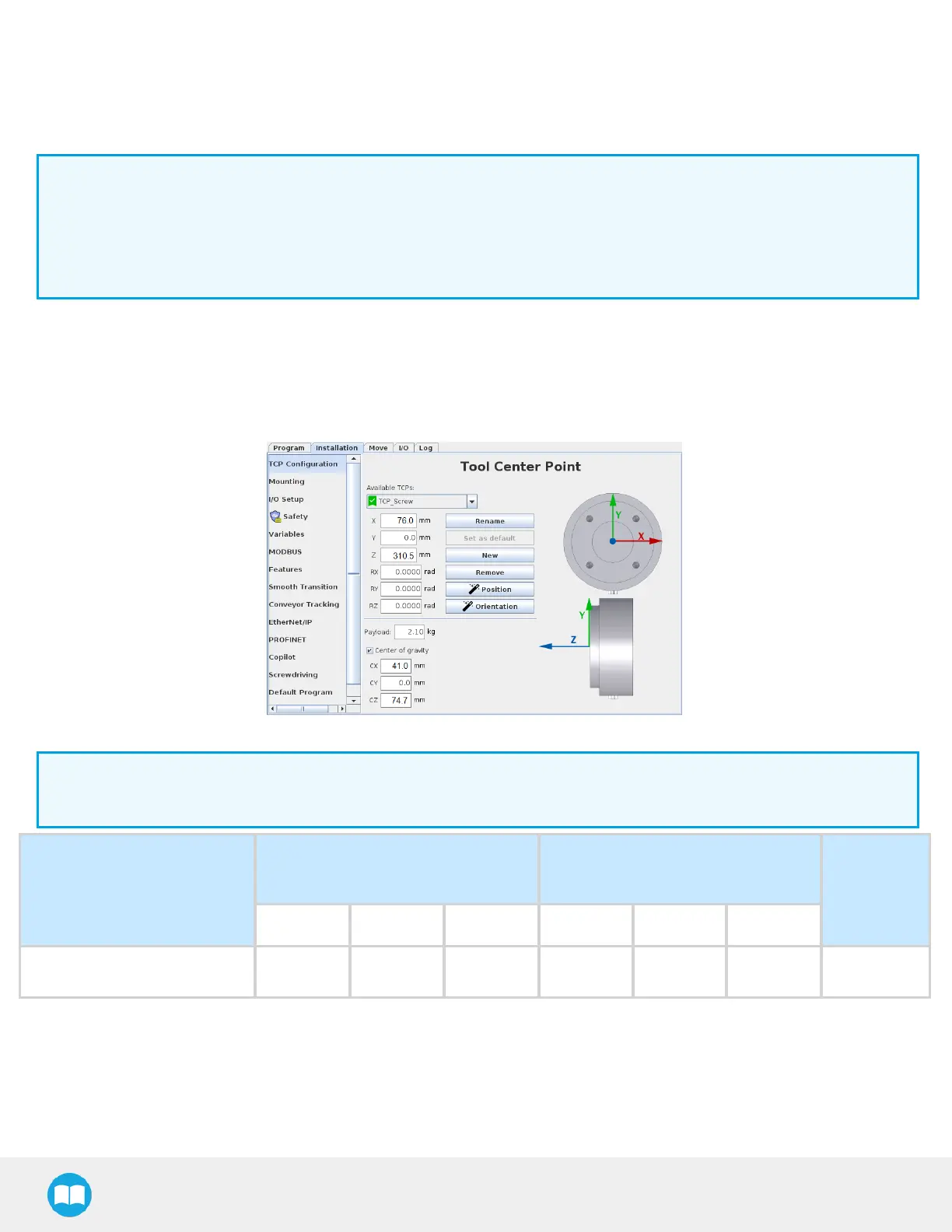
Tap TCPConfiguration in the navigation pane on the left.
Fig. 7-4: TCPMenu in the PolyScope Interface for CB-Series.
Info
The tool center point on the Z axis includesthe 3.5 screwdriving bit length.
Configuration
TCP(mm) - at tip of 3.5-in
screwdriving bit
Center of gravity(mm)
Payload (g)
X Y Z CX CY CZ
FT 300-S+ Screwdriver 76 0 310.5 41 0 74.7 2115
73



 To Next Page