Robotiq Screwdriving Solution - Instruction Manual
On e-SeriesRobots
l
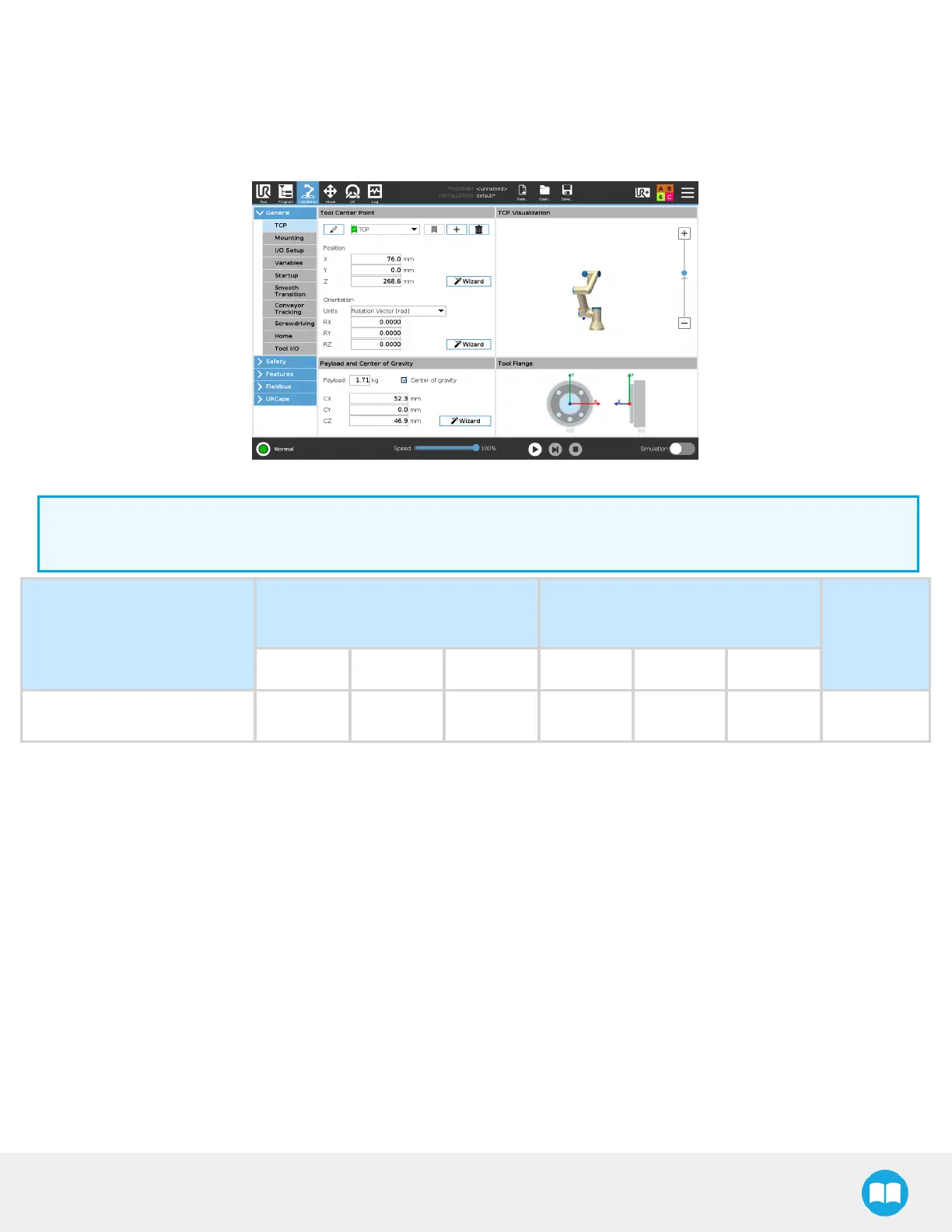
In the PolyScope interface, tap the Installation button in the top ribbon.
l
Tap the General button in the navigation pane on the left.
l
Select TCPfrom the dropdown menu.
Fig. 7-5: TCPMenu in the PolyScope Interface for e-Series.
Info
The tool center point on the Z axis includesthe 3.5 screwdriving bit length.
Configuration
TCP(mm) - at tip of 3.5-in
screwdriving bit
Center of gravity(mm)
Payload (g)
X Y Z CX CY CZ
Screwdriver 76 0 268.6 52.3 0 46.9 1711
74



 To Next Page