SOFTWAREUPDATE
The control software is constantly being further developed and can be updated very easily. It is
transferred to the controller by means of a micro SD card, the controller can remain connected.
1. From the website https://www.rocketronics.de/en/category/software/els-rmware/els4
you can download the latest software as a package. There you will also nd the changes
that have been made.
2. Save the included les to a micro SD card.
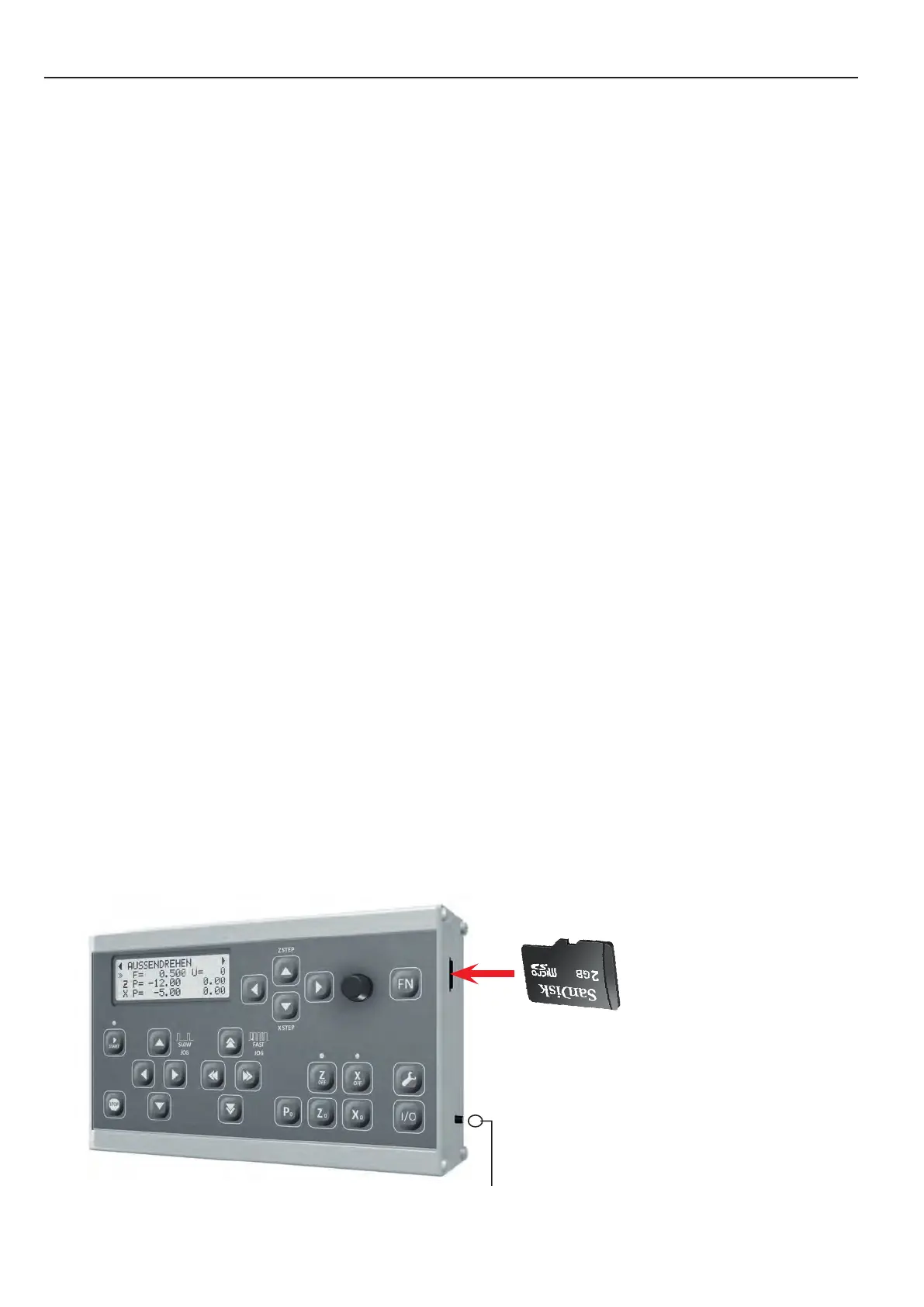
3. Insert the memory card into the card slot on the right side of the housing.
4. Switch o the control unit.
5. Press the small programming button on the right of the housing and switch on the control-
ler.
6. Release the button again.
7. The software is now loading, you hear a clicking sound and LEDs 2 and 3 ash alternately. If
everything works ne, the controller switches to the newly loaded program after approx. 8
seconds. If an error occurs, you will hear several tones. The number of tones indicates the
error:
1. Invalid card type
2. Invalid Bootdate
3. Read error
4. Cluster not found (card defective)
5. Wrong program
6. Wrong CPU
7. Encryption error
You can use micro SD cards from 2 - 32 GB memory size, the card must be formatted with
FAT16 or FAT32, NTFS or other do not work. The rmware le must be stored in the main direc-
tory, do not store it in a subfolder.
The data must be stored in the rst 2 GB of memory, if there is already more than approx. 1.5
GB of data stored on the card, delete it rst and then save the update le on the card.
programming button/
reset button
Micro-SD-Card
100


 To Next Page