FACING
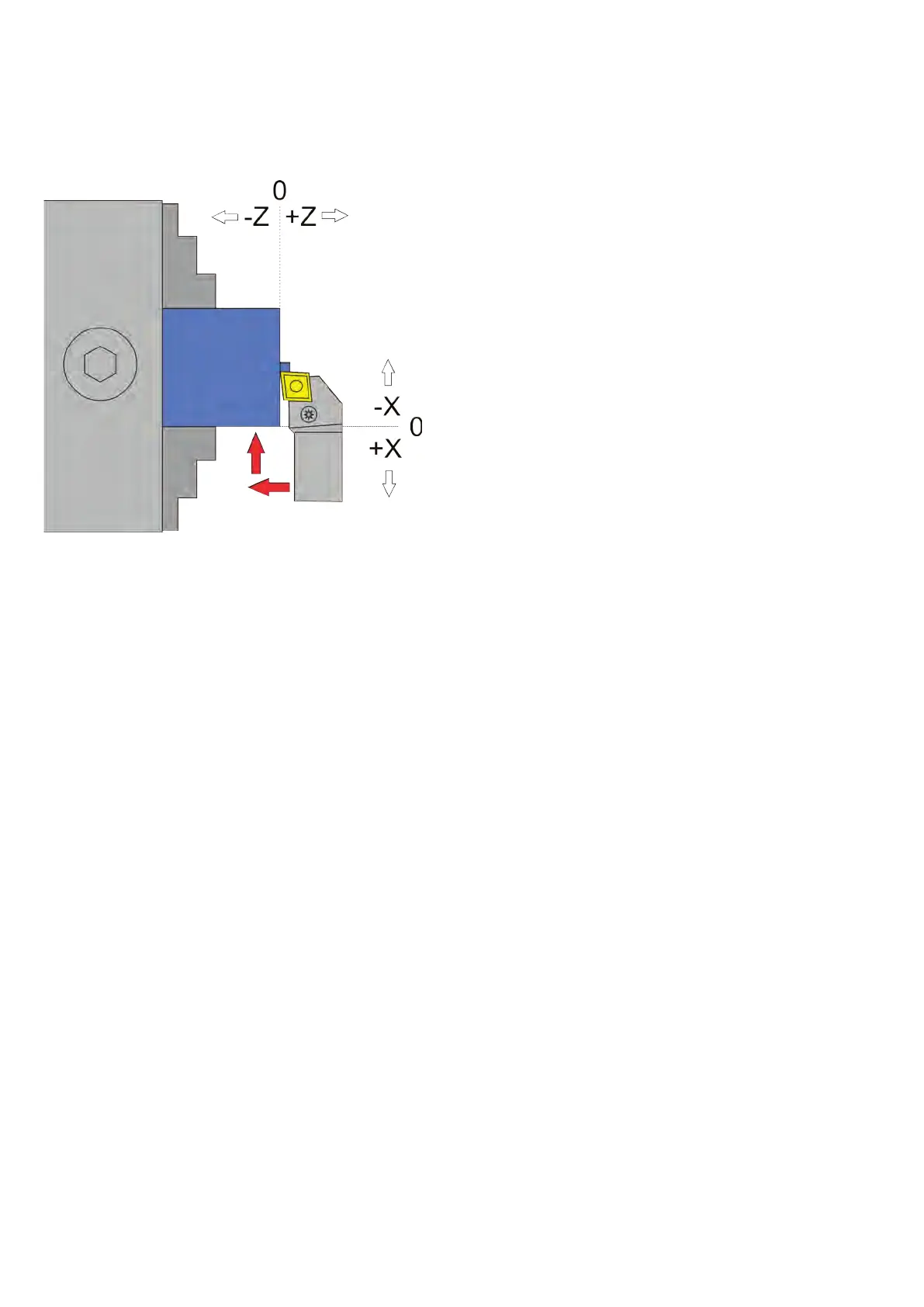
This mode is used to remove material from the face of the part. From the zero point, the turn-
ing tool moves to -Z, then to -X. ZP, corresponds to the depth of the material to be removed (ap)
XP is the radius by which the part becomes smaller (r).
ATTENTION: -X is ALWAYS in the removal direction, in this case -X is therefore away from the
operator. To zero the X axis, always approach the workpiece and set it to 0 to ensure that the
backlash is taken into account..
IMPORTANT: ALWAYS MAKE SURE THAT THE ZERO POINT IS SET CORRECTLY!
Moving axes and directions:
• X towards the chuck (-X)
• Z towards the chuck (-Z)
Required data:
• Feed F in mm/U
• ZP: Machining length in Z direction, must be zero or negative
Optional data
• XP: Cutting depth in X-direction, must be zero or negative.
• If XP=0, the material is only fed in the Z direction, e.g. for manual feed in the X direction.
• If XP >0, the number of cutting passes can be selected before the start of the process.
Available parameters in the parameter menu:
• X Ap Finish - depth of the last nishing pass in mm
• Finish feed rate - Speed of the nishing pass, either as a percentage of the feed rate set, or if
it continues to exceed 100%, also in discrete values in mm/revolution. The roughing pass is
then carried out at the feed rate (F) set in the cycle, the last nishing pass at the speed set
here in the parameter menu. The setting allows fast roughing with F and subsequent slow
nishing.
64


 To Next Page