45
Element Description
Spindle Stop active Activate output for spindle stop signal (NO contact). The
output becomes active at the end of a cycle or on abort.
Spindle Stop switch dura-
tion
Duration of the switching signal in milliseconds
ESTOP-FOLLOW active Output following ESTOP input. Can be used to switch o
voltage after the drives have come to a standstill.
ESTOP-FOLLOW
delay
If an emergency stop signal has been detected at the Estop
input, a delay can be set in motion after which the ESTOP
output is switched. Time in milliseconds.
COOL-output active Output for coolant pump, activated at cycle start.
COOL-output delay Delay for starting a cycle. This time is waited after activa-
tion of the COOL output until a cycle is started. This en-
sures that the coolant has arrived at the tool before the cut
starts.
SETUP OUTPUTS
Element Description
I/O Information Shows the state of the inputs and outputs
ELS 4 Firmware Version Firmwareversion
SELFTEST RESULT Shows the results of the system selftest
SETUP INFORMATION
FACTORY SETTINGS
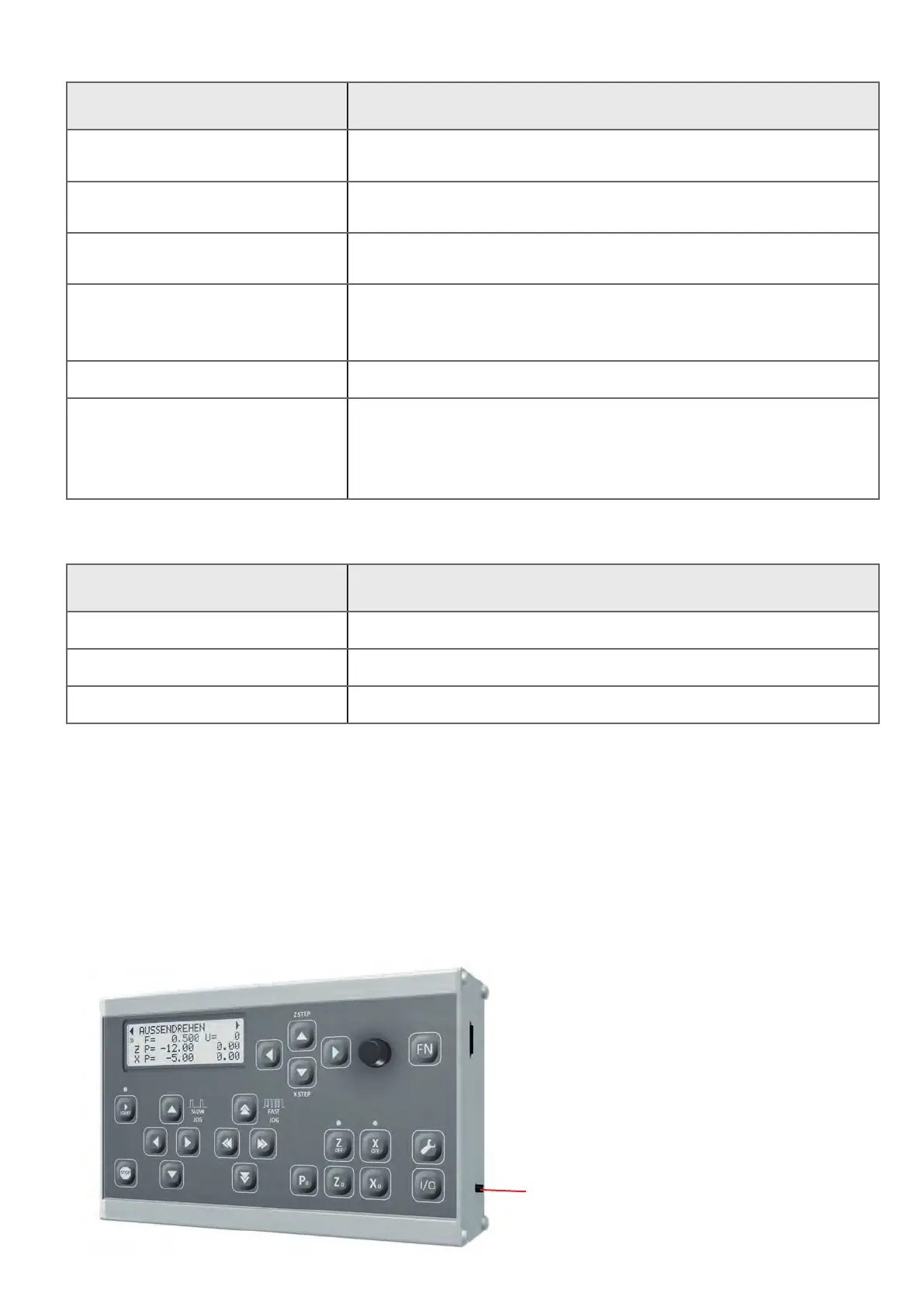
The settings can be reset to factory settings by pressing the programming reset button on
the right of the housing for approx. 7 seconds while the controller is running. You will then be
asked whether the settings should be reset. With START you reset the settings, STOP cancels
the process.
programming button/reset button


 To Next Page