49
-> Now snap the lock nut into place!
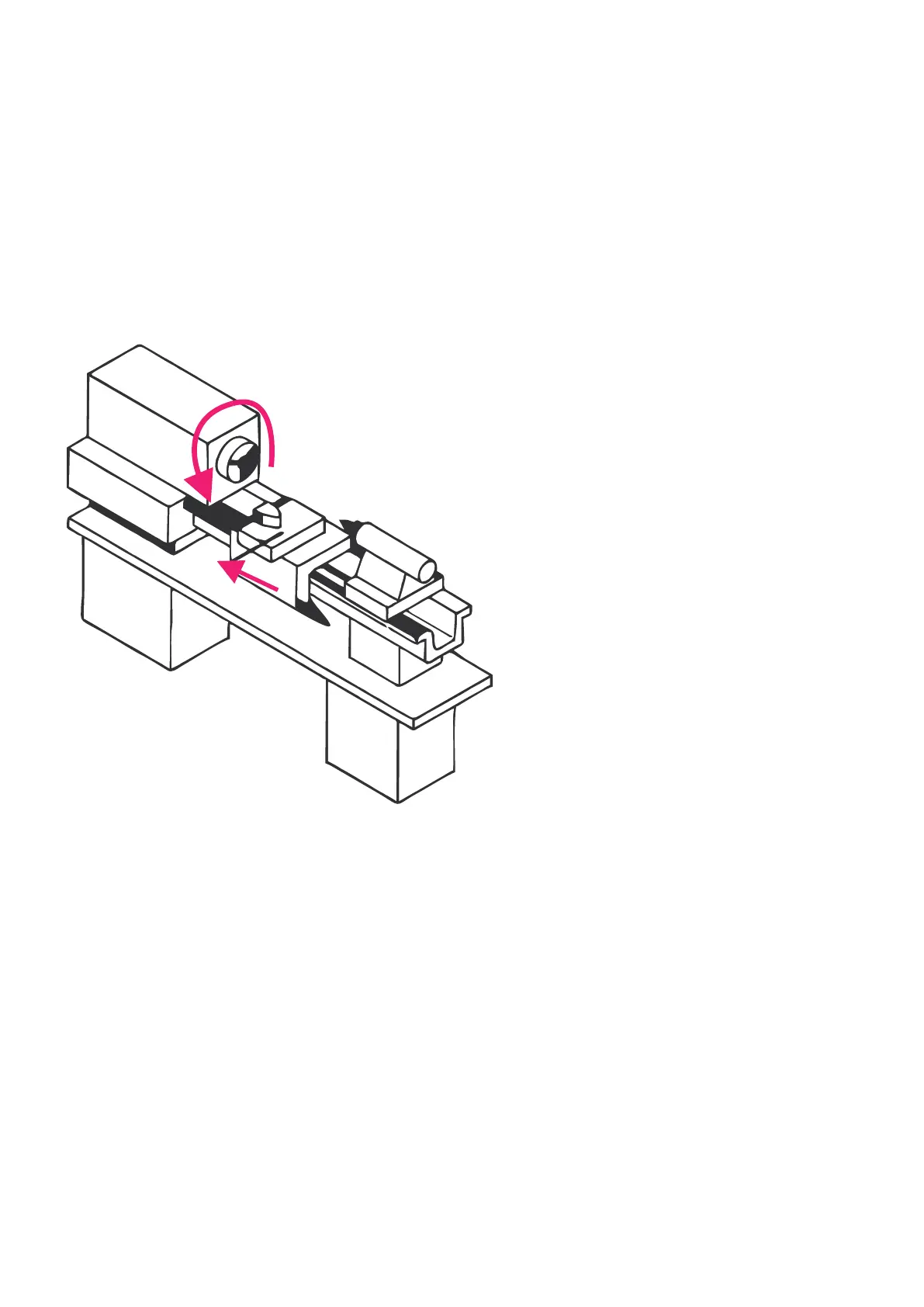
If the spindle turns to the left, the slide should move in the direction of the chuck. If it does not,
the encoder is set the wrong way round.
Remedy: Switch to SETTINGS -> SETUP ENCODER -> REVERSE DIRECTION and change the direc-
tion there. If the carriage then moves in the correct direction, the system will function correctly!
Congratulations, you can now carefully experiment with higher speed and other feeds.
4. Check encoder angle value
Use the LEFT or RIGHT keys to change to the „ANGLE“ cycle:
The correct function of the encoder can be easily tested:
1. Switch to the „ANGLE“ cycle.
2. Mark a point on the lathe chuck and set the angle on the control with P0 to 0.
3. Now let the spindle run for a while, at medium speed, max. 1000 rpm.
4. Stop the spindle and turn the chuck manually in the direction of rotation up to the mark.
5. Here the control must now display approximately 0°.
If it deviates strongly there is something wrong with the encoder:
• Is the number of pulses set correctly?
• Is the encoder connected to the spindle via a subtranslation? Is it possibly not correct or has
a crooked ratio, e.g. 1:1.75?
• Does the connection possibly have slippage, e.g. due to loose toothed belts, not exactly
running gear wheels?
When turning the spindle counterclockwise, the slide must
move in the direction of the chuck in GEARBOX LEFT.


 To Next Page