EasyManua.ls Logo

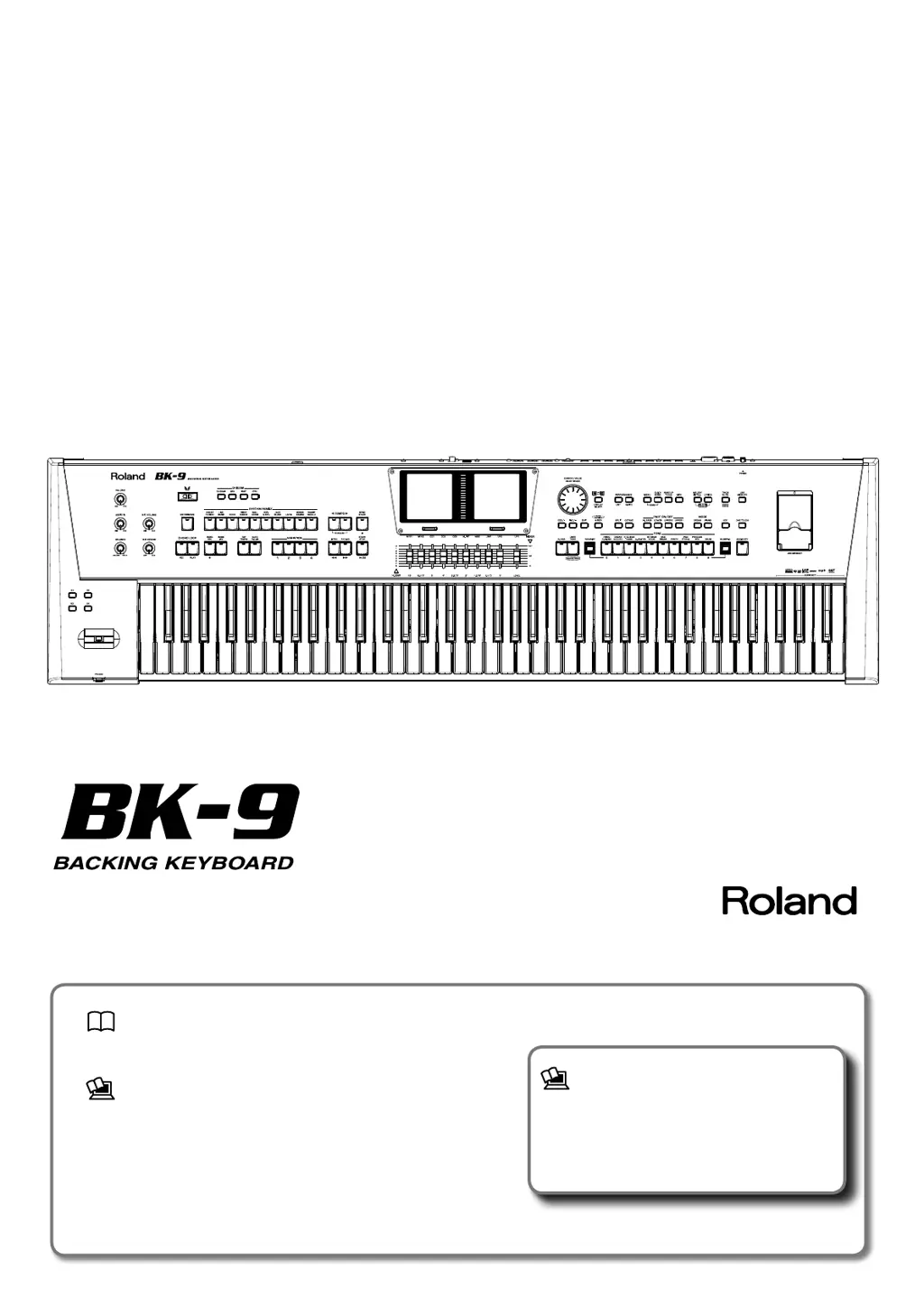
Roland BK-9 - User Manual

Roland BK-9
180 pages
Print Icon
To Next Page IconTo Next Page
Loading...
Owners Manual
Owner’s Manual (this document)
Read this rst. It explains the basic things you need to know in
order to use the BK-9.
PDF Manual (download from the Web)
Tone & Drum Kit List
This is a list of the sounds contained in the BK-9.
Rhythm List
This is a list of the rhythms contained in the BK-9.
MIDI Implementation
This is detailed information about MIDI messages.
To obtain the PDF manual
1.
Enter the following URL in your computer.
http://www.roland.com/manuals/
2. Choose “BK-9” as the product name.

Table of Contents

Other manuals for Roland BK-9

Questions and Answers

  • T
    Todd MorganSep 9, 2025
    What to do if my Roland Synthesizer BK-9 is not receiving MIDI messages?
    • D
      David GarciaSep 9, 2025
      The BK-9 may be set to receive on a MIDI channel that your MIDI controller isn't transmitting on. Correct the MIDI controller’s transmit channel.
  • B
    bakerjefferyAug 23, 2025
    What to do if there is no sound from my Roland Synthesizer BK-9?
    • S
      Samuel MooreAug 23, 2025
      If you're not getting any sound from your BK-9, try the following: 1. Ensure the BK-9 is switched on. 2. Check that the [VOLUME] knob is turned up. 3. If an Expression Pedal is connected, ensure it's not all the way up. 4. If using headphones, test if sound is audible through them to rule out cable or speaker issues. 5. Verify that the part volume settings are not minimized. 6. Ensure no external MIDI device is sending volume-lowering messages.
  • S
    Stacy WelchAug 25, 2025
    What to do if my Roland Synthesizer BK-9 power does not turn on?
    • J
      Julia BerryAug 26, 2025
      First, ensure the included AC adapter/power cord is correctly connected to both an AC outlet and the BK-9. Using other adapters or cords can cause malfunctions. Also, if you've just turned the power off, wait at least five seconds before turning it back on.
  • L
    Laura WilsonAug 26, 2025
    What to do if I can't connect my Roland Synthesizer BK-9 to a wireless LAN access point?
    • S
      Susan HicksAug 27, 2025
      First, ensure your wireless LAN access point supports WPS. If not, use the connection procedure described in "Connecting to a Wireless LAN Access Point That You Select". Also, verify you've entered the correct password on your device, and that you're using the 802.11g/n (2.4 GHz) wireless standard, as 802.11a/b is not supported. Use WPA or WPA2 authentication, as WEP is not supported. DHCP must be enabled on your wireless LAN access point. If you're not connecting to a previously-connected access point, ensure the setting described in "Connecting in Ad-Hoc mode" is OFF. Remember that there's a limit to stored connection data, and a factory reset will delete all connection data, requiring you to reconnect.
  • J
    Jerry NorrisAug 28, 2025
    Why does my Roland Synthesizer BK-9 communication is unstable?
    • M
      Madison MartinezAug 28, 2025
      Unstable communication can occur based on radio frequency spectrum usage. This may result in sluggish response or audio dropouts. To improve this, move the wireless LAN access point and the BK-9 closer together or change the channel setting of the wireless LAN access point.
  • M
    Mark FernandezAug 29, 2025
    What to do if my Roland Synthesizer BK-9 pedal switch does not work?
    • N
      Nicole BentleyAug 29, 2025
      Check if the pedal switch is correctly connected to the PEDAL HOLD or CONTROL jack. Ensure the cable is firmly plugged in. If you disconnected the pedal cord while the power was on, the pedal effect might remain “stuck”. Power off the BK-9 before connecting or disconnecting the pedal cord.
  • C
    Cynthia PhillipsSep 18, 2025
    Why can’t I read/write to USB memory on my Roland Synthesizer BK-9?
    • P
      Paula BlackSep 18, 2025
      Use an (optional) Roland USB memory (M-UF series). Reliable performance cannot be guaranteed if you use non Roland USB memory products. Also, the BK-9 can only use USB memory that has been formatted as FAT. If your USB memory was formatted using any other method, re-format it using the BK-9.
  • S
    Stacy RamosSep 18, 2025
    Why do I hear a “buzz” from the external amplifier connected to my Roland Synthesizer BK-9?
    • C
      Christine MarquezSep 19, 2025
      If the external amplifier or other device used with the BK-9 is connected to a different AC power outlet, connect the amplifier or other device to the same AC outlet as the BK-9.
  • W
    Wayne AndersonSep 7, 2025
    What to do if I can’t play an audio/mp3-format song on my Roland Synthesizer BK-9?
    • W
      wongvernonSep 8, 2025
      Verify that the song is in a format that the BK-9 is able to read.
  • J
    Joshua DavisSep 4, 2025
    What to do if the external screen remains dark when connected to my Roland Synthesizer BK-9?
    • V
      Valerie JacksonSep 4, 2025
      First, ensure the screen is connected to the VIDEO OUTPUT socket. Then, verify that your TV or external screen is switched on and set to the correct channel for the video input. Also, confirm that you are using a supported TV or monitor screen.

Roland BK-9 Specifications

General IconGeneral
Polyphony128 voices
Power SupplyAC Adaptor
Sound GeneratorPCM Sound Generator
Rhythms/Styles540 rhythms
EffectsReverb, Chorus, Multi-effects (MFX), EQ
USBUSB Flash memory, USB Computer (Audio/MIDI)
ConnectionsMIDI IN/OUT, USB, Audio Input, Audio Output, Headphones

Related product manuals