EasyManua.ls Logo

Roland BK-9 - User Manual

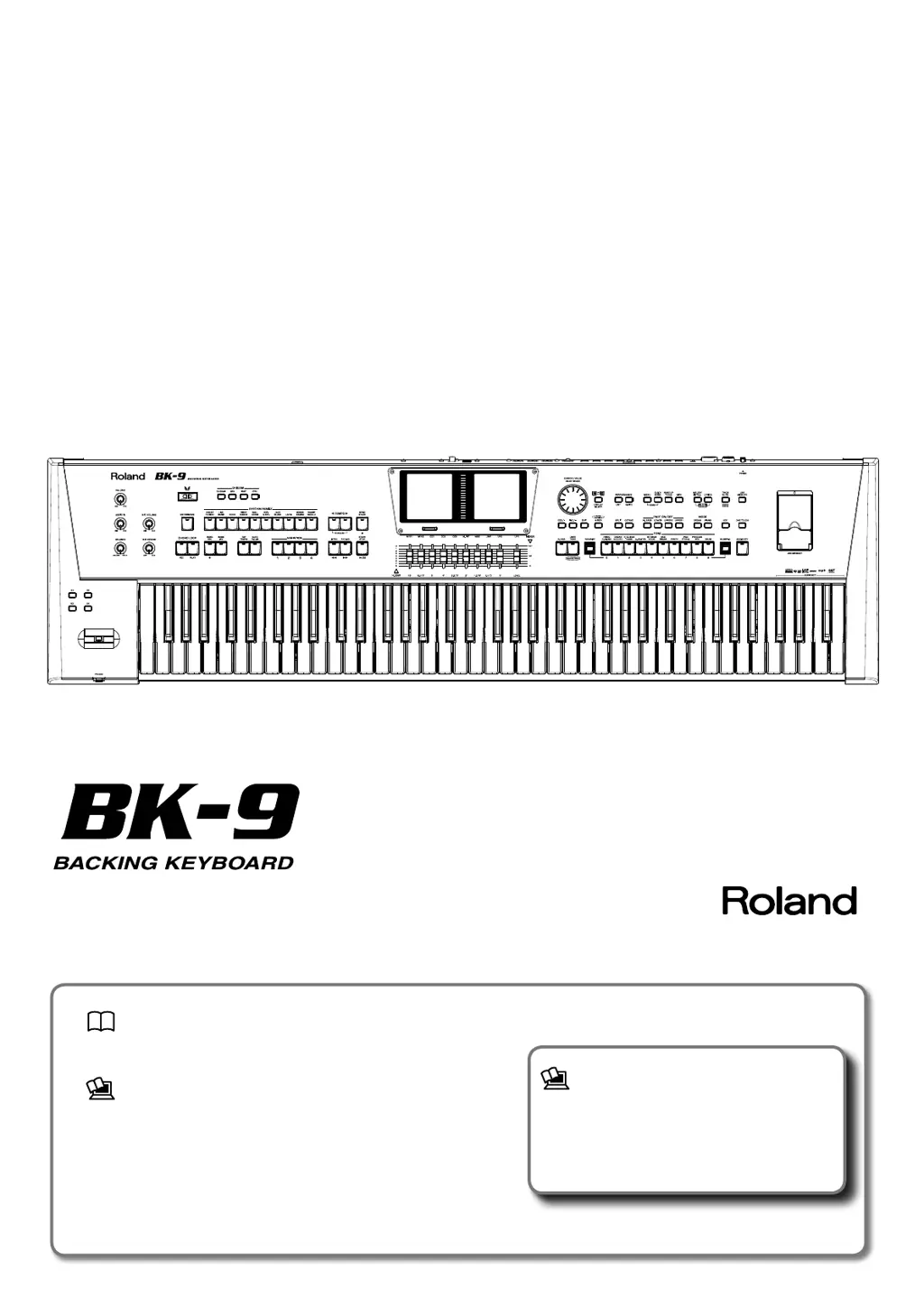
Roland BK-9
180 pages
Print Icon
To Next Page IconTo Next Page
Loading...
Owners Manual
Owner’s Manual (this document)
Read this rst. It explains the basic things you need to know in
order to use the BK-9.
PDF Manual (download from the Web)
Tone & Drum Kit List
This is a list of the sounds contained in the BK-9.
Rhythm List
This is a list of the rhythms contained in the BK-9.
MIDI Implementation
This is detailed information about MIDI messages.
To obtain the PDF manual
1.
Enter the following URL in your computer.
http://www.roland.com/manuals/
2. Choose “BK-9” as the product name.

Table of Contents

Other manuals for Roland BK-9

Questions and Answers

  • C
    campbellchristianAug 21, 2025
    Why does my Roland Synthesizer BK-9 power turn off on its own?
    • A
      Anthony OlsonAug 21, 2025
      The power will turn off automatically if 240 minutes have elapsed since you last used the unit. This is the default setting. To disable this, turn the “Auto Off” setting to “Off”.
  • J
    Jonathan CoxSep 3, 2025
    How to fix incorrect pitch of rhythm/song on Roland Synthesizer BK-9?
    • D
      Daniel MckeeSep 3, 2025
      Check that the “Tuning” setting is appropriate. Also, verify if you accidentally transposed the rhythm/song and check the “Rhythm Scale Tune” parameter.
  • K
    Kimberly GrantSep 1, 2025
    Why does my Roland Synthesizer BK-9 voice sound low?
    • D
      david61Sep 1, 2025
      Ensure the [MIC VOLUME] knob is turned up. If you're using a Condenser Microphone, set the Phantom switch on the rear of the BK-9 according to your microphone type.
  • S
    Sabrina MoralesAug 31, 2025
    Why does my iPhone or iPod touch won’t connect to the Internet using Roland Synthesizer BK-9?
    • A
      Allen HallAug 31, 2025
      Check that the wireless LAN access point is connected to the Internet. Also, if you're connected in Ad-Hoc mode, your device won't be able to communicate with the Internet or other wireless devices.
  • M
    Mark FernandezAug 29, 2025
    What to do if my Roland Synthesizer BK-9 pedal switch does not work?
    • N
      Nicole BentleyAug 29, 2025
      Check if the pedal switch is correctly connected to the PEDAL HOLD or CONTROL jack. Ensure the cable is firmly plugged in. If you disconnected the pedal cord while the power was on, the pedal effect might remain “stuck”. Power off the BK-9 before connecting or disconnecting the pedal cord.
  • J
    Jerry NorrisAug 28, 2025
    Why does my Roland Synthesizer BK-9 communication is unstable?
    • M
      Madison MartinezAug 28, 2025
      Unstable communication can occur based on radio frequency spectrum usage. This may result in sluggish response or audio dropouts. To improve this, move the wireless LAN access point and the BK-9 closer together or change the channel setting of the wireless LAN access point.
  • L
    Laura WilsonAug 26, 2025
    What to do if I can't connect my Roland Synthesizer BK-9 to a wireless LAN access point?
    • S
      Susan HicksAug 27, 2025
      First, ensure your wireless LAN access point supports WPS. If not, use the connection procedure described in "Connecting to a Wireless LAN Access Point That You Select". Also, verify you've entered the correct password on your device, and that you're using the 802.11g/n (2.4 GHz) wireless standard, as 802.11a/b is not supported. Use WPA or WPA2 authentication, as WEP is not supported. DHCP must be enabled on your wireless LAN access point. If you're not connecting to a previously-connected access point, ensure the setting described in "Connecting in Ad-Hoc mode" is OFF. Remember that there's a limit to stored connection data, and a factory reset will delete all connection data, requiring you to reconnect.
  • S
    Stacy WelchAug 25, 2025
    What to do if my Roland Synthesizer BK-9 power does not turn on?
    • J
      Julia BerryAug 26, 2025
      First, ensure the included AC adapter/power cord is correctly connected to both an AC outlet and the BK-9. Using other adapters or cords can cause malfunctions. Also, if you've just turned the power off, wait at least five seconds before turning it back on.
  • B
    bakerjefferyAug 23, 2025
    What to do if there is no sound from my Roland Synthesizer BK-9?
    • S
      Samuel MooreAug 23, 2025
      If you're not getting any sound from your BK-9, try the following: 1. Ensure the BK-9 is switched on. 2. Check that the [VOLUME] knob is turned up. 3. If an Expression Pedal is connected, ensure it's not all the way up. 4. If using headphones, test if sound is audible through them to rule out cable or speaker issues. 5. Verify that the part volume settings are not minimized. 6. Ensure no external MIDI device is sending volume-lowering messages.

Roland BK-9 Specifications

General IconGeneral
Polyphony128 voices
Power SupplyAC Adaptor
Sound GeneratorPCM Sound Generator
Rhythms/Styles540 rhythms
EffectsReverb, Chorus, Multi-effects (MFX), EQ
USBUSB Flash memory, USB Computer (Audio/MIDI)
ConnectionsMIDI IN/OUT, USB, Audio Input, Audio Output, Headphones

Related product manuals