A4US
US
A4
US A4
US
A4
A4 US
US
A4
US
A4
A4 US
16 IQ3 Full Configuration Manual – Section: Settings
2.3.2 Control – Remote
Settings
Limits
Indication
Control
ESD
Security
Defaults
Control
Local
Remote
Interrupter Timer
Remote Control
Hardwired
Control Source
Partial Stroke
Positioning
Auxiliary Mask
Analogue
Pakscan
Profibus
HART
Modbus
Extra I/O
Instruction is provided on the setup of standard hardwired
and remote control options.
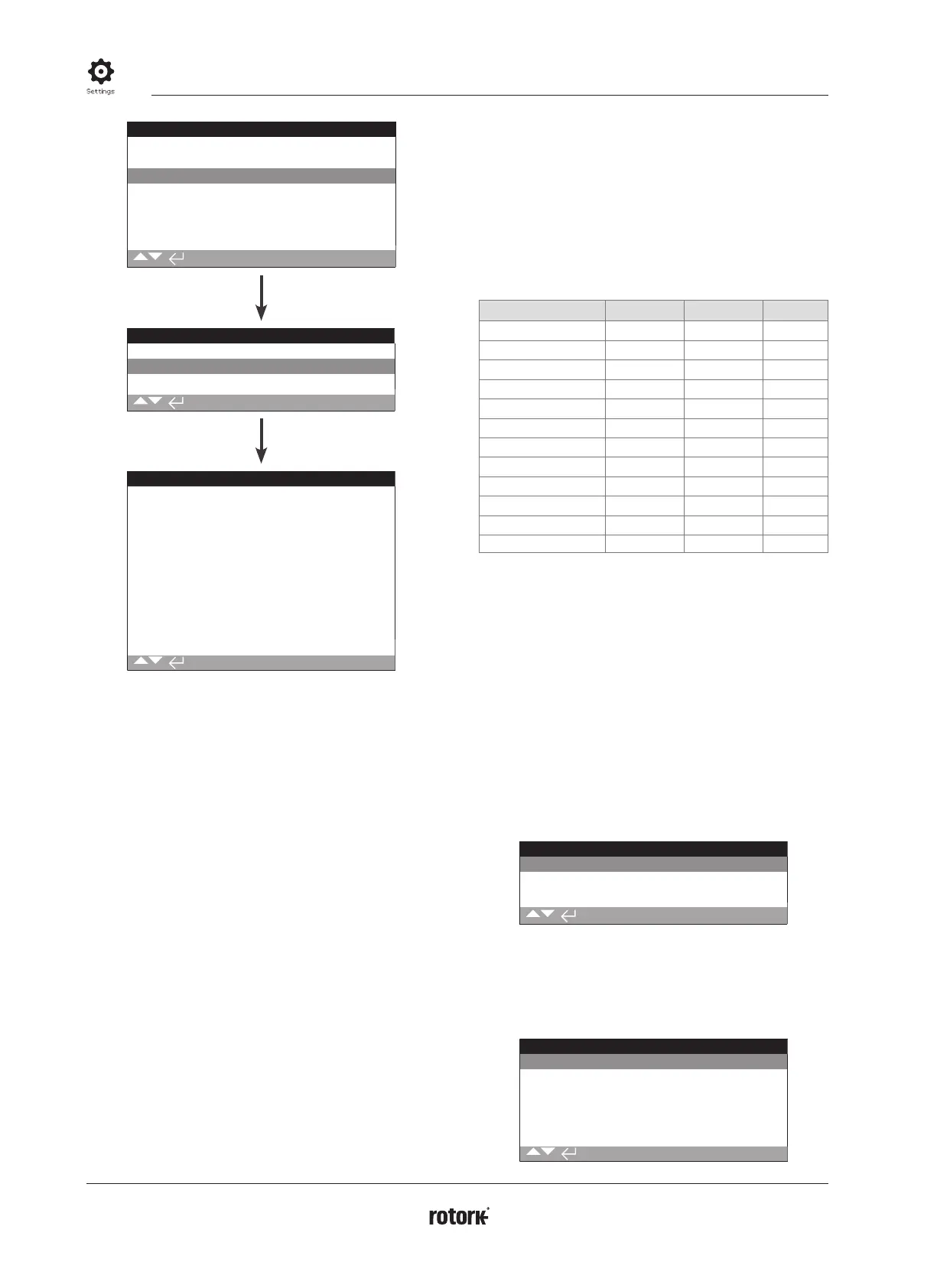
The Remote Control menu is shown left listing all possible
entries. Some menu items shown are optional remote control
forms requiring additional hardware to be fitted in the actuator
(see table below). The menu list displayed on the actuator will
show only the option(s) fitted. Options not fitted will not be
included in the menu list, check wiring diagram for option
inclusion.
The table below lists the available standard and option
remote control forms, their type and the section of this
manual where instruction is provided.
Remote Control Form Included as: Type Section
Hardwired Standard Hardwired
2.3.2-1
Control Source Standard Software
2.3.2-2
Partial Stroke Standard Hardwired
2.3.2-3
Positioning Option See Note
2.3.2-4
Auxiliary Mask Option See Note
2.3.2-5
Analogue Option Analogue
2.3.2-6
Pakscan Option Network
2.3.2-7
Profibus Option Network
2.3.2-8
HART Option Analogue
2.3.2-9
Modbus Option Network
2.3.2-10
Extra I/O* Option Hardwired
2.3.2-11
Foundation Fieldbus* Option Network
N/A
* When Foundation Fieldbus is fitted it will be included in the remote
control menu for information only. The Foundation Fieldbus option is
configured remotely over the Fieldbus network and therefore does not
have a setup page. Control Source, Positioning and Auxiliary Mask pages
will be included to allow associated setting to be made when Foundation
Fieldbus is fitted.
Extra I/O is an option card providing additional digital inputs to the
standard build. Inputs may be control or indication (configurable).
Note: When any of the analogue or network remote
control options are fitted, Auxiliary Mask and Positioning are
automatically included in the remote control menu. These items
allow access to settings that are common to all fitted options.
See Examples below.
Example 1: For a basic actuator with no control options fitted,
the remote control menu is shown below.
Remote Control
Hardwired
Control Source
Partial Stroke
Example 2: For an actuator with a remote control option, the
remote control menu will automatically display the appropriate
items relating to that option. The example below shows the
menu for an actuator including the Profibus option with the
associated Positioning and Auxiliary Mask items.
Remote Control
Hardwired
Control Source
Partial Stroke
Positioning
Auxiliary Mask
Profibus



 To Next Page