A4US
US
A4
US A4
US
A4
A4 US
US
A4
US
A4
A4 US
22 IQ3 Full Configuration Manual – Section: Settings
4/5 Low Signal Pos
Range 0% to 100% open positions.
Used to set the position the actuator will move to when the
low analogue signal is applied for Analogue control or for a 0%
position command for Network options. Normally this will be set
at Closed Limit position (0%), unless positioning is required over
a reduced portion of full valve travel, for example, to prevent full
closure where valve throttling is required.
To change,
. The slider control will indicate the
position the actuator will move to when the low signal is
applied.
5/5 High Signal Pos
Range 0% to 100% open positions.
Used to set the position the actuator will move to when the High
analogue signal is applied for Analogue control or for a 100%
position command for Network options. Normally this will be set
at Open Limit position (100%), unless positioning is required over
a reduced portion of full valve travel, for example, to increase
positioning resolution for a butterfly valve where positioning is
required from Closed Limit position to 60% open position.
To change,
. The slider control will indicate the
position the actuator will move to when the high signal is
applied.
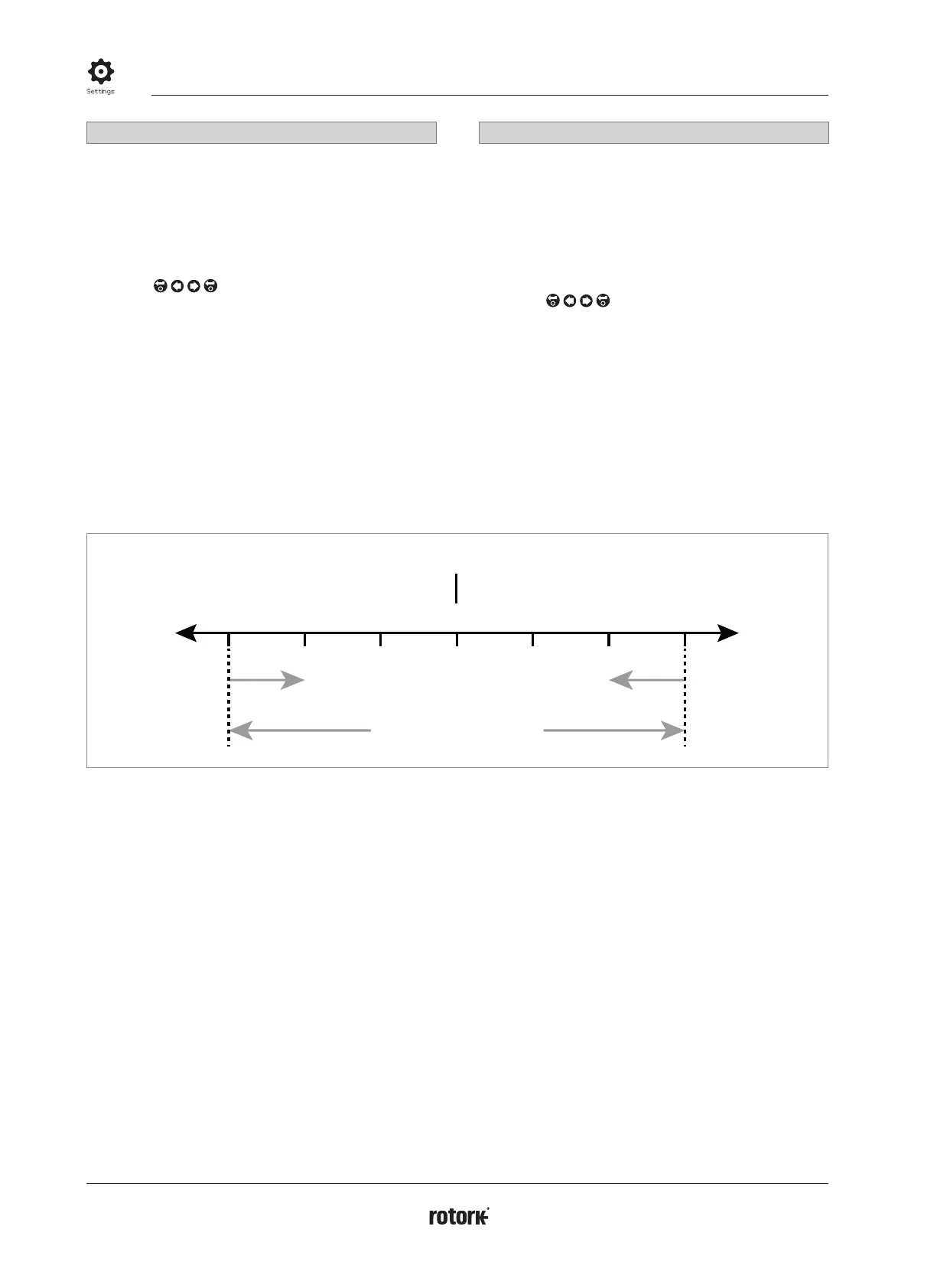
Figure 2.3-1 Example of Hysteresis and Deadband
Example: An actuator set with a 3% deadband and a 1%
hysteresis and a control system new Desired Value (DV) of 50%
will come to rest between 48% and 53% when moving from
a position less than 47%, and between 52% and 47% when
moving from a position greater than 53%.
Hysteresis = 1%
Deadband = 3%
DV
47% 48% 49% 50% 51% 52% 53%
OpenClose
The Deadband setting will be determined by the accuracy of
control required and valve overrun. Overrun is a factor of valve
and actuator inertia dependent on mass, speed, valve stiffness
and friction
2.3.2-4 Control – Remote – Positioning
continued



 To Next Page