23/05/2019Roundshot VR Drive Instruction Manual – Firmware Version 2.023 133
6.8 Video vs. timelapse mode (continued)
Now the definition of the video or timelapse sequence can start.
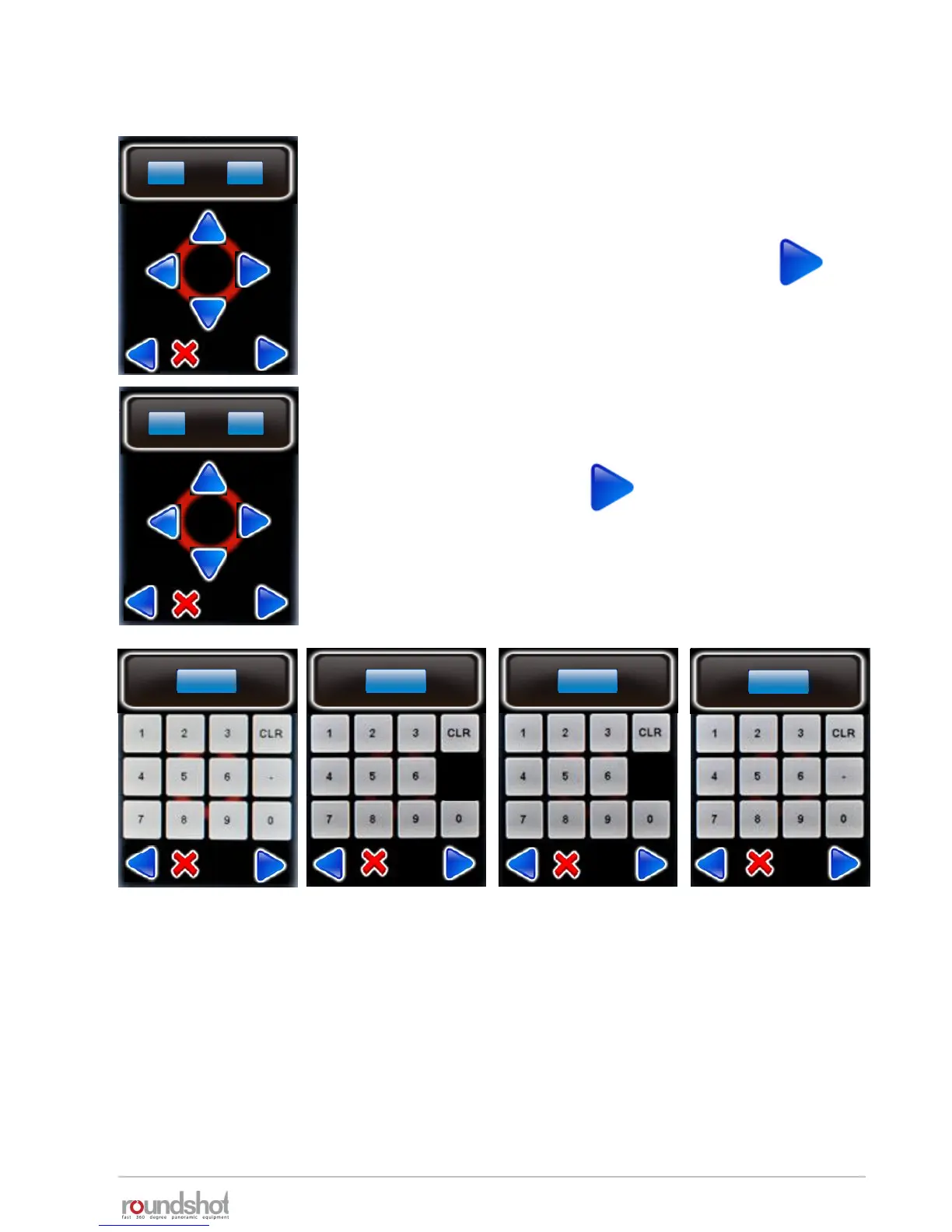
Set the start point of the sequence
Use the arrow keys to Move the VR Drive right/left/up/down.
When the start position is reached confirm with “next”.
Define the next point in the sequence using the arrow keys or
enter the angle directly in the X and Y fields
Confirm the point with “next”.
For every acquired point indicate the following:
• Image every ? degree: time or position (degree or cm) interval for releasing the images
(Only applicable in timelapse mode)
• Acceleration: degree of speed adaptation from previous to the current point (1% slow,
100% fast)
• Duration: time (in seconds) from previous to the current point (including all pause before
or after image if any)
• Pause: time (in seconds) of pause on the current point before starting the next sequence
step
duration
30
[2..9999]
pause
1
[0...3600.0]
acceleration
50
[1..100]
image every ? degrees
1
[1..9999]
edit
delete
start X
°
-45.0
[-999.9..999.9]
start Y
°
45.0
edit
delete
X1
°
-45.0
[-999.9..999.9]
Y1
°
45.0
°



 To Next Page