23/05/2019Roundshot VR Drive Instruction Manual – Firmware Version 2.023 65
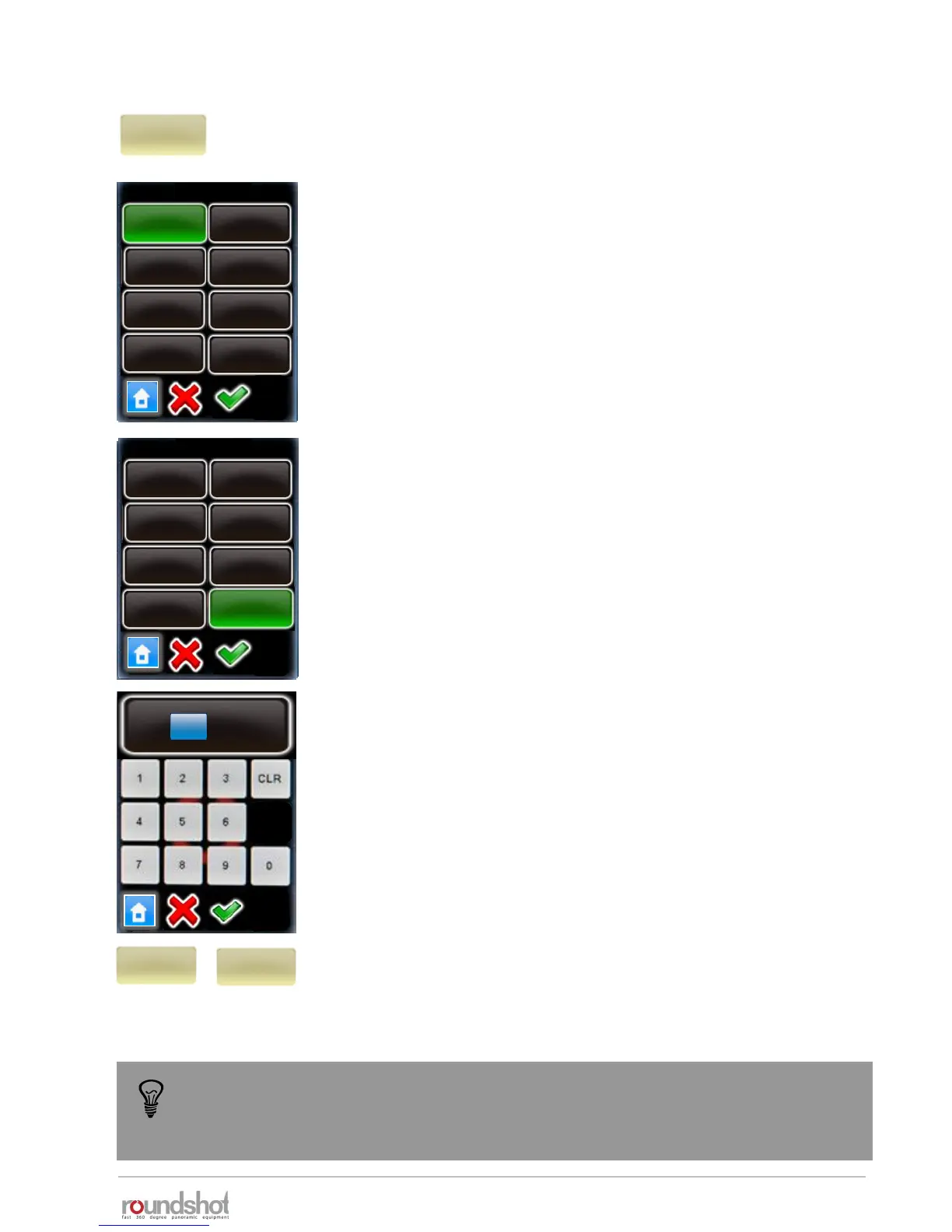
Click on “bracketing” to program multi-exposures per position.
Bracketing “1” means no multi-exposures – only one image will be
released per position.
With bracketing “3”, “5”, “7”, “9”, “11” and “13” several images are
released per position.
The bracketing values (number of images, bracketing range in f-
stops, type of bracketing) need to be set in the camera software.
Make sure that the number of images set in the camera software
and in the VR Drive software match.
Confirm with “OK” or cancel with “X”.
“Special bracketing” is used with cameras which allow the release
and bracketing of several images in multi-shot mode.
Set the bracketing and multi-shot feature on the camera.
Enter the total duration of the “multi-shot” in the VR Drive
software. The VR Drive will then give a longer release signal to the
camera for the multi-shots.
Confirm with “OK” or cancel with “X”.
Click on “manual” to activate or deactivate the manual release of
the image in every position:
• Manual “on”: requires releasing every picture manually
• Manual “off”: releases the images automatically
manual
on
manual
off
bracketing
1
elev.
0
images
7
[-90..90]
[1..9999]
bracketing
5
3
7
9
11
13
special
1
elev.
0
images
7
[-90..90]
[1..9999]
bracketing
5
3
7
9
11
13
special
1
The bracketing of the camera in “quality mode” is limited to +/- 2 EVs (f-stops). For 32-
bit HDR photography this is insufficient. With the VR Drive “HDR mode” it is possible to
eliminate this limitation. In the “HDR mode” the VR Drive controls the camera software
directly, allowing much larger bracketing steps and a larger dynamic range.
HDR bracketing
[0..9999]
2 s
4.1 Editing in quality, speed and turntable modes (continued)



 To Next Page