23/05/2019Roundshot VR Drive Instruction Manual – Firmware Version 2.023 86
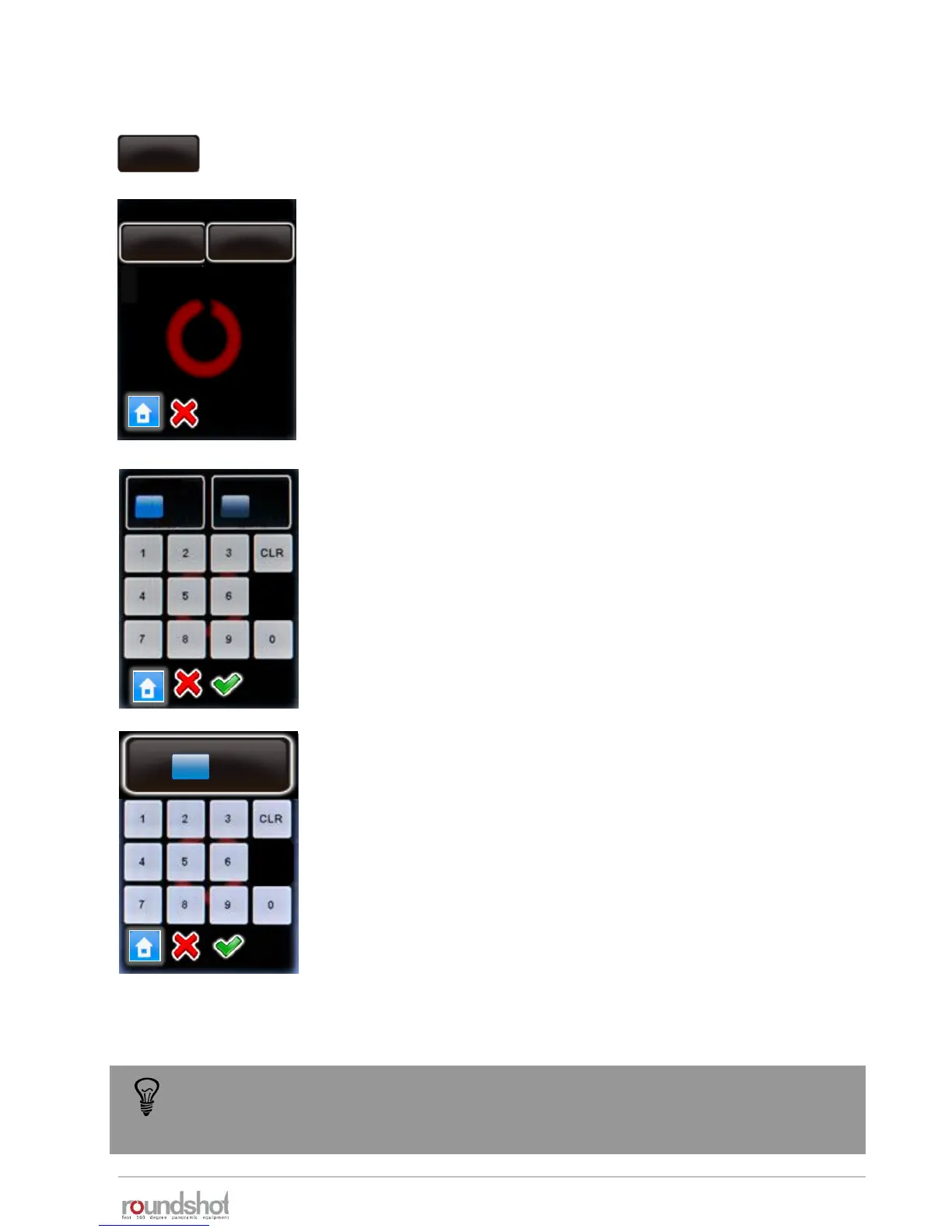
Click on „default movement“ to set the preferences for automatic
positioning of the VR Drive.
Click on „speed“.
Enter the speed of X / Y movement (in seconds).
The standard settings are:
• X: 6s
• Y: 10s
Confirm with “OK” or cancel with “X”.
Click on „acceleration“.
Enter the degree of speed adjustment:
• 1%: slow adjustment
• 100%: fast adjustment
The acceleration value is computed when setting up the program in
the Program Wizard and depends on the focal length:
• <20mm: 100%
• 20mm to 50mm: 50%
• >50mm: 20%
Confirm with “OK” or cancel with “X”.
speed
8/10s
acceleration
50%
default movement
Beschleunigung
X Y
s
s
6 10
[6..9999] [8..9999]
50
acceleration
The standard movement speed and acceleration is applied when the VR Drive moves
from zero position to start a program, back into zero position after a program or
from/into a parking position.
4.6.1 Settings/general (continued)
default
movement
speed
6/10s
acceleration
50%
Beschleunigung
acceleration
[1..100]
50 %



 To Next Page