SAM4s ER-265 Operator's and Programming Manual v1.14 Advanced Programming Instructions 75
Programming Clerks
If you wish to use the clerk system, you must first activate the clerk system by setting system option
#16. See “System Option Programming” on page 60. You can activate the clerk system for with a
stay down or pop-up mode.
Stay down means that once a clerk is signed on, the same clerk will remain signed on
until a different clerk signs on or the original clerk signs off. A stay down clerk
system might be used when only one operator uses the register at a time, and a different
operator begins when a work shift is changed.
Pop-up means that the clerk is automatically signed off an the end of each transaction.
Therefore, to begin a transaction, you must first sign a clerk on. A pop-up clerk
system might be used in a department store, where several clerks might use the register
during the same shift, and clerk sales information is required.
With the clerk system activated, you can operate up to 10 clerks. The clerk registering a transaction
is printed on the bottom of the receipt to indicate clerks 1 through 10. For example:
15:39 03-01-2006
000017 CLERK 1 00
See “Clerk Operations” on page 29 for clerk sign on and sign off sequences.
Programming a Clerk Code
The clerk code consists of a three digit secret number, followed by the digit representing the number
of the clerk.
1. Turn the control lock to the PGM position.
2. Set system option #16 to a value or 1 or 2 (for with a stay down or pop-up mode).
See “System Option Programming” on page 60.
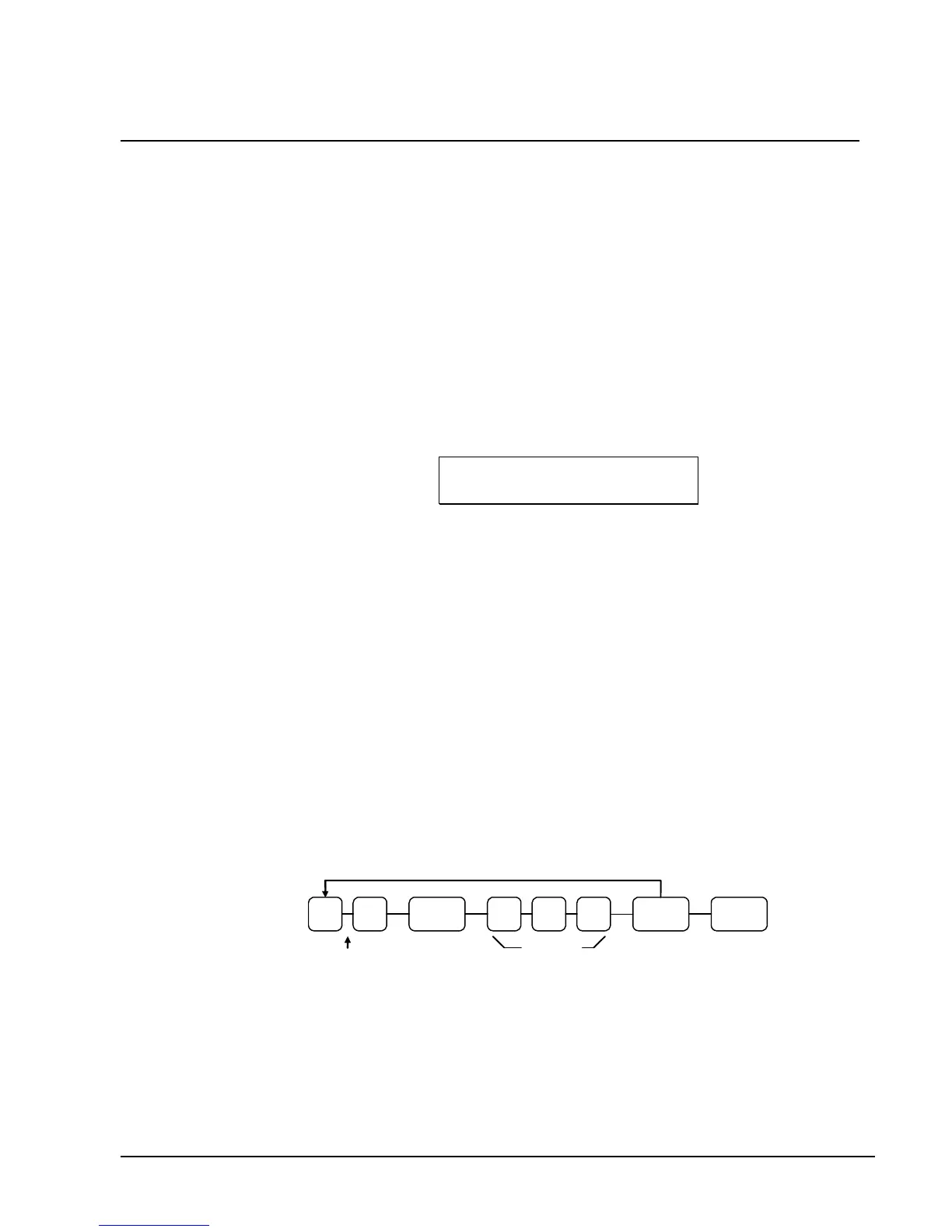
3. Enter the clerk number (1-10), press the CLERK key.
4. Enter a three digit secret code, press the X/TIME key
5. Repeat from step 3 for each clerk you wish to program.
6. Press the CASH/TEND key to end programming.
Clerk Programming Flowchart
X/TIME CLERK
CASH/
TEND
Clerk #
1.thru 10
Secret
clerk #
Repeat for each clerk



 To Next Page