18 Quick Setup SAM4s ER-265 Operator's and Programming Manual v1.14
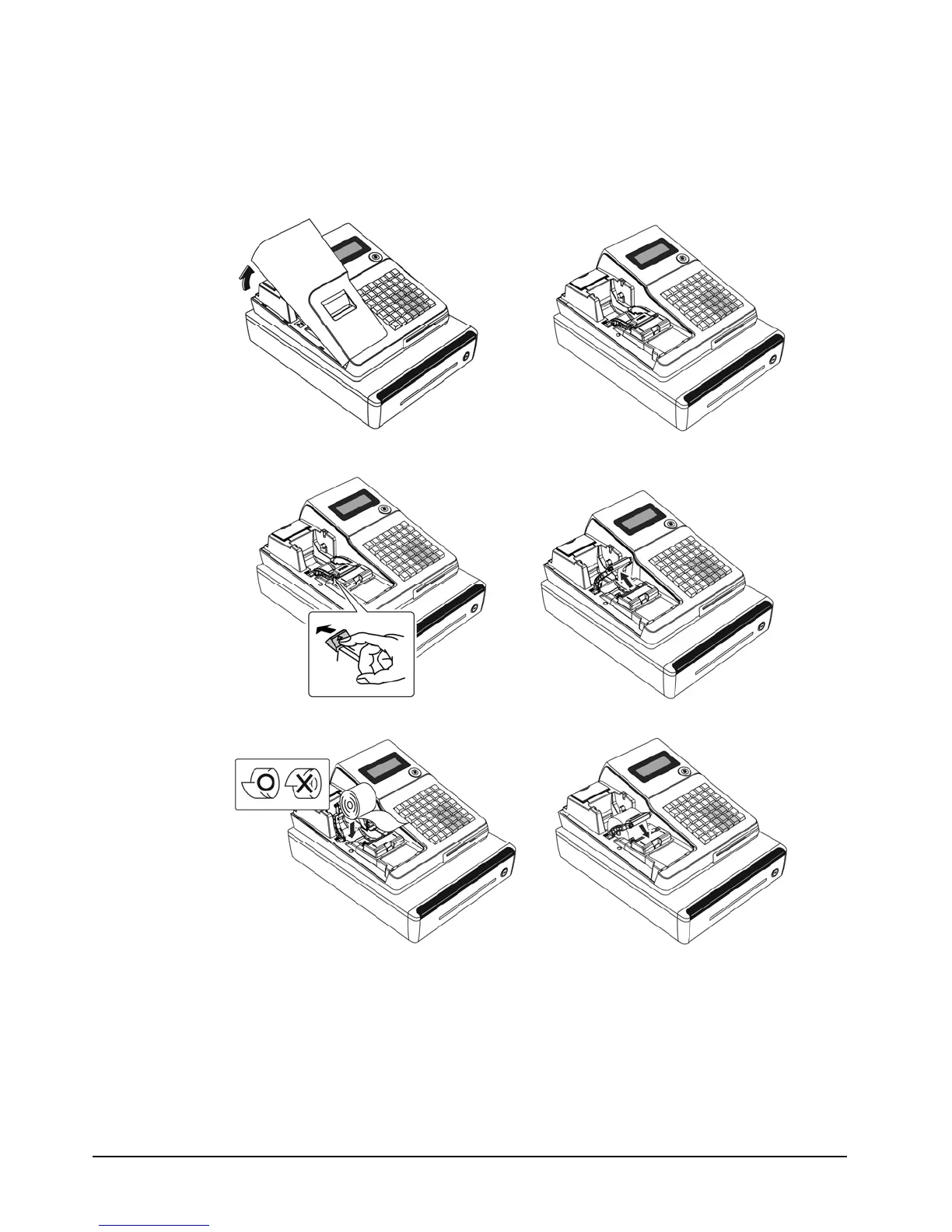
Installing the Paper: Models with the STM200 Printer
Note: Use these instructions to load the paper if your ER-265 is equipped with the model STM200
printer. (Applies to models produced after January 2011.)
1. Remove the printer cover.
2. Push the yellow cap lever and lift up the platen roller.
3. Load the paper and close the platen roller.



 To Next Page