SAM300 Reference Manual v1.0 Communications 41
Send Programs to ECR (Download)
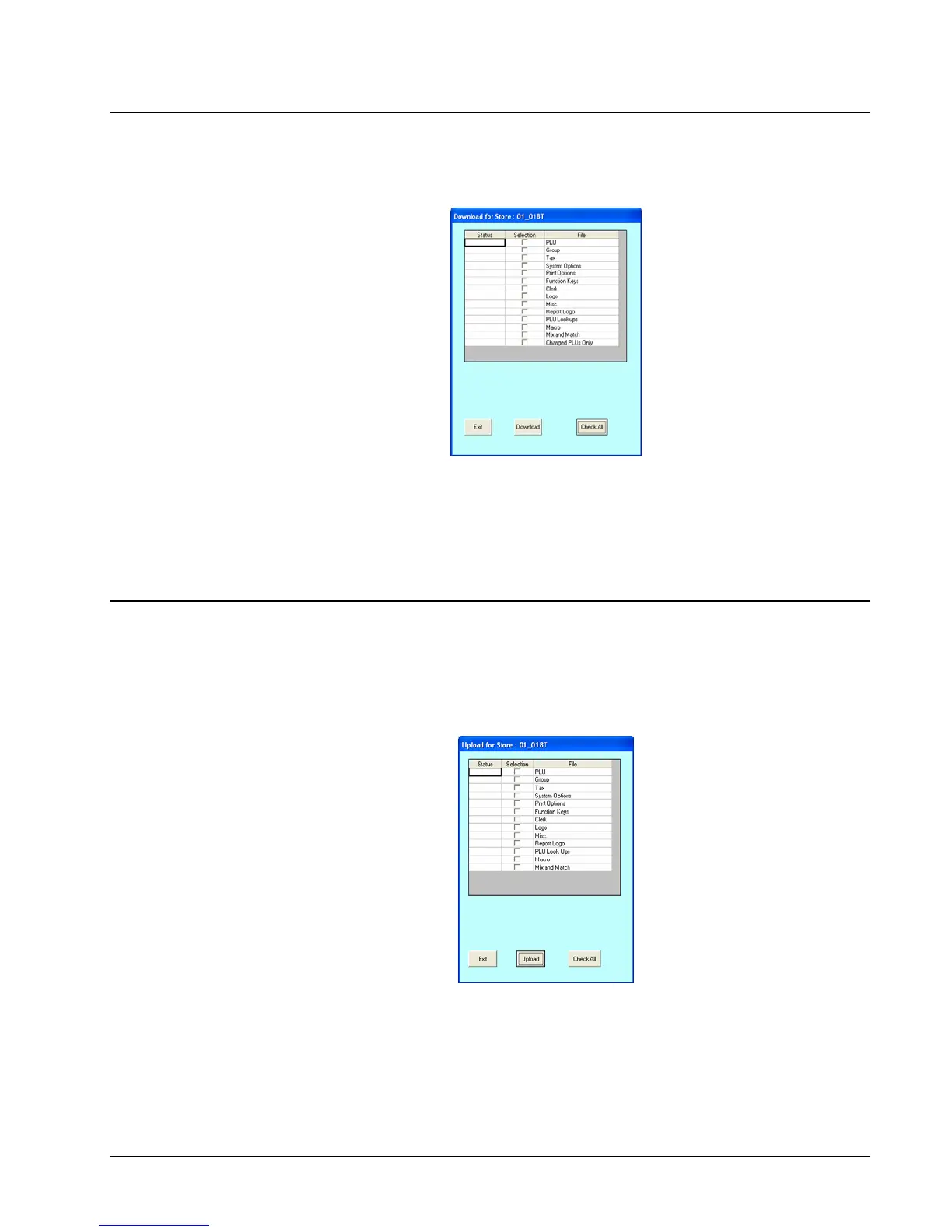
1. Choose Send Programs to ECR (Download) from the Communications menu to
send program information from the working store, to the ECR of the working store.
2. From the DOWNLOAD dialog box, select the program components you wish to send to
the ECR. (ChooseCheck All for all components.) A check mark means the item is
selected.
3. Click the Download button to initiate the download to the ECR; click Exit to exit the
window.
Receive Programs from ECR (Upload)
1. Choose Receive Programs from ECR (Upload) from the Communications menu to
receive program information from the ECR for the working store. When you execute this
function, any program data that was on the hard disk previously will be overwritten by
the new data.
2. From the UPLOAD dialog box, select the program components you wish to send to the
ECR. (Check Select All for all components.) A check mark means the item is selected.
3. Click the Upload button to initiate the download to the ECR; click Exit to exit the
window.



 To Next Page