SAM300 Reference Manual v1.0 Utilities 67
Set Autopoll
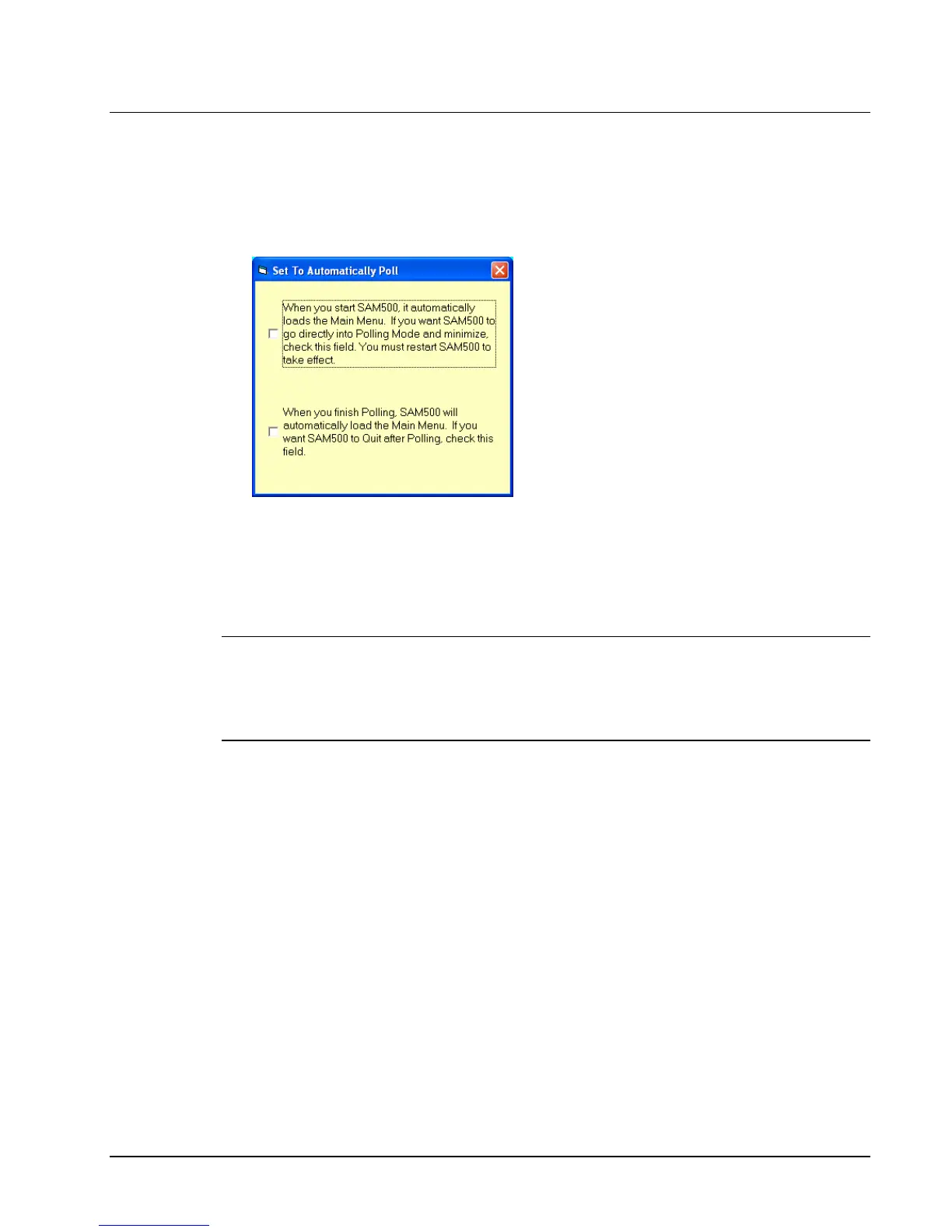
You can set SAM300 to automatically go into polling mode when the program is started. You
can also set SAM300 to automatically close when polling is completed.
1. Choose Set to Automatically Poll from the Utilities menu. The Set to Automatically
Poll dialog box displays.
2. Select the first check box if you wish to automatically poll when SAM300 is executed.
Select the second check box if you wish to close SAM300 automatically when polling is
completed.
3. Close the window to return to the main menu.
4. Close SAM300 and then restart it for changes to take effect.
Note: If you have selected these options and later decide that you no longer want SAM300
to automatically poll, or if you need to edit programs, you can turn off (uncheck) these
options by selecting Start from you Windows desktop, then selecting SAM300 and then
AUTOPOLL.exe. The Set to Automatically Poll dialog box displays to allow you to
uncheck auto-polling options.



 To Next Page