SAM300 Reference Manual v1.0 Print 53
Physical Inventory by Shelf
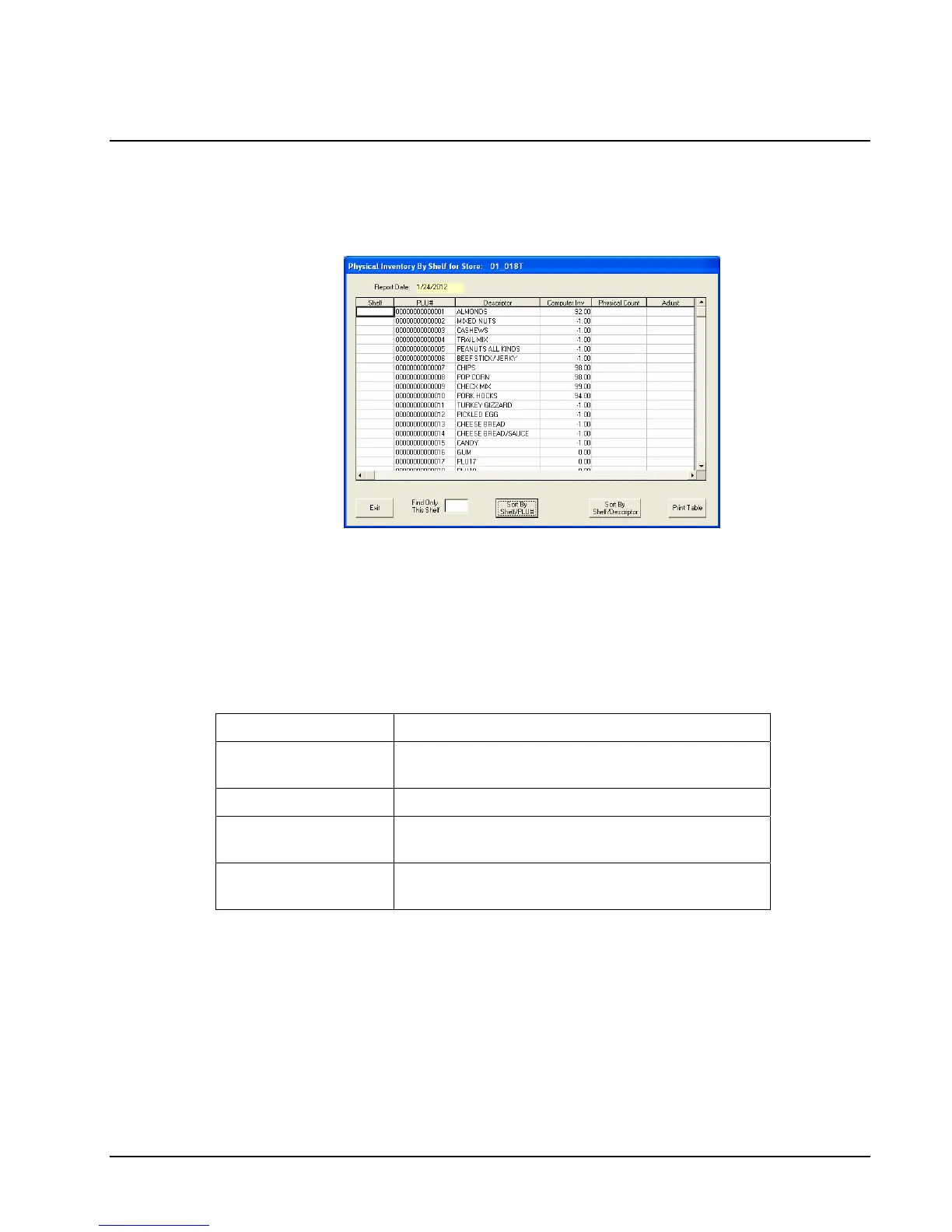
1. Choose Physical Inventory By Shelf from the Print menu to report inventory items
organized by Shelf and PLU# or by Shelf and Descriptor. The report indicates the
expected inventory level and provides and worksheet for entering a physical inventory.
2. If you wish to view/print for only a specific shelf, enter the shelf in the Find Only This
Shelf field.
3. Chose a sorting method by clicking the Sort By Shelf/PLU# or Sort By
Shelf/Descriptor button.
4. Click Print Grid to print the report.
5. Close the window to return to the main menu.
Field Description
Shelf
Shelf location set on the Edit ECR
Data/Inventory/PLU/Inventory tab.
Computer Inv
Historical Purchases minus Historical Sales
Physical Count
Column provided to manually enter physical
inventory count
Adjustment
Column provided to manually enter the
adjustment (Computer Inv – Physical Count)



 To Next Page