OfficeServ 100 Installation Manual/Ed.00
© SAMSUNG Electronics Co., Ltd. 2-11
2.8 Battery for Power Failure
2.8.1 Battery Selection
If you want to use OfficeServ 100 system during power failure, install appropriate batteries.
If you adopt battery whose capacity is too large, OfficeServ 100 system may be shut down,
and if too small, OfficeServ 100 system may not operate during power failure. In any case,
use battery connection cable offered with OfficeServ 100.
2.8.2 Installation Procedure
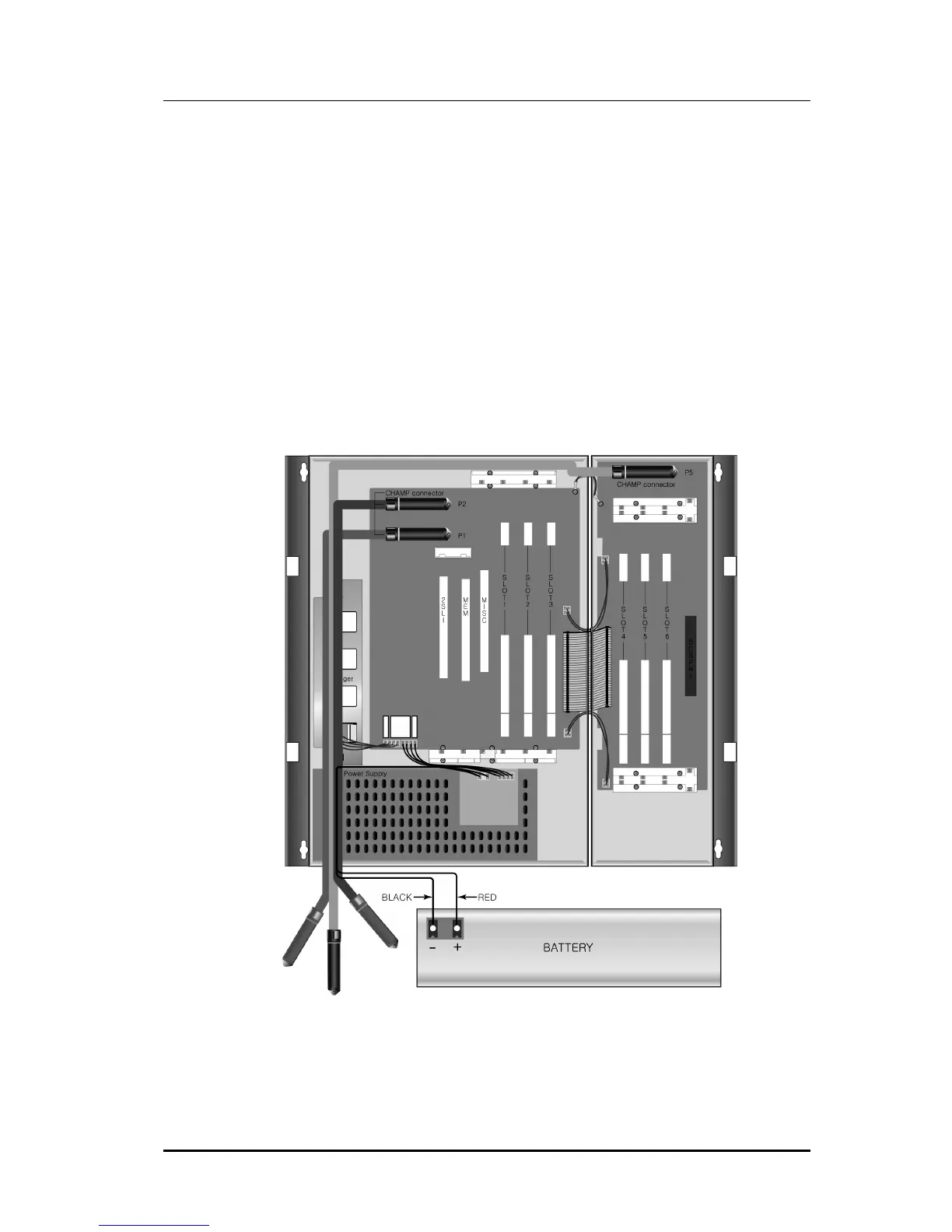
Feed battery cable through MDF cable path; connect cable to battery, RED to positive(+),
BLACK to negative(-), then insert housing connector to head pin in power supply.
(See Figure 2.10)
Figure 2.10 Cabling for Battery Connection















 To Next Page