OfficeServ 100 Installation Manual
© SAMSUNG Electronics Co., Ltd. 7-1
25 PAIR CABLE WITH FEMALE CONNECTOR TO KSU P1
CHAPTER 7. Connecting Optional
Equipment
This chapter describes how to connect optional equipments to the OfficeServ 100 system.
7.1 Music On Hold/Back Ground Music
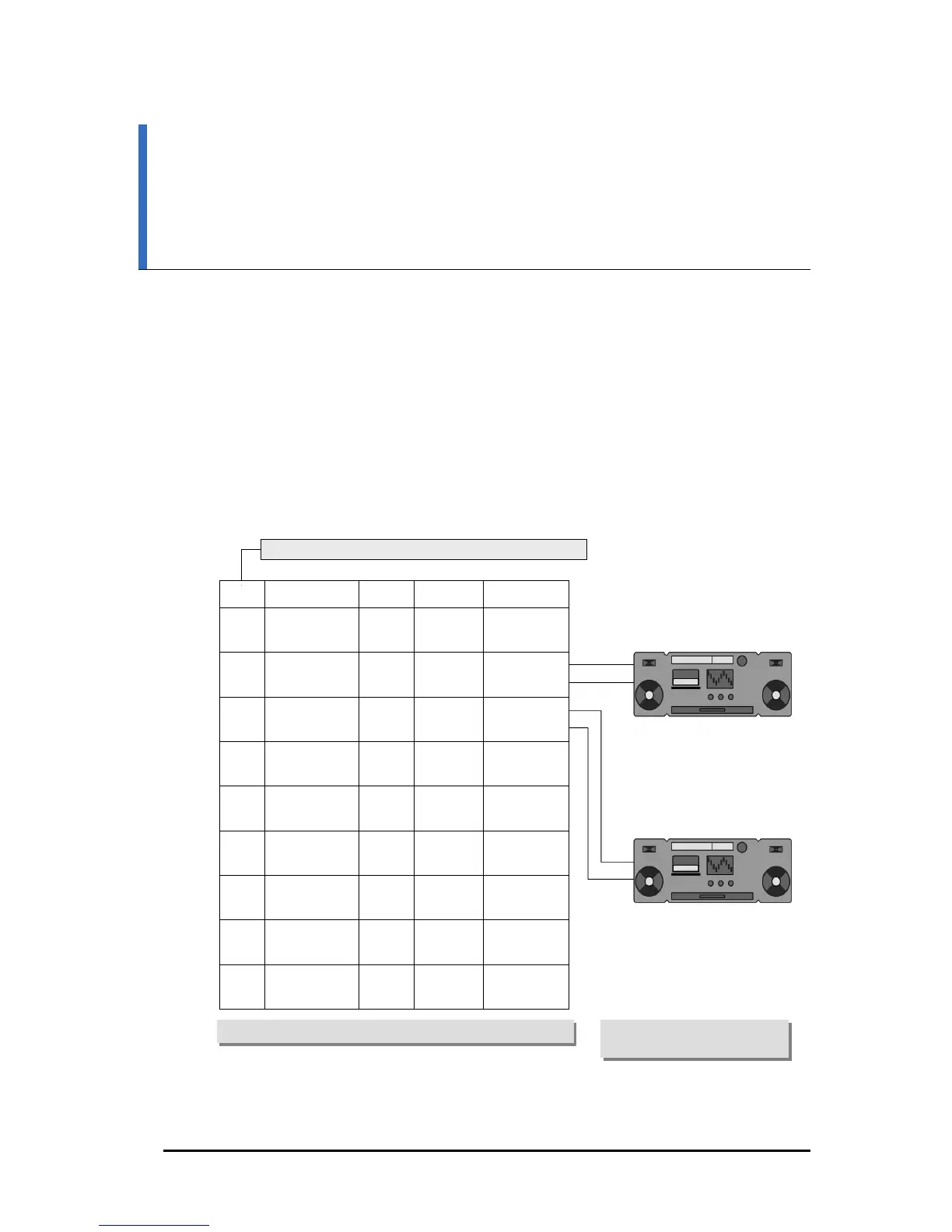
Connect each customer-provided music source to the music input on the KSU connecting
block(See Figure 7.1).
PIN COLOR TERM CIRCUIT FUNCTION
11
36
Blue/black
Black/blue
OPEN A
OPEN B
10
35
Grey/red
Red/Grey
1
BGM 1A
BGM 1B
9
34
Brown/red
Red/brown
2
BGM 2A
BGM 2B
8
33
Green/red
Red/green
PAGE 1A
PAGE 1B
7
32
Orange/red
Red/orange
PAGE 2A
PAGE 2B
5
30
Grey/white
White/grey
TACT 1A
TACT 1B
4
29
Brown/white
White/brown
TACT 2A
TACT 2B
3
28
Green/white
White/green
TACT 3A
TACT 3B
2
27
Orange/white
White/orange
ALARM 1
ALARM 2
Figure 7.1 MDF Connections Connecting MOH Source to KSU
CONNECT ONE MUSIC SOURCE TO EACH INPUT AS NEEDED
NOTE: MOH 2 REQUIRES A
MISC CARD















 To Next Page