OfficeServ 100 Installation Manual/Ed.00
© SAMSUNG Electronics Co., Ltd. 6-3
25 PAIR CABLE WITH FEMALE CONNECTOR TO EXPANSION P5
25 PAIR CABLE WITH FEMALE CONNECTOR TO BASIC P2
SLOT NO. PIN NO. 8 DLI 6 DLI
SLOT 4
SLOT 5
4,29 STN 22 STN 18
3, 28 STN 23 N.C
SLOT 6
2, 27 STN 24 N.C
SLOT NO. PIN NO.
8 DLI
25, 50
STN 1
24, 49
STN 2
23, 48 STN 3
22, 47 STN 4
21, 46 STN 5
20, 45 STN 6
19, 44 STN 7
SLOT 1
18, 43 STN 8
17, 42 STN 9
16, 41 STN 10
15, 40 STN 11
14, 39 STN 12
13, 38 STN 13
12, 37 STN 14
11, 36 STN 15
SLOT 2
10, 35 STN 16
9, 34
STN 17
8, 33 STN 18
7, 32 STN 19
6, 31 STN 20
5, 30 STN 21
4, 29 STN 22
3, 28 STN 23
SLOT 3
2, 27 STN 24
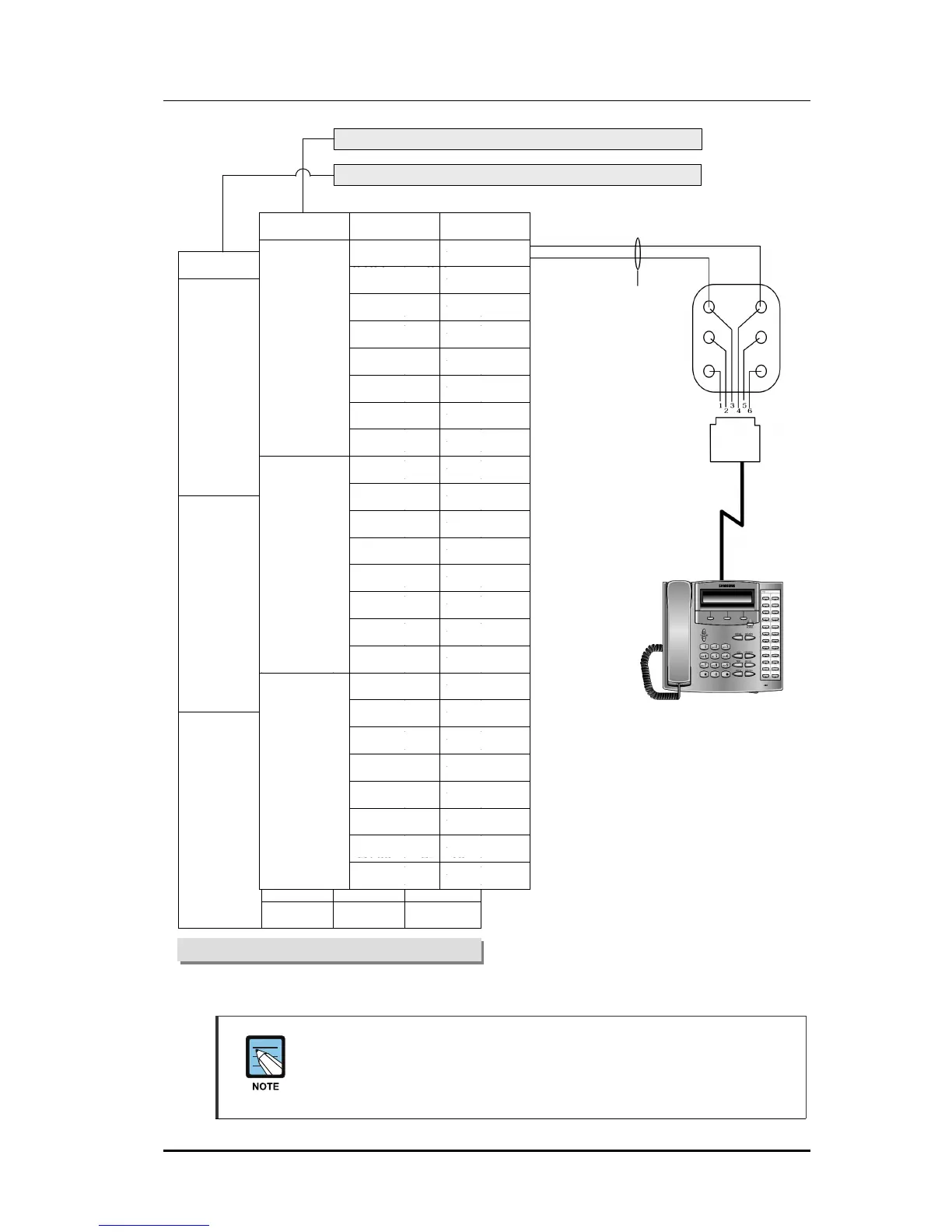
Figure 6.2 MDF Connections Digital Phone to Option Card
When connecting a 12 button phone to a DLI port
Because the OfficeServ 100 is a self-configuring system, if you connect a 12
button phone to a DLI port that previously had a 24 button phone installed, the
existing data will be rewritten with 12 button phone default data(See MMC 723).
CONNECT TO ANY DLI CIRCUIT ON A EXP CARD
ONE PAIR TWISTED
SHEATHED STATION
CABLE 24 OR 26 AWG
DIGITAL PHONE















 To Next Page