38
Retrieving Cycle Information Using the USB Data Back Up
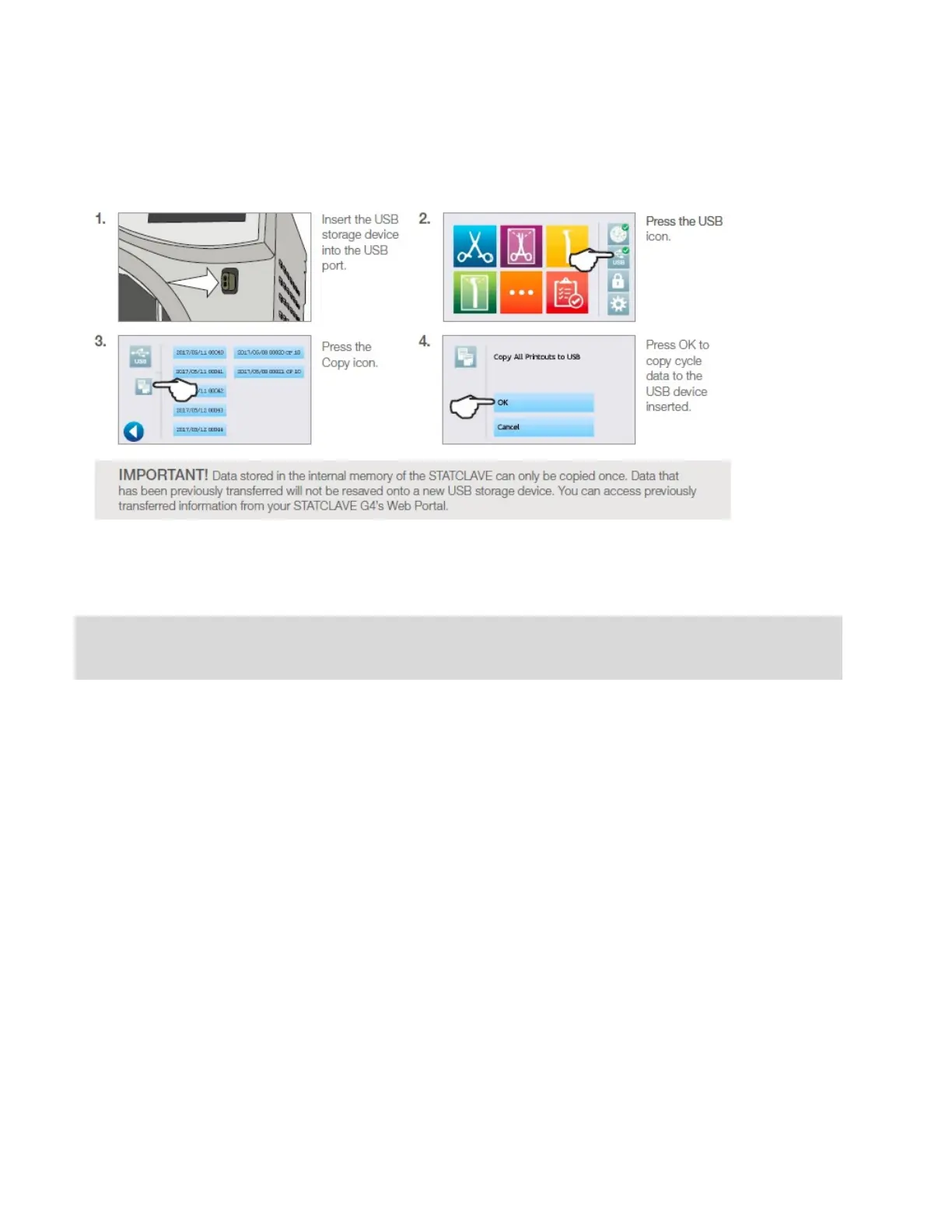
The USB storage device can be used to transfer cycle information stored in the unit to a computer. Best
practice suggests this should be done once a week. To transfer data using the USB port, follow these steps:
When the activity light on the USB storage device stops blinking or the USB icon on the LCD turns from a
flashing green to a solid grey, remove the USB storage device and transfer the information to your computer.
IMPORTANT! If you select the USB storage device icon from the main menu, you will only be able to view the last five complete
cycles and the last five incomplete cycles. To view all the cycles stored on the USB storage device, you must connect the device to
your computer.



 To Next Page