37
Accessing and reading cycle information
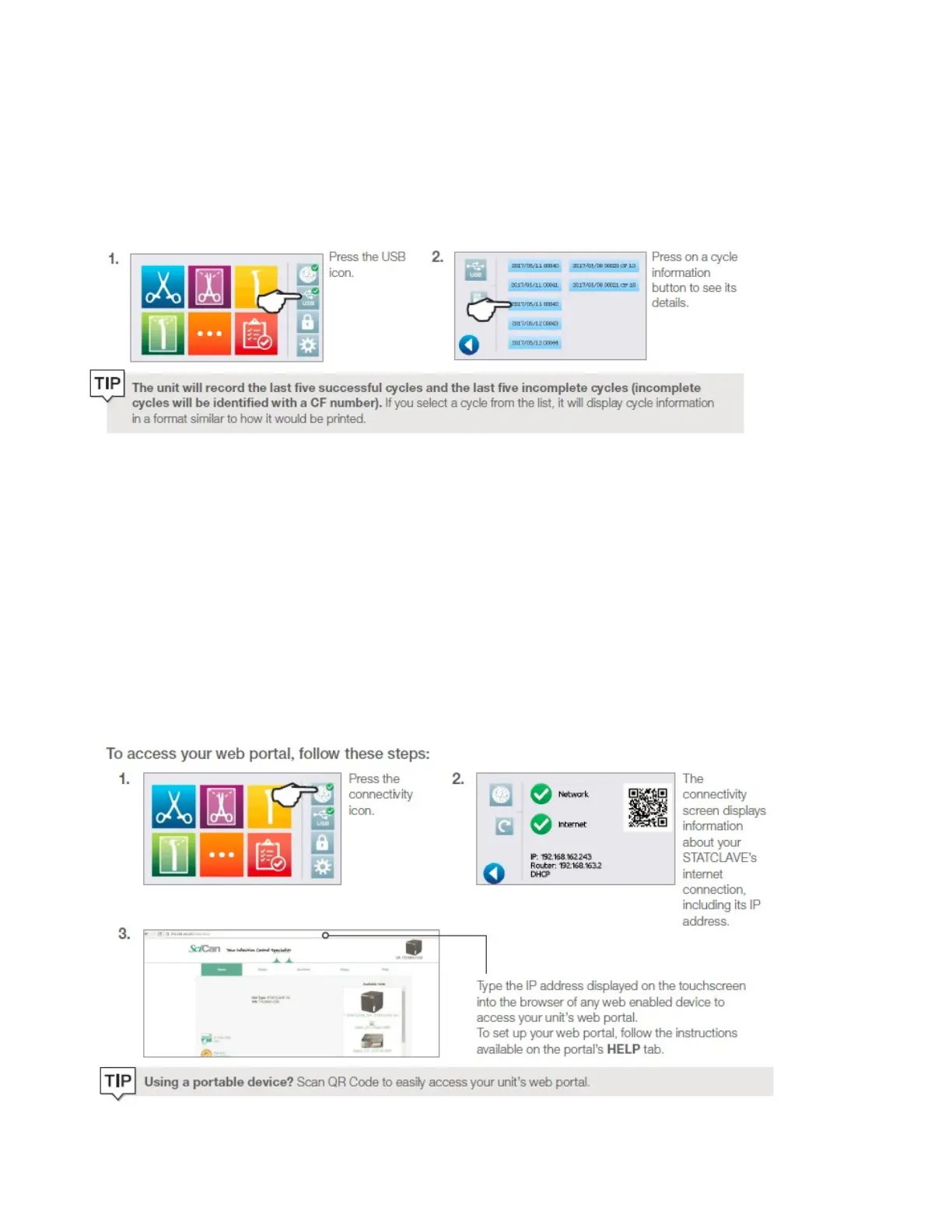
Retrieving Cycle Information Using the Touchscreen
You can always see the last five successful cycles and the last five incomplete cycles, whether you have a USB
storage device attached to the unit or not.
Retrieving Cycle Information Using the Web Portal
Use the STATCLAVE G4 Web Portal to access all the cycle information stored on the STATCLAVE G4 from your
computer. If the STATCLAVE G4 was not connected to a network during the initial installation, follow the
instructions in the Location and Installation section Connecting your STATCLAVE G4 to a network.
The STATCLAVE G4 web portal is a direct connection to the STATCLAVE G4 on a user’s local area network. It is
protected by the firewall and not accessible to outside users (unless they have a Remote Access Code. For
more information, see Section below: Allowing a technician to access the STATCLAVE G4 from a remote
location).
The web portal provides real-time cycle information and archived sterilization records unique to this unit.
From the web portal, you can print reports, set up email notification and search cycle history.



 To Next Page