73
5. DIAGNOSTICS AND TROUBLESHOOTING
Using the device screen
The STATCLAVE G4 has a number of sensors and systems that are constantly reading and generating values.
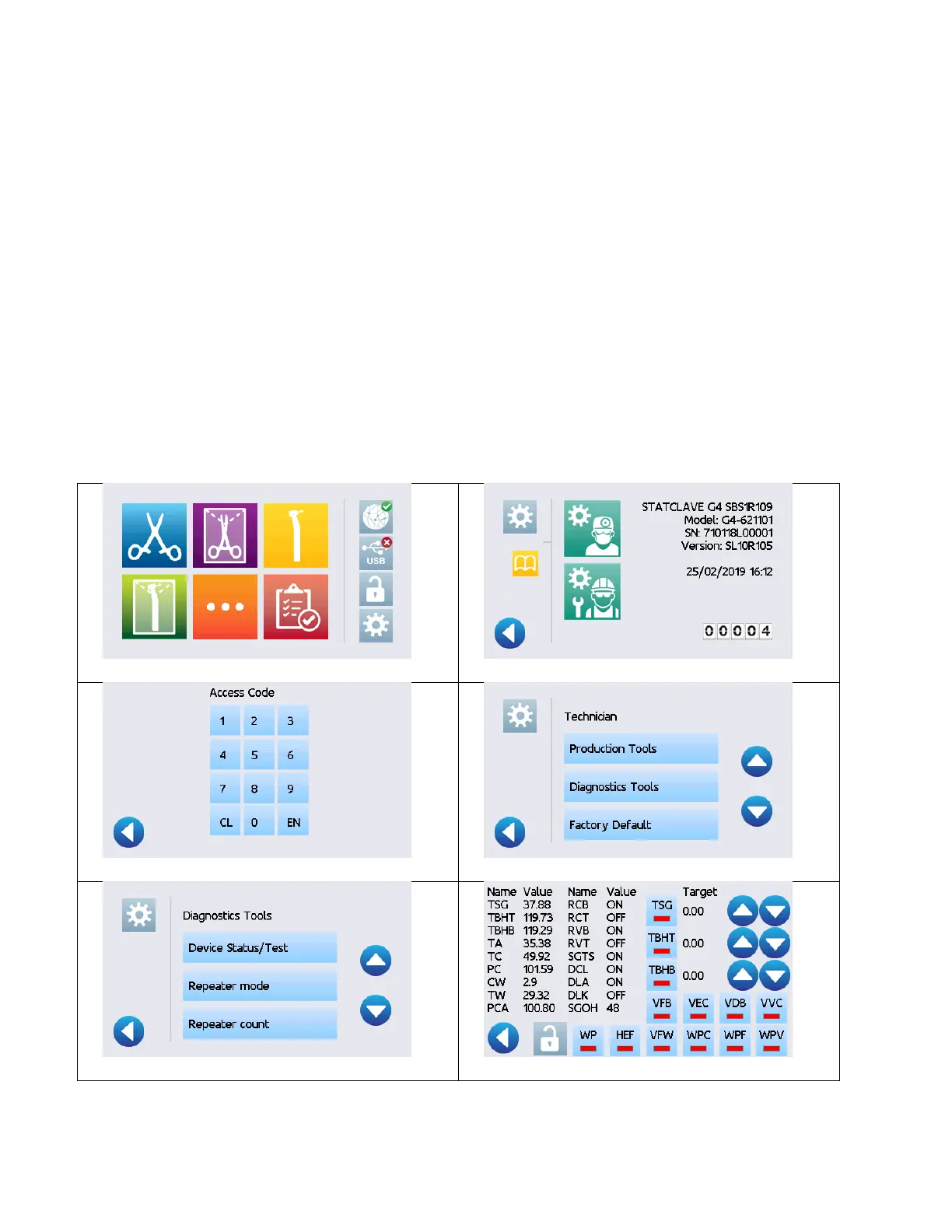
These sensors and systems can be seen on the device screen, a diagnostic tool found in the service menu.
The display section of this screen shows you what the current values are for these sensors. The button on the
interactive sections provide you with the ability to test components individually or in combination so that you
can simulate an operating condition.
To access the device screen, follow these steps:
1. 2.
3. 4.
5. 6.



 To Next Page