49
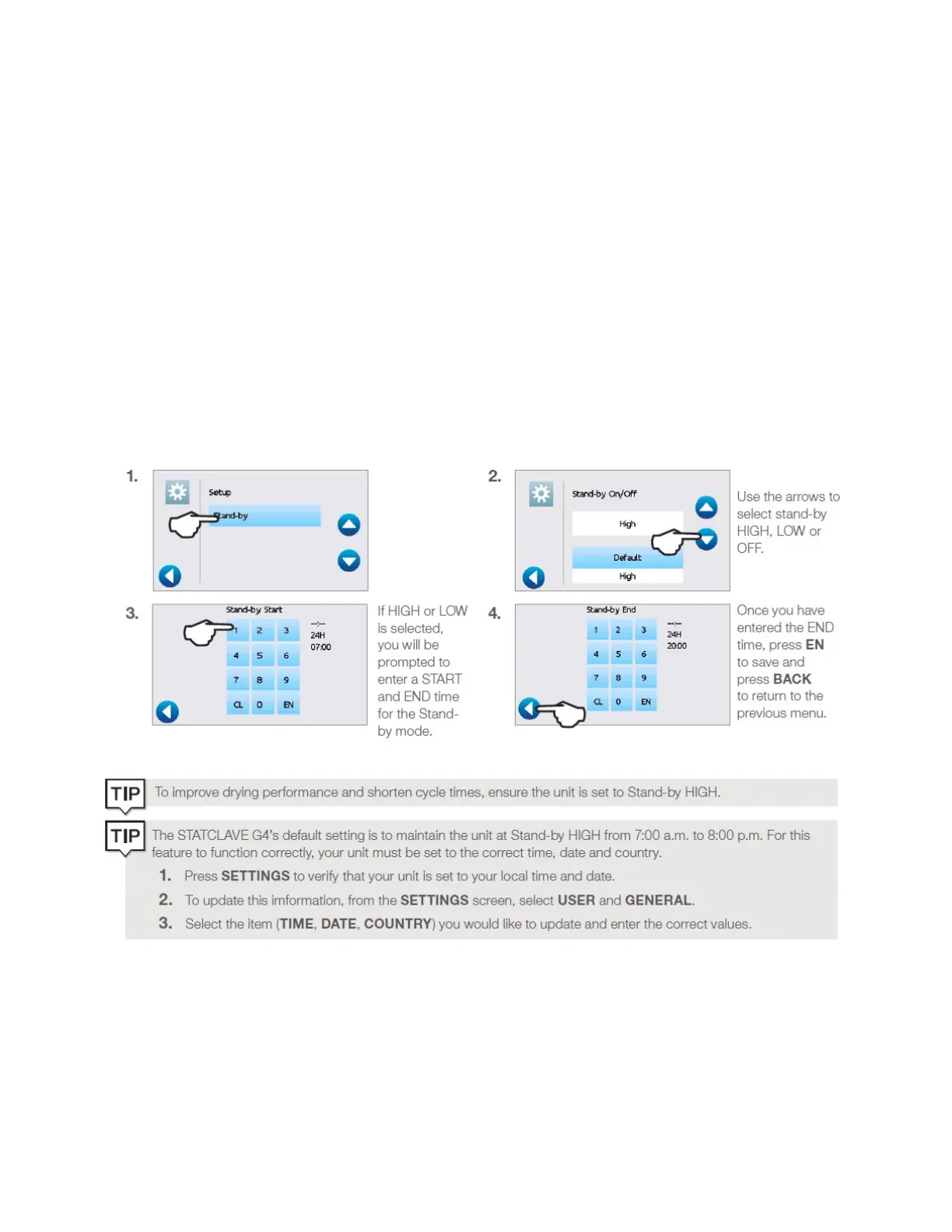
Setting the stand-by mode
Using this setting will reduce the warm-up time between cycles by keeping the autoclave’s chamber at a
temperature that is optimal for your office’s level of use.
• STAND-BY LOW: For low to average use. Provides a balance between keeping the chamber at 70°C
and using a minimum of electricity.
• STAND-BY HIGH: For high use. Optimizes the STATCLAVE G4 for speed by keeping the chamber at
120°C. This is the unit’s default setting.
• OFF: For infrequent use. In this setting, the warm up time will be longer (up to 12 minutes from a
cold start).
To change this setting and to modify the amount of time the unit is in Stand-by, select SETTINGS then USER
and follow these steps:



 To Next Page