56
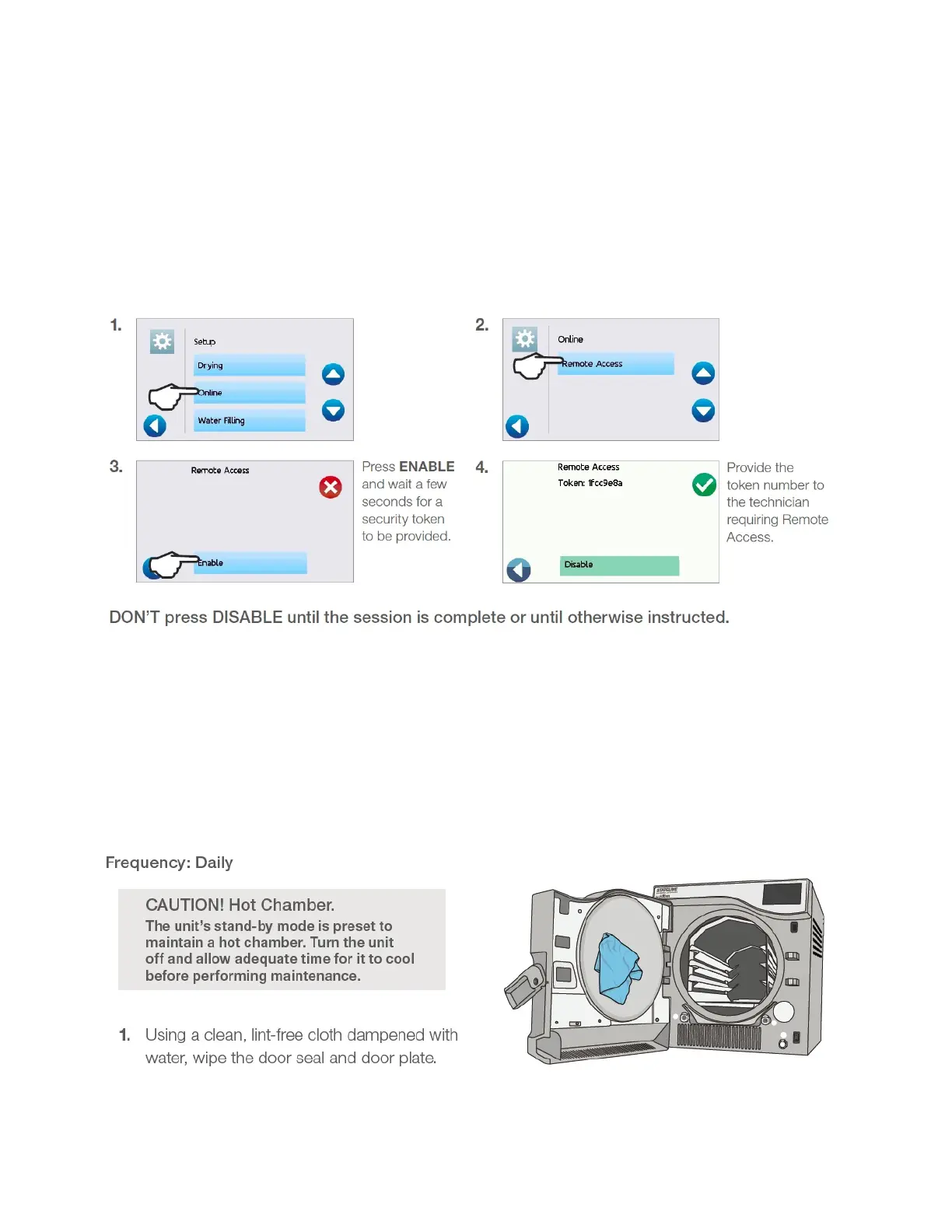
Instructing a user to provide remote access to a unit
Technicians and other authorized personnel may want to connect to your STATCLAVE G4 from a remote
location to review its functioning or access stored information. To allow an external user to remotely access
your STATCLAVE G4, you will need to provide a security token to the person requesting access.
To obtain this code, from the home screen, select SETTINGS then USER and follow these steps:
The token is valid for 2 hours after which the remote session automatically disconnects. To end the session
earlier, select DISABLE from the Remote Access screen to disable the token.
Routine maintenance procedures
Cleaning the door seal and door plate



 To Next Page