72
30. After removing the calibration fitting, install a new test plug to close the test port. Open the door and
switch off the unit. Calibration is now complete.
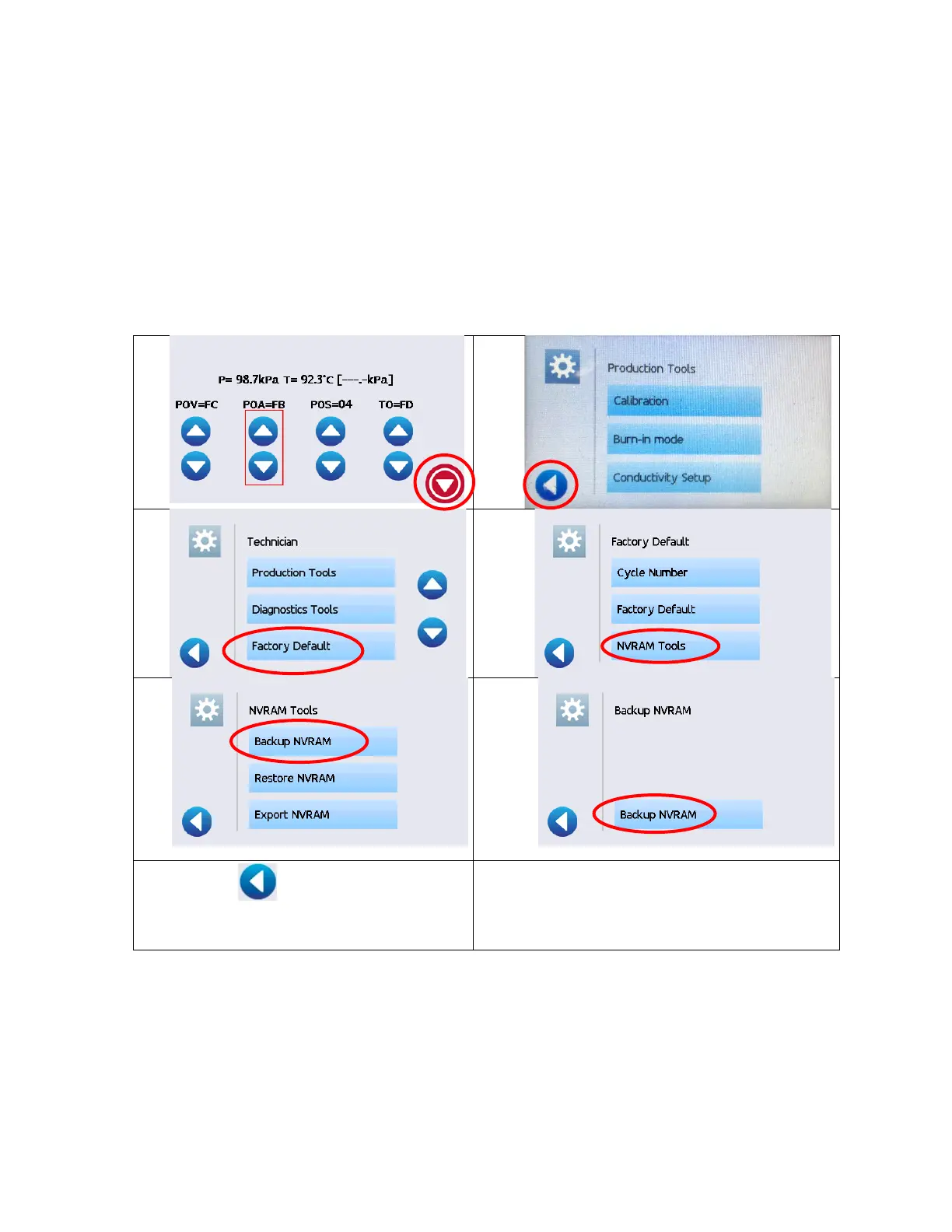
How to back up the calibration data
To back-up the calibration data (which is saved automatically) for future references using the Backup NVRAM
feature, follow these steps:
5. 6.
7. Press until you return to the main
menu.



 To Next Page