Navigation (NAV)*110
Note
If the last destination was entered as position coordinates you must first
enter a country in the destination entry menu or confirm the country selected
in order to delete all existing entries in the destination entry menu. Then you
can carry out a nationwide search for the street.
Special destination
– In the destination entry menu ⇒ page 104, fig. 121, select a
country from the list by rotating and pressing the control knob.
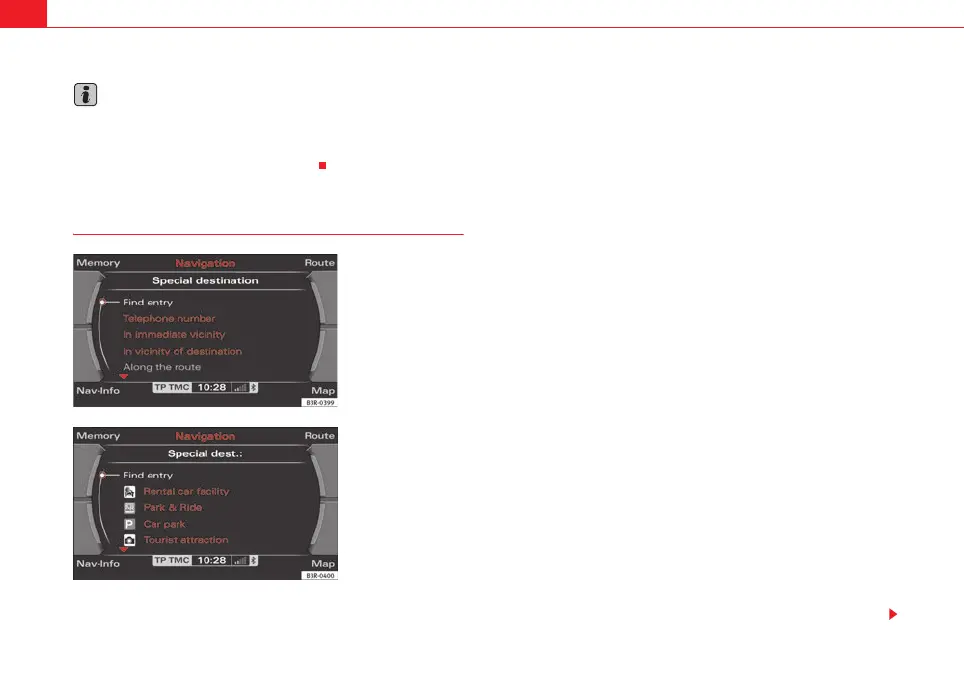
– Select Special destination ⇒ page 104, fig. 121.
– Select Find entry ⇒ fig. 128, enter the name using the keyboard
and confirm with OK, or
– Select List in the keyboard and choose a special destination from
the list.
– Select Set as destination. The special destination is automati-
cally transferred to the route guidance.
– Enter stopover(s) if desired ⇒ page 120.
– Select Start route guidance ⇒ page 112.
You can select from all the special destinations (e.g. airports, petrol stations
etc.) that are stored on the navigation DVD.
Using the Find entry function, you can enter the name of a special destination
using the keyboard.
When you confirm the special destination, this will then be set as the new
destination.
Select Telephone number
You can enter the special destination according to the telephone number if
the number is stored on the navigation DVD.
Select In immediate vicinity
This special destination category refers to the immediate vicinity of the
vehicle in its current location.
This function is especially useful when you are, for example, trying to find the
nearest restaurant.
Fig. 128 Navigation
system: Special destina-
tion categories
Fig. 129 Navigation
system: Special destina-
tion category selection in
the vicinity of the vehicle
media_systemE_EN.book Seite 110 Montag, 21. September 2009 1:48 13



 To Next Page