Navigation (NAV)* 129
Operating RADIO, MEDIA (audiovisual
systems)
NAME, TEL NAV, INFO CAR, SETUP
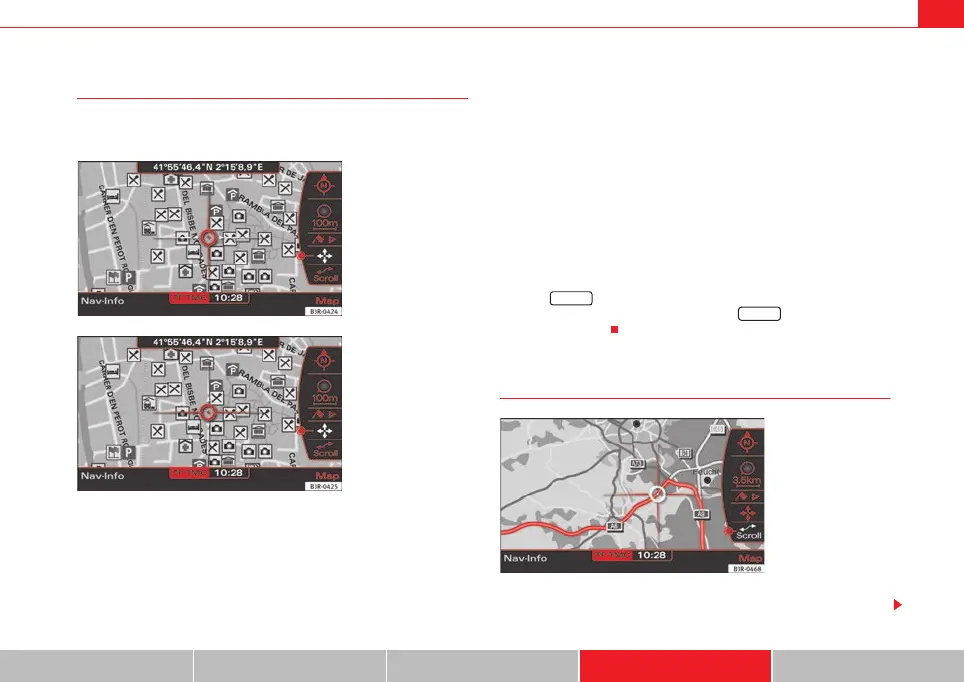
Moving the cursor over the map
A new destination or stopover can be set using the map by
moving the cursor vertically or horizontally.
– Press the Map control button in the navigation menu.
– Press the control knob to switch to the map side menu.
– Rotate the control knob to to the fourth menu item.
– Press the control knob, the vertical line in the cursor is high-
lighted in white ⇒ fig. 155.
– Turn the rotary pushbutton to mark the point you wish to select.
– Press the control knob, the vertical line in the cursor is high-
lighted in white ⇒ fig. 156.
– By pressing the control knob you can switch back and forth
between horizontal and vertical movement.
If the cursor remains in a new position, detailed information (e.g. street or city
name) will be displayed for the current position.
Press the button once to leave the cursor setting and use other map
menu items via the active side menu. Press the button again to deac-
tivate the side menu.
Scroll Function
–Press the Map control button in the navigation menu.
Fig. 155 Navigation
system: Moving the
cursor horizontally
Fig. 156 Navigation
system: Moving the
cursor vertically
RETURN
RETURN
Fig. 157 Navigation
system: Scrolling the map
media_systemE_EN.book Seite 129 Montag, 21. September 2009 1:48 13



 To Next Page