Mobile phone system*92
Storing a name tag for an entry
You can assign name tags to the entries in the on-board
phone memory.
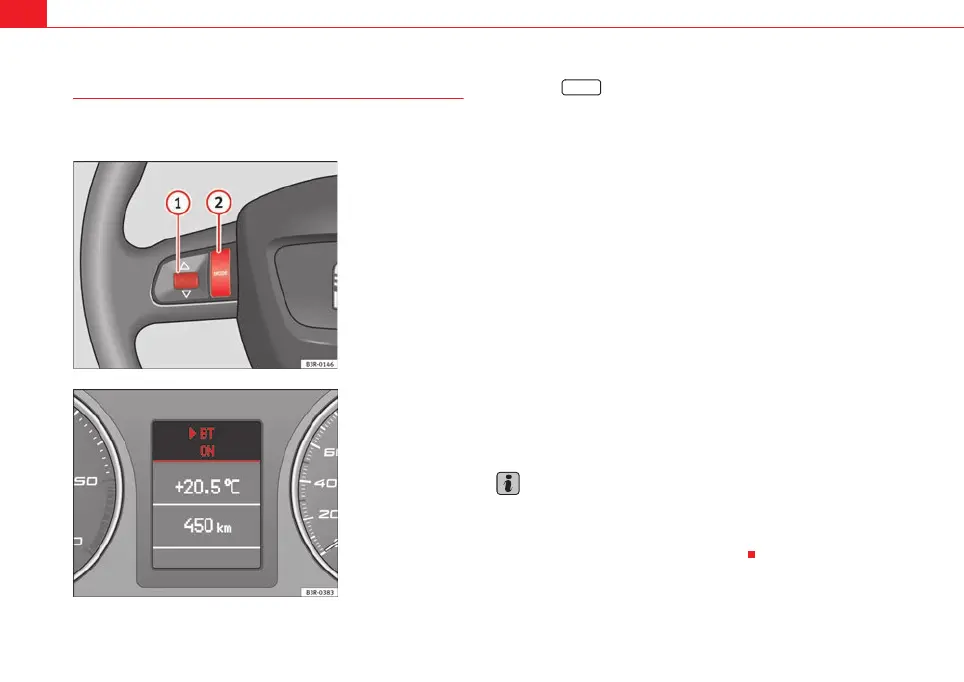
– Use the button on the multi-function steering wheel
⇒ fig. 110 to switch to the telephone function. A phone book
entry will appear on the instrument panel display.
– Roll the left thumbwheel until the desired entry is shown in the
instrument panel display.
– Press the talk button on the multi-function steering wheel
⇒ page 88, fig. 108. You will hear a tone.
–Give the command CORRECT.
– When requested by the speech control system, please say the
name ("tag") under which you wish to store the phone book
entry.
– Repeat the name when the speech control system gives you the
cue. The name tag for the selected phone book entry will be
stored in the phone book for the speech control system.
If a name tag has been stored for a phone book entry, that entry will be
marked by a horizontal arrow ⇒ fig. 111 in the instrument panel display. This
arrow will help you identify the phone book entries to which a name tag has
been assigned.
Note
In some cases the command STORE may not be available immediately after
inserting the mobile phone in the adapter. The system will say The function
is not possible. The command will be available when the phone book entries
have been scanned into the memory ⇒ page 79.
Fig. 110 Multifunction
steering wheel: left thum-
bwheel and MODE button
Fig. 111 Instrument
panel display: phone
book entry with assigned
name tag
MODE
A
2
A
1
media_systemE_EN.book Seite 92 Montag, 21. September 2009 1:48 13



 To Next Page