Parameterizing
9.2 Parameterizing the operator interface
SENTRON PAC4200
166 System Manual, 09/2009, A5E02316180B-02
Settings on the SENTRON PAC Power Monitoring Device
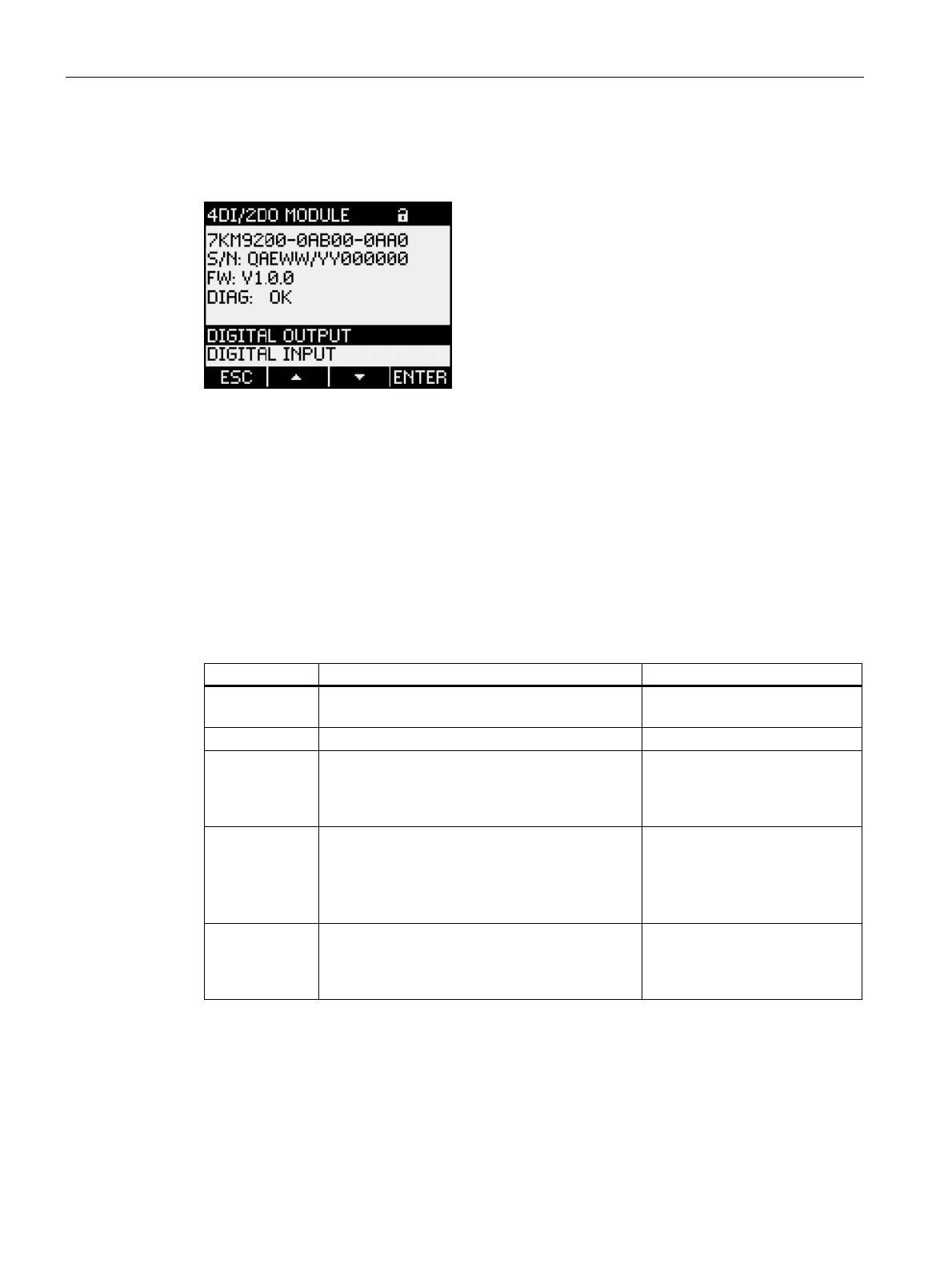
Call up the expansion module to be configured in the "EXP.MODULES" menu.
Figure 9-19 Configuring the SENTRON PAC 4DI/2DO expansion module using keys
The external digital inputs and digital outputs are configured like the internal digital inputs
and digital outputs.
You will find the following information listed in the upper half of the display:
● The order number
● The serial number of the SENTRON PAC 4DI/2DO expansion module
● The firmware version of the SENTRON PAC 4DI/2DO expansion module
● The "DIAG" field
Table 9- 5 Status in the "DIAG" field with meaning
Status Meaning Remedy
INIT The expansion module is in the initialization
phase.
—
OK The expansion module is ready for operation. —
FW_UPD The firmware update of the expansion module
has been carried out but not correctly completed.
Wait until the firmware update
has been completed, or carry
out another firmware update of
the expansion module.
COM_ERR Internal communications error
1. Restart the device.
Disconnect the power supply
briefly for this purpose.
2. Replace the expansion
module and/or the device.
SYS_ERR The hardware and/or firmware of the
SENTRON PAC and the
SENTRON PAC 4DI/2DO expansion module do
not match.
Please contact Support.
See also
Expansion modules (Page 163)
Integrated I/Os (Page 144)



 To Next Page