Parameterizing
9.2 Parameterizing the operator interface
SENTRON PAC4200
System Manual, 09/2009, A5E02316180B-02
149
Table 9- 1 Setting options in the field "TARGET" depending on the action selected
Target Description START/STOP COPY/RESET RESET
PROCESS&PULSE Relates to:
• All process energy counters
• The process operating hours counter
• All pulse counters
— — X
PULSE COUNTER All pulse counters — — X
PULSECOUNTER
1 ... n
Specific pulse counter — — X
PROCESSCOUNTER All process energy counters X X X
kWh / kVAR / kVAh
PROCESSCNT
Specific process energy counter — X X
9.2.8 Communication
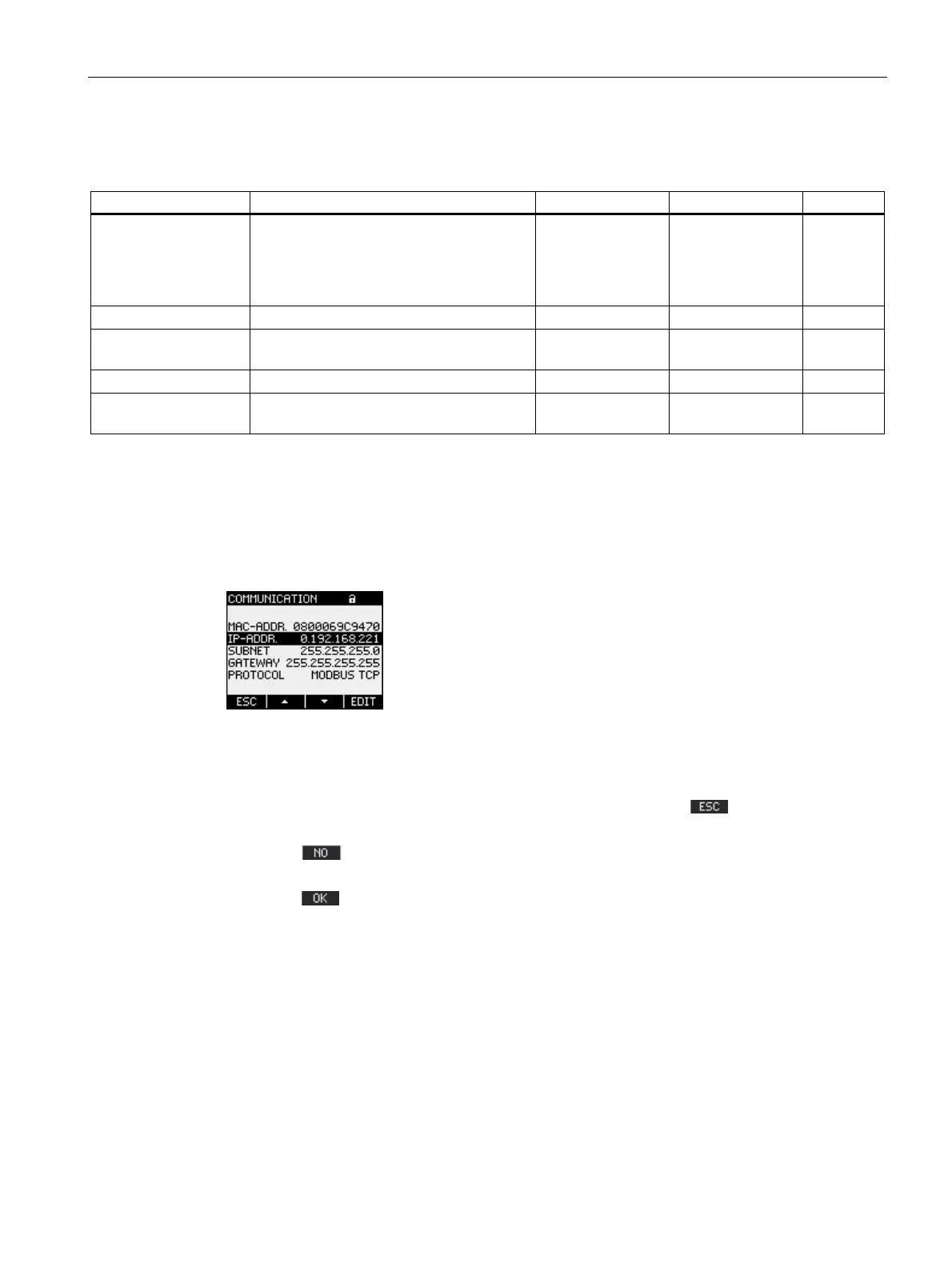
Device settings for network communication.
Call: "SETTINGS > COMMUNICATION"
Figure 9-10 "COMMUNICATION" device setting
A change to the TCP/IP addresses only becomes effective after the device has been
restarted.
If you exit the "COMMUNICATION" device setting with the F1 key
, the device asks if
you want to restart.
● F1 key
: Do not execute a restart. Address changes are saved on the device but do
not become effective.
● F4 key
: Execute a restart. Address changes become effective.



 To Next Page