Connecting
6.5 Grounding of the Ethernet cable
SENTRON PAC4200
System Manual, 09/2009, A5E02316180B-02
95
Design
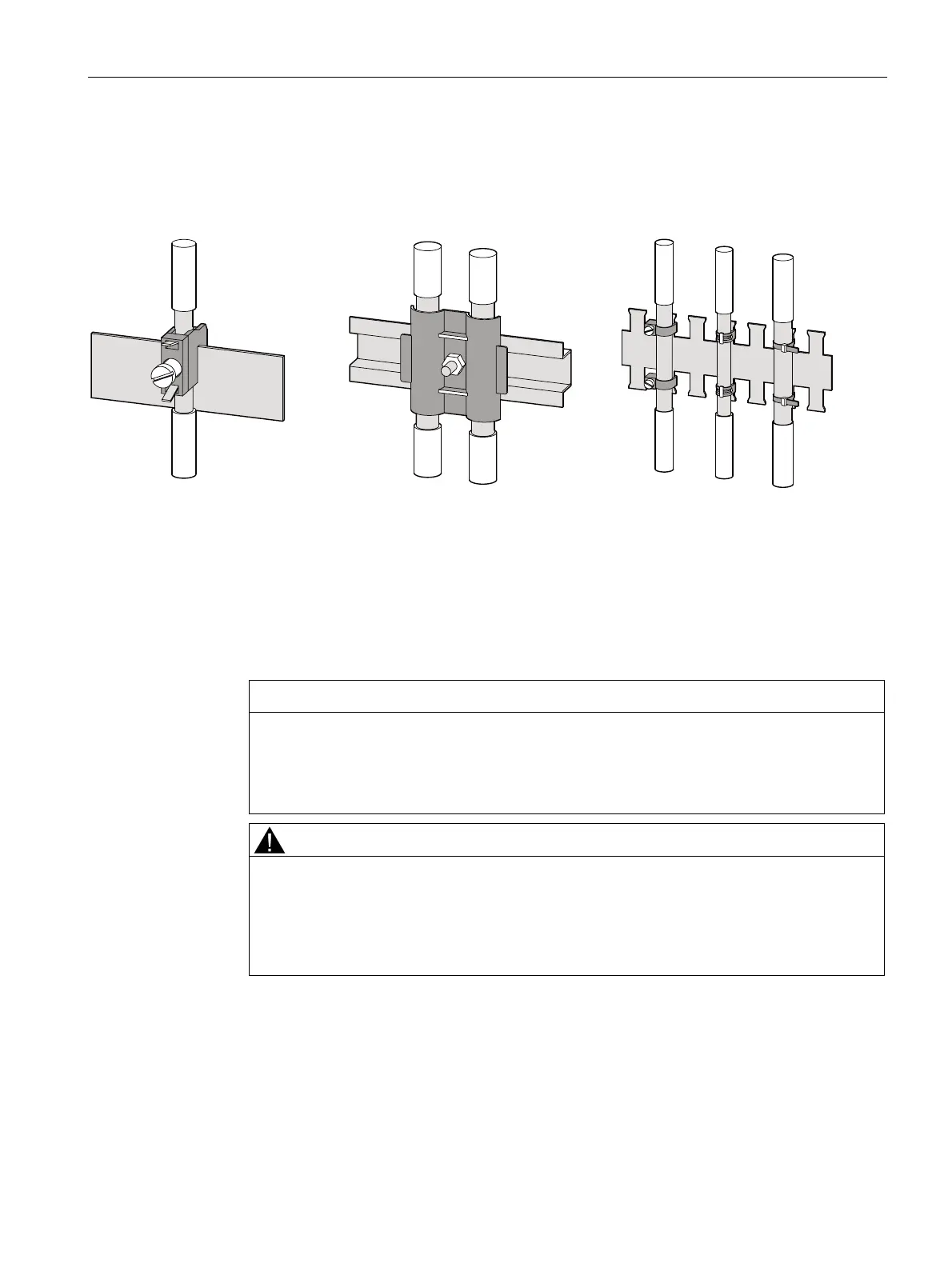
Ground the Ethernet cable at both ends. To do this, expose the foil shield of the Ethernet
cable. Connect the exposed shield to a suitable grounding point on the control cabinet,
preferably a shielding bus.
Figure 6-22 Grounding of the Ethernet cable
● Be careful not to damage the foil shield of the cable when removing the cable jacket.
● Fasten the exposed shield with a metal cable clamp or alternatively with a hose tie. The
clamp must clasp around a large portion of the shield and provide good contact.
● To allow good contact, a tin-plated or galvanically stabilized surface is ideal. With
galvanized surfaces, the contact should be achieved using suitable screws. A painted
surface at the contact point is not suitable.
NOTICE
Loss of contact if the shield connection is incorrectly used for strain relief
If the shield connection is used for strain relief, the grounding contact can deteriorate or
be completely lost.
Don't use the contact point on the cable shield for strain relief.
CAUTION
Damage to Ethernet Cable Shield due to Voltage Difference between Grounding Points.
If there is a voltage difference between grounding points, excessive current may flow
through the shield which is grounded at both ends.
In these cases, install an additional conductor in parallel with the Ethernet cable shield
to carry this current. Never interrupt the shield of the Ethernet cable.



 To Next Page