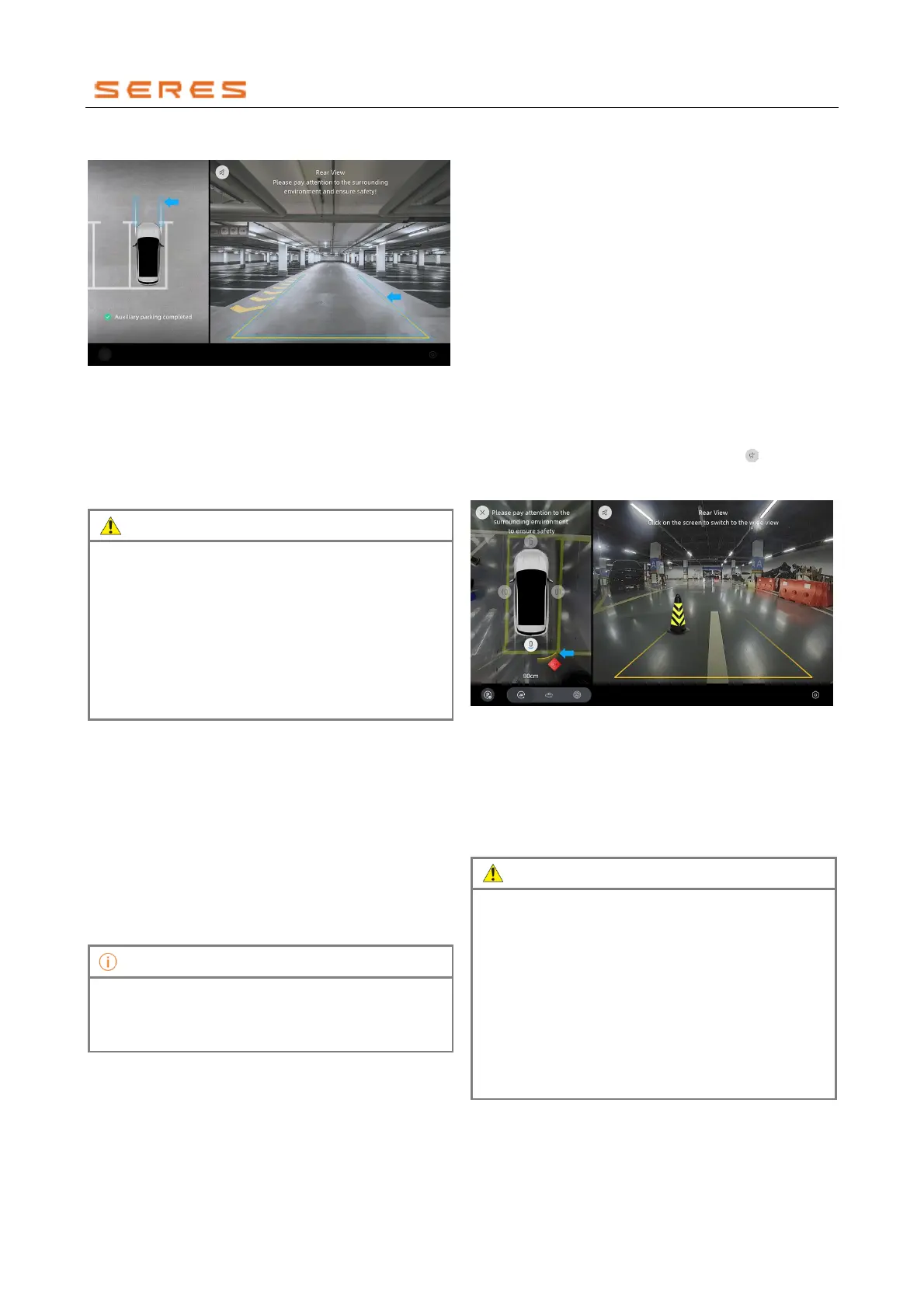
Vehicle trajectory lines
* The image is for reference only; please refer to the actual
product
After the panoramic view system is activated, the vehicle's
trajectory lines are displayed on the central control screen.
● When the vehicle is moving forward, display the front
trajectory line.
● When the vehicle is moving backward, display the rear
trajectory line.
• The outline on the left side represents the
vehicle's body, and the lines on the right side
represent the outer edges of the wheels.
• The vehicle trajectory lines are based on ground
depiction, so it's important to be cautious of
objects elevated above the ground to avoid
inaccuracies in estimating the safe trajectory.
• Trajectory lines are only for assistant use and may
deviate from the actual situation. Please rely on
the actual circumstances.
Limitations of Panoramic View
Blind spots exist in the top view's four corner areas of the
panoramic view, where three-dimensional objects higher
than the ground may not be fully displayed, or even
disappear. Always be vigilant in observing the
surroundings.
The camera's detection field may have blind spots, and the
displayed images may have some visual distortion due to
processing. Pay attention to the relative positions. For
example, in 3D view, there may be some ghosting, and
when surrounding objects are close to the camera,
obstacles may be partially enlarged, causing partial display
or proportion distortion. This could lead to user discomfort.
The panoramic view function includes blind spot fill
function (including top view and 3D mode right side
view) and is always active, unaffected by changes in
the transparent vehicle body setting.
Radar Alerts
The vehicle is equipped with ultrasonic radar. When the
vehicle is moving forward at low speed or in reverse gear,
the orientation and distance of obstacles around the
vehicle are displayed on the radar map, accompanied by
an alarm sound.
Function Overview
During reverse and narrow lane driving processes, the
reverse radar provides visual prompts on the central
control screen and the instrument display screen based on
the detected distance between the vehicle and obstacles.
It is accompanied by an audio reminder to alert the user to
drive safely.
● Instrument Display Screen: Includes a top view of the
vehicle and obstacle alert curve.
● Central Control Screen Image Display: Includes text
prompts, obstacle alert curves, and the shortest
distance between the vehicle and obstacles, as shown
in the diagram below. Clicking on the in the right-
side image on the central control screen can activate
or deactivate the obstacle alert sound.
* The image is for reference only; please refer to the actual
product
The reverse radar provides warnings for objects detected
within the following range of the vehicle:
● Approximately 1m in the front.
● Approximately 1.5m in the rear.
● Approximately 0.8m in each of the four corners.
● Approximately 0.8m on the sides.
• The reverse radar system is not a safety system.
Its design intent is to provide assistant during
parking. Even when in use, the system cannot
replace your attention and judgment.
• The reverse radar system is a low-speed assistant
system (up to 15 km/h). The higher the vehicle
speed, the greater the delay in the alarm. When
the relative speed is high, it may not provide a
timely warning. Please drive with caution.
• As a driver, you should comply with relevant legal
requirements and take full responsibility for safe
parking.



 To Next Page