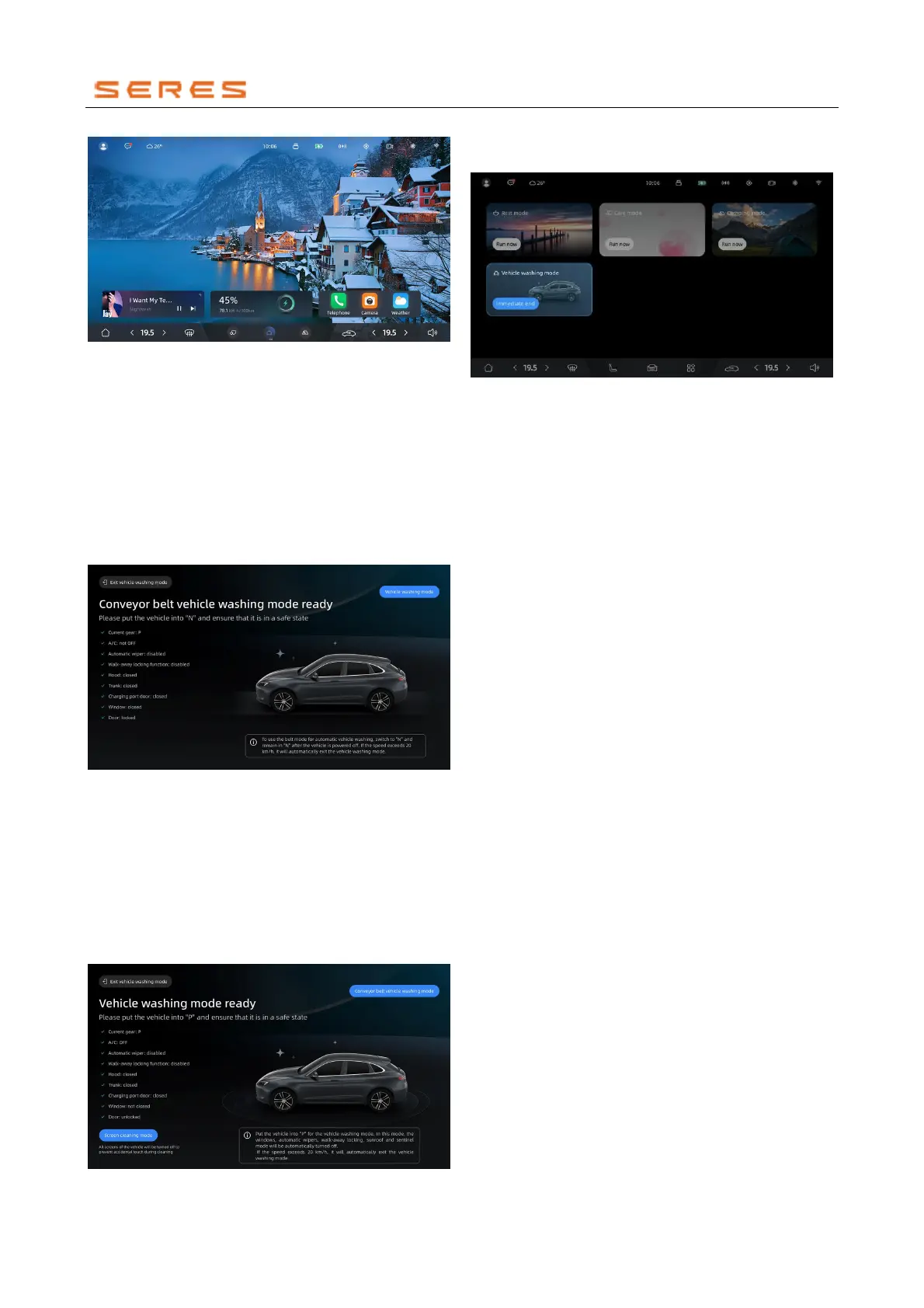
* The image is for reference only; please refer to the actual
product
Activate Conveyor Belt Wash Mode
When activating the conveyor belt Wash Mode, the
following actions will be performed: activating internal
circulation, turning off automatic wipers, closing Windowss,
closing the tailgate, stopping the range extender and
prohibiting it, folding the rearview mirror, retracting the
door handle, and locking the Vehicle doors.
● You can switch to the conveyor belt Wash Mode by
clicking the screen button for conveyor belt Wash
Mode on the Central Control screen while in the
regular Wash Mode.
* The image is for reference only; please refer to the actual
product
Exit Wash Mode
After exiting the Wash Mode, wiper control will be restored,
distance lock function settings will be restored, range
extender startup will be allowed, rearview mirror will unfold,
and it will return to the desktop:
● It will automatically exit the Wash Mode when the
vehicle speed is ≥20 km/h.
● You can click the exit Wash Mode button on the Wash
Mode page to directly exit the Wash Mode.
* The image is for reference only; please refer to the actual
product



 To Next Page