102
Chapter 4: Graphing Features
N_line(
Example
•
Draw a normal line by manually specifying the point.
1. SelectN_Line(.
2. Use
;
'
to move the flashing cursor on the
targeted graph line.
Use
{
}
to select a graph to draw the
orthogonal line.
3. When the point is set at the point, press
E
.
• Itisalsopossibletoinputthex-valueandpress
E
.
Note: The equation of the line is displayed temporally. (The
equation may include a margin of error.)
07 Draw Draw equation
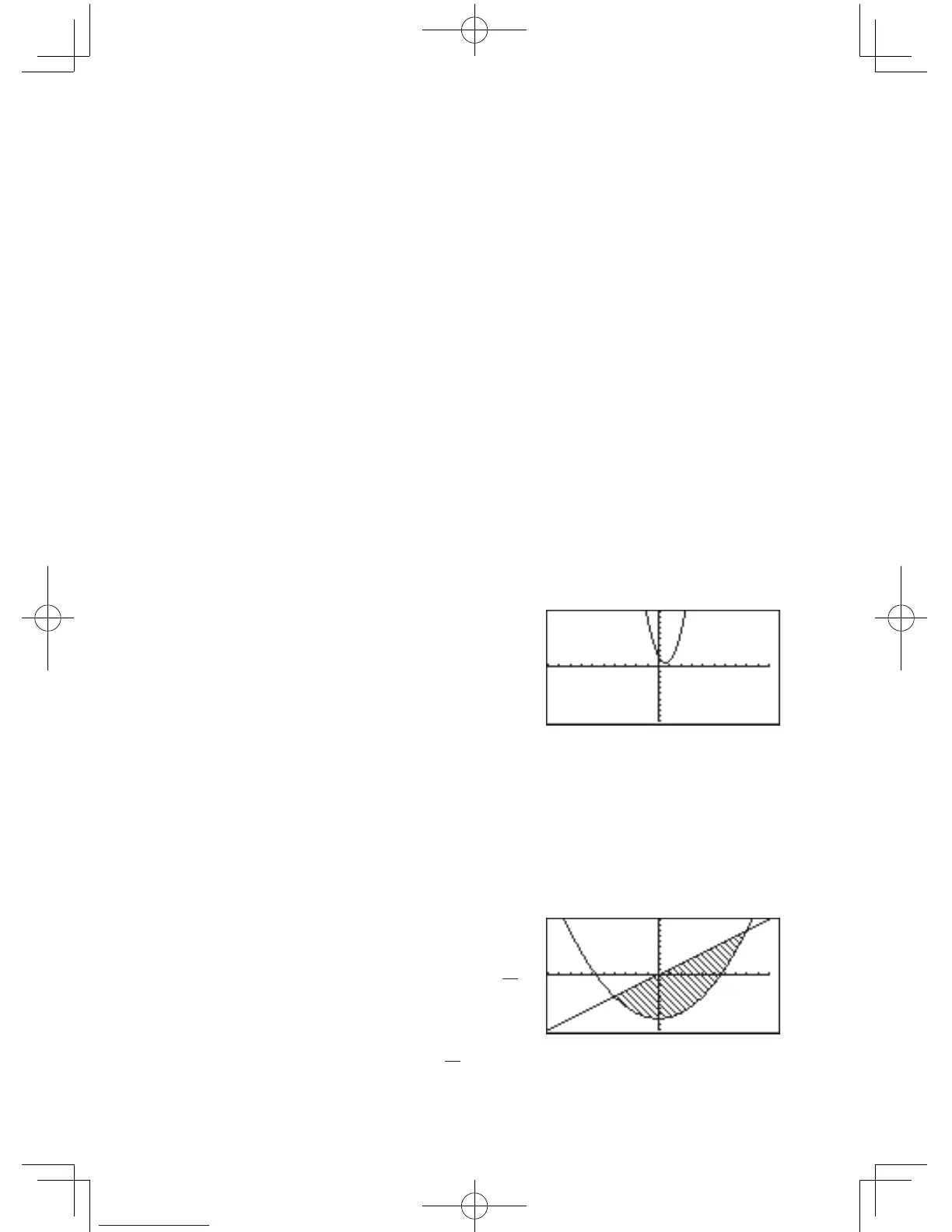
Draws an additional graph based on a given expression.
Example
• Drawthegraphof
y = 3x
2
-4x+2
.
1. SelectDraw.
2. Enter “3x
2
–
4x
+
2”
on the line.
3.Press
E
.
Note: This tool can be used with rectangular coordinate
graphs only.
08 Shade( Shade(equation1, equation2 [, lower value, upper
value])
Draws two graphs, and shades the area between the
two. If the x range is specified, it shades the area within
the specified range.
Example
• Shadethearea
enclosed by
y =
1
4
x
2
– 8
and
y = x
.
1. SelectShade(.
2. Enter “
1
4
x
2
–
8,x)”ontheline.
3.Press
E
.
FromtheGRAPH
window



 To Next Page