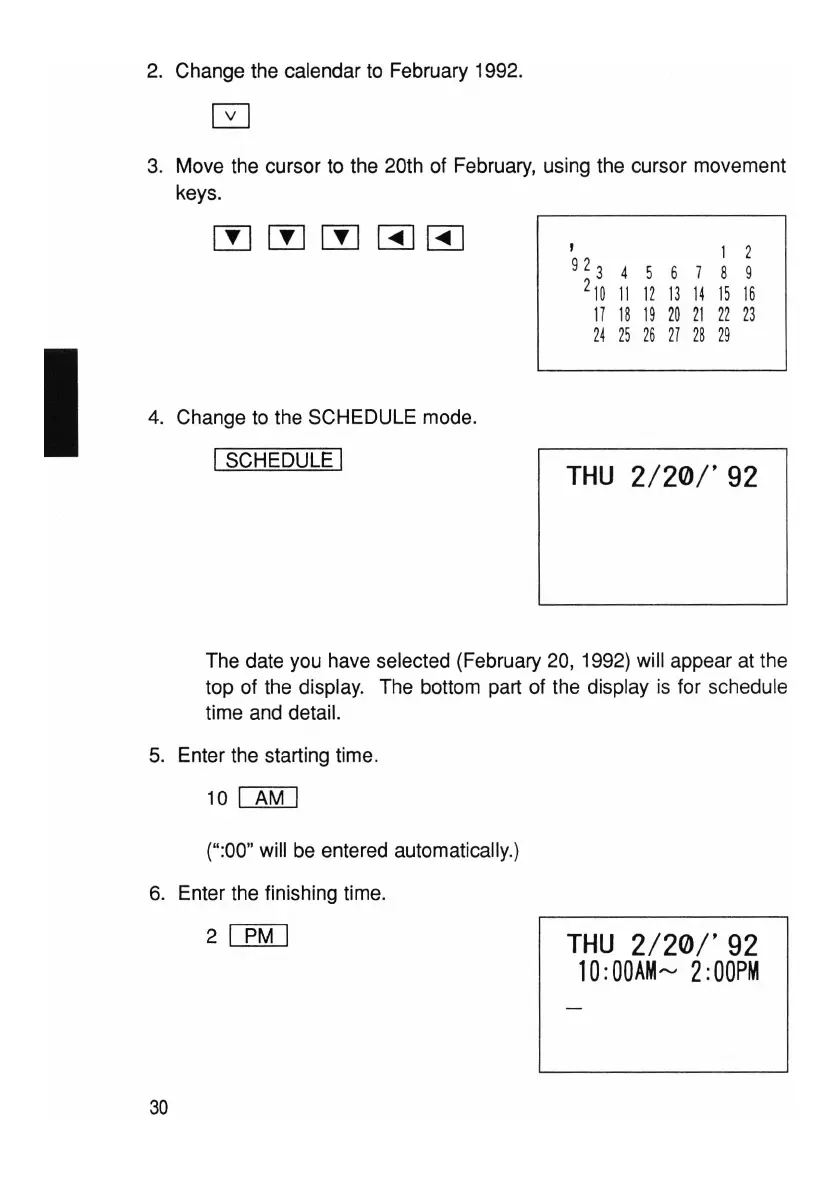
2. Change the calendar to February 1992.
3. Move the cursor to the 20th of February, using the cursor movement
keys.
I
4. Change to the SCHEDULE mode.
I SCHEDULE I
, 1 2
92
3
4 5 6 7 8 9
2
10
11
12
1
31
4 1516
17
18
19
20
21
22
23
24
25
26 27
28 29
THU
2/20/'
92
The date you have selected (February 20, 1992) will appear at the
top of the display. The bottom part of the display is for schedule
time and detail.
5. Enter the starting time.
10
[AM]
(":00" will be entered automatically.)
6. Enter the finishing time.
2
ITMJ
30
THU
2/20/'92
10
:00AMrv
2:00PM



 To Next Page