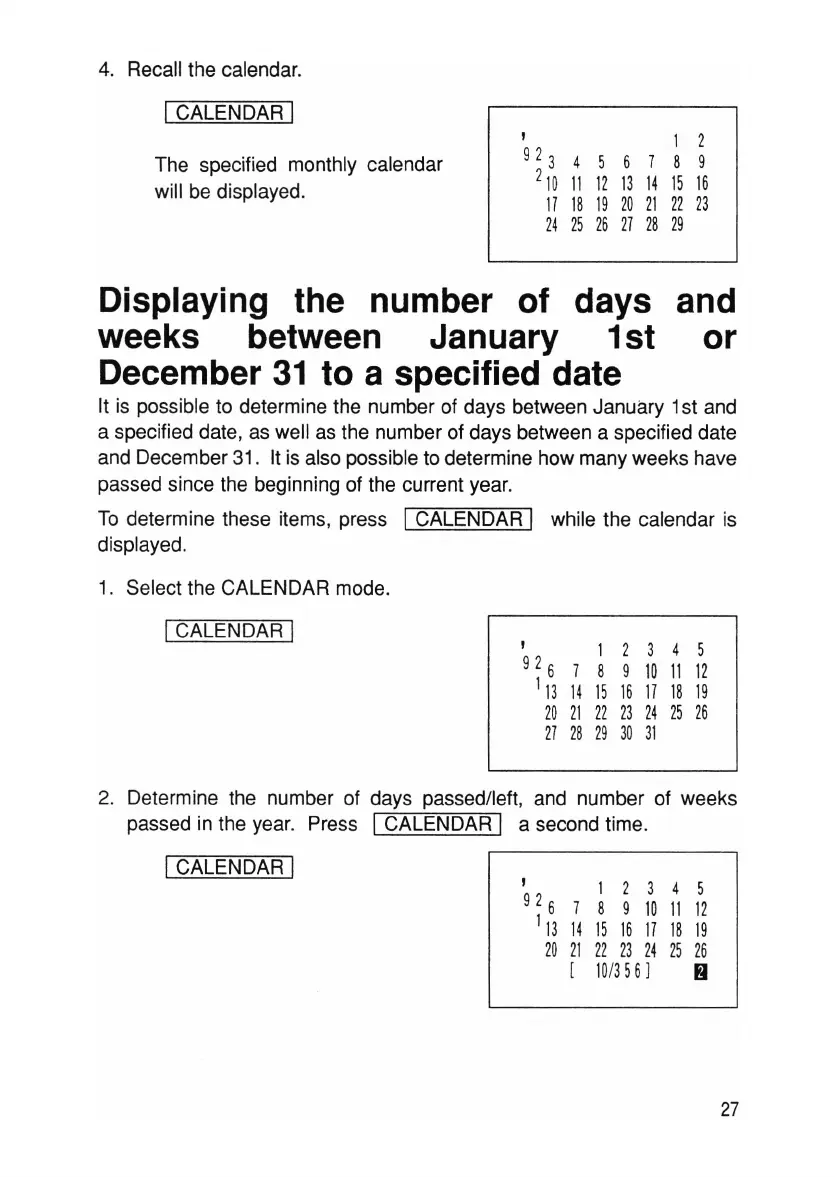
4. Recall the calendar.
ICALENDAR I
The specified monthly calendar
will be displayed.
, 1 2
92
3
4 5 6 7 8 9
2
10
11 121314
1516
17 18
19
20
21
22
23
24
25 26
27
28 29
Displaying the number of days and
weeks between January 1st or
December
31
to a specified date
It is possible to determine the number of days between January 1st and
a specified date, as well as the number of days between a specified date
and December 31. It is also possible to determine how many weeks have
passed since the beginning of the current year.
To determine these items, press
ICALENDAR I while the calendar is
displayed.
1. Select the CALENDAR mode.
ICALENDAR I
, 1 2 3 4 5
92
6
7 8 9 10
11
12
'13
14
1516 171819
20
21
22 23
24
25
26
27
28 29
30
31
, 1 2 3 4 5
92
6
7 8 9 10 11
12
1
13
14 15
16
17 18
19
20
21
22 23 24 25
26
[ 10/356]
~
2. Determine the number of days passed/left, and number of weeks
passed in the year. Press
ICALENDAR I a second time.
ICALENDAR I
27



 To Next Page