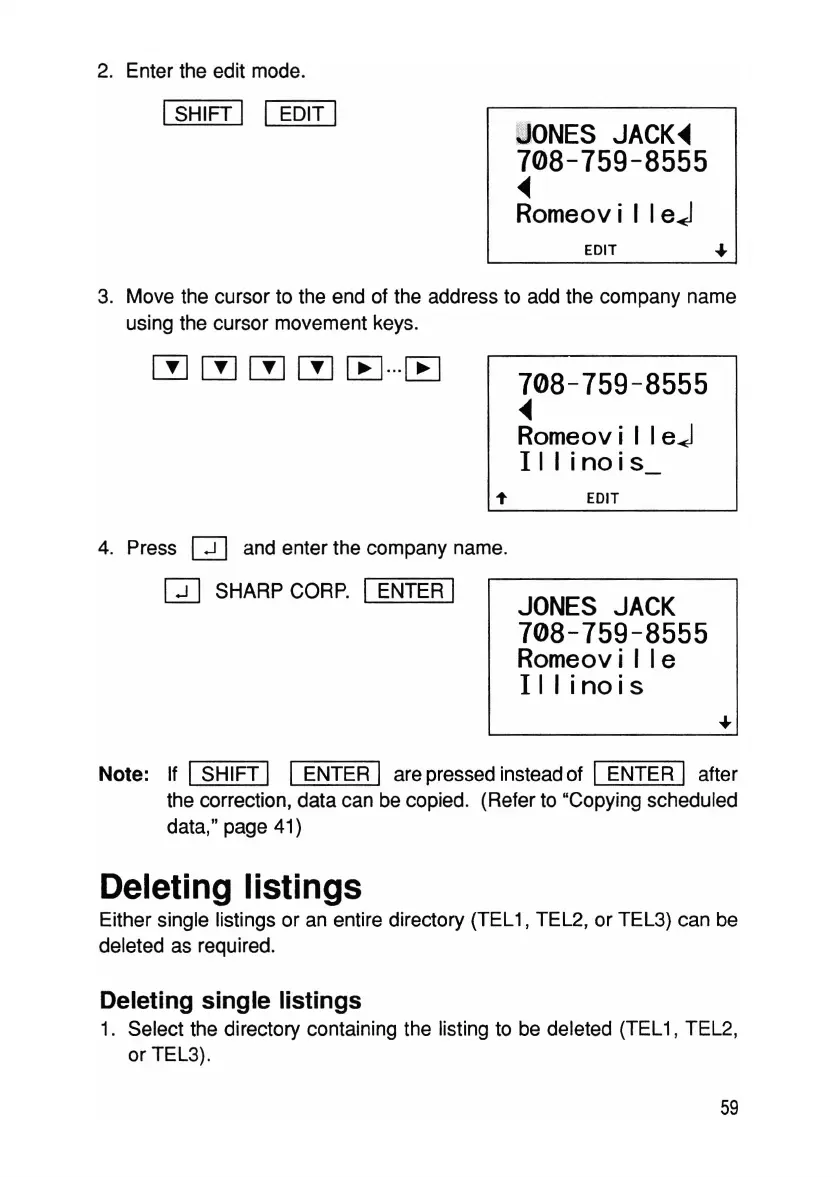
2. Enter the edit mode.
ISHIFT I I EDIT I
tJ
ONES
JACK~
708-759-8555
~
Romeovi I I
eJ
EDIT •
3. Move the cursor to the end of the address to add the company name
using the cursor movement keys.
708-759-8555
~
Romeovi I I
eJ
III
i
noi
s_
EDIT
4. Press
Q]
and enter the company name.
CD
SHARP CORP. IENTER I
JONES
JACK
708-759-8555
Romeovi
lie
Illinois
Note: If ISHIFT I I ENTER I are pressed instead of I ENTER I after
the correction, data can be copied. (Refer to "Copying scheduled
data," page 41)
Deleting listings
Either single listings or an entire directory (TEL1, TEL2, or TEL3) can be
deleted as required.
Deleting single listings
1. Select the directory containing the listing to be deleted (TEL1, TEL2,
or TEL3).
59



 To Next Page