2. Recall the listing to be deleted.
Press
0 several times until the listing is displayed.
3. Delete the entry with
ISHIFT I I DEL
I.
4. The delete prompt appears.
Press
[Y]
. {To retain the data, press
[}[]
.)
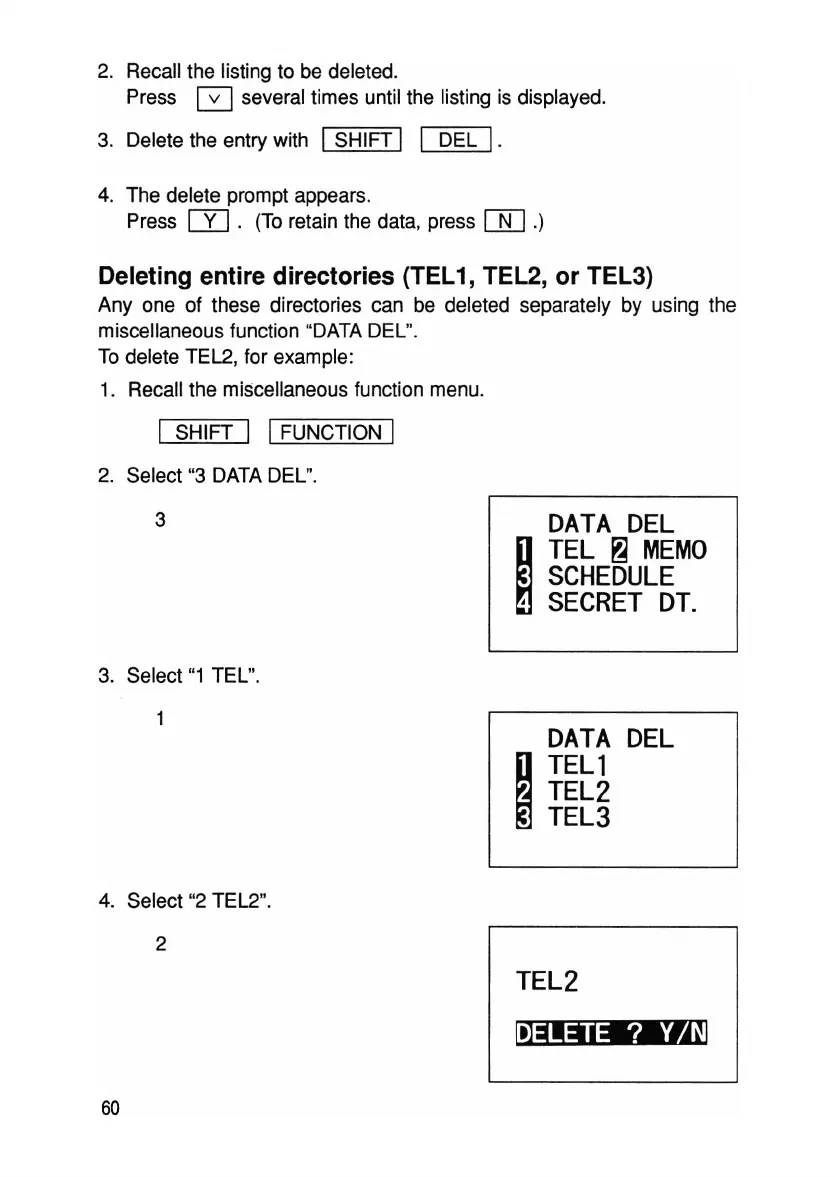
Deleting entire directories (TEL1, TEL2, or TEL3)
Anyone
of these directories can be deleted separately by using the
miscellaneous function "DATA DEL".
To delete TEL2, for example:
1. Recall the miscellaneous function menu.
I SHIFT I IFUNCTION I
2. Select "3 DATA DEL".
3
3. Select
"1
TEL".
4. Select "2 TEL2".
2
60
DATA
DEL
~
TEL
~
MEMO
SCHEDULE
,
SECRET
DT.
DATA
DEL
~
TELl
TEL2
TEL3
TEL2
~



 To Next Page