To correct the date, first enter the edit mode, then press rn until
the
date
flashes, enter the correct date and press I ENTER I .
Note: If I
SHIFT
I I
ENTER
I are pressed instead of
'-1
=EN:"7.
T=E=R=-"'1
after
the correction, data can be copied. (Refer to "Copying scheduled
data," page 41)
Deleting anniversaries
Deleting one entry
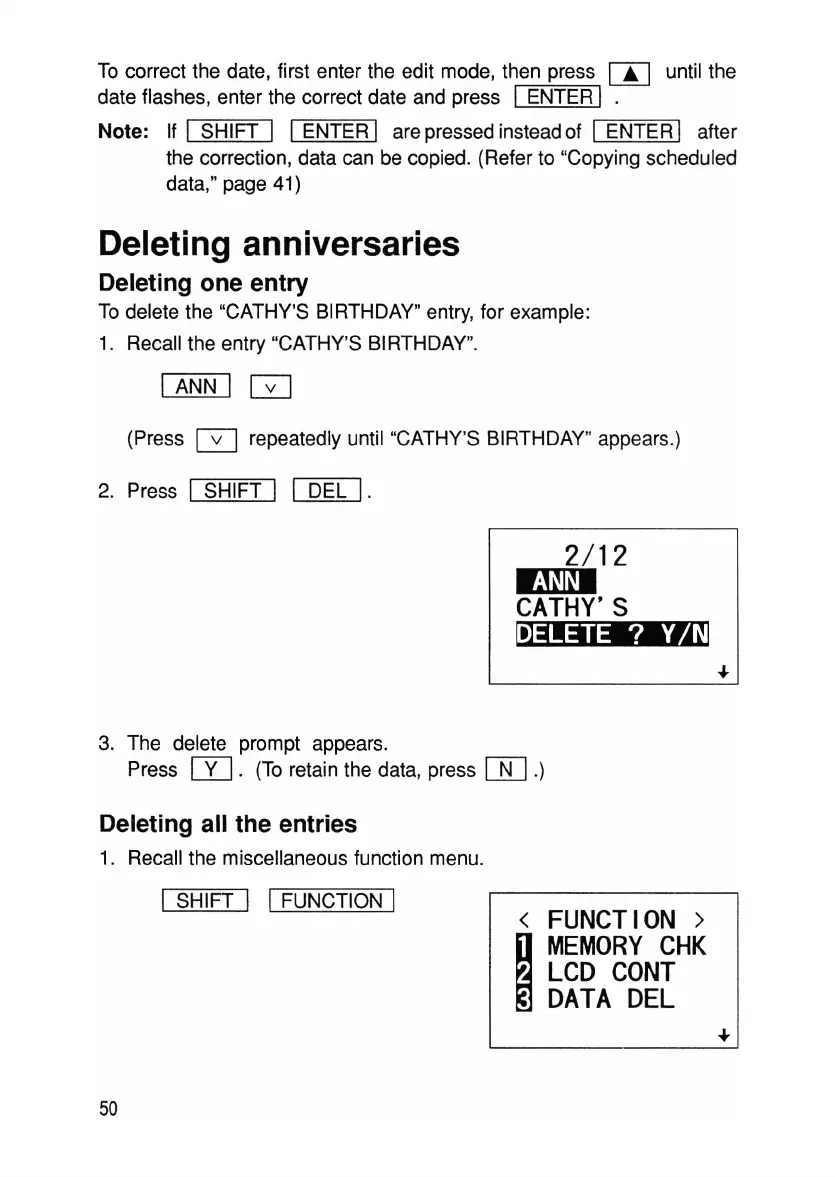
To delete the "CATHY'S BIRTHDAY" entry, for example:
1. Recall the entry "CATHY'S BIRTHDAY".
I ANN I
GJ
(Press G repeatedly until "CATHY'S BIRTHDAY" appears.)
2. Press
I
SHIFT
I I
DEL
I.
2/12
ImD
CATHY'S
~
3.
The
delete prompt appears.
Press
W.
(To retain the data, press
[J[]
.)
Deleting all the entries
1. Recall the miscellaneous function menu.
I
SHIFT
I I FUNCTION I
50
<
FUNCTION>
I
MEMORY
CHK
LCD
CONT
DATA
DEL



 To Next Page