Declassifying secret data by removing
the secret code
Secret data can be declassified. You must first turn off the secret function
and recall the entry you wish to declassify. Then, press
I SHIFT
11
EDIT I
and enter the edit mode. Then press I SHIFT I I
MARK*
I to turn off
"*
" on the display. After the symbol goes off, press I ENTER I to
re-enter the data as non-secret.
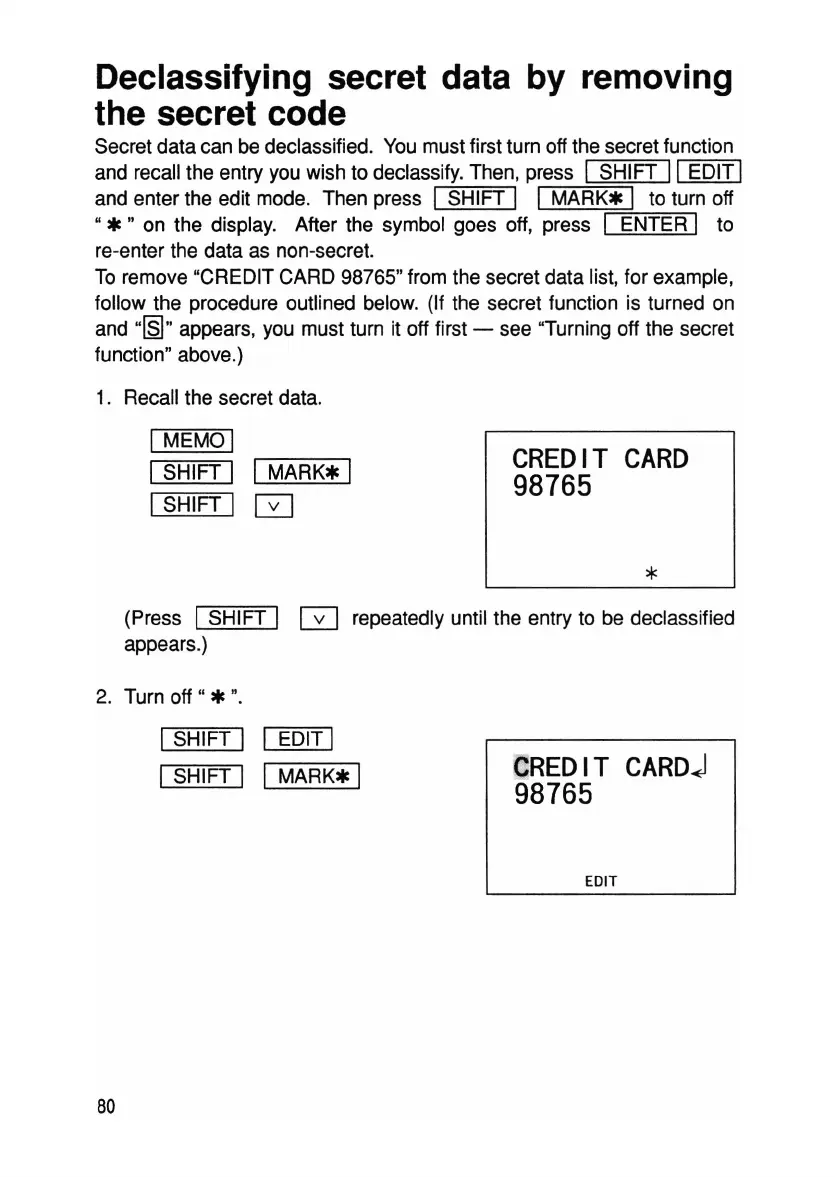
To remove "CREDIT CARD 98765" from the secret data list, for example,
follow the procedure outlined below. (If the secret function is turned on
and
"[§I"
appears, you must turn it off first - see "Turning off the secret
function" above.)
1. Recall the secret data.
I MEMO 1
ISHIFT I I
MARK*
I
ISHIFT I 0
CREDIT
CARD
98765
*
(Press 1SHIFT I 0 repeatedly until the entry to be declassified
appears.)
2. Turn
off"
* ".
ISHIFT I I EDIT I
I SHIFT 1 I
MARK*
I
80
CREDIT
CARDj
98765
EDIT



 To Next Page