Be sure to perform the following procedures before using the Organizer
for the first time:
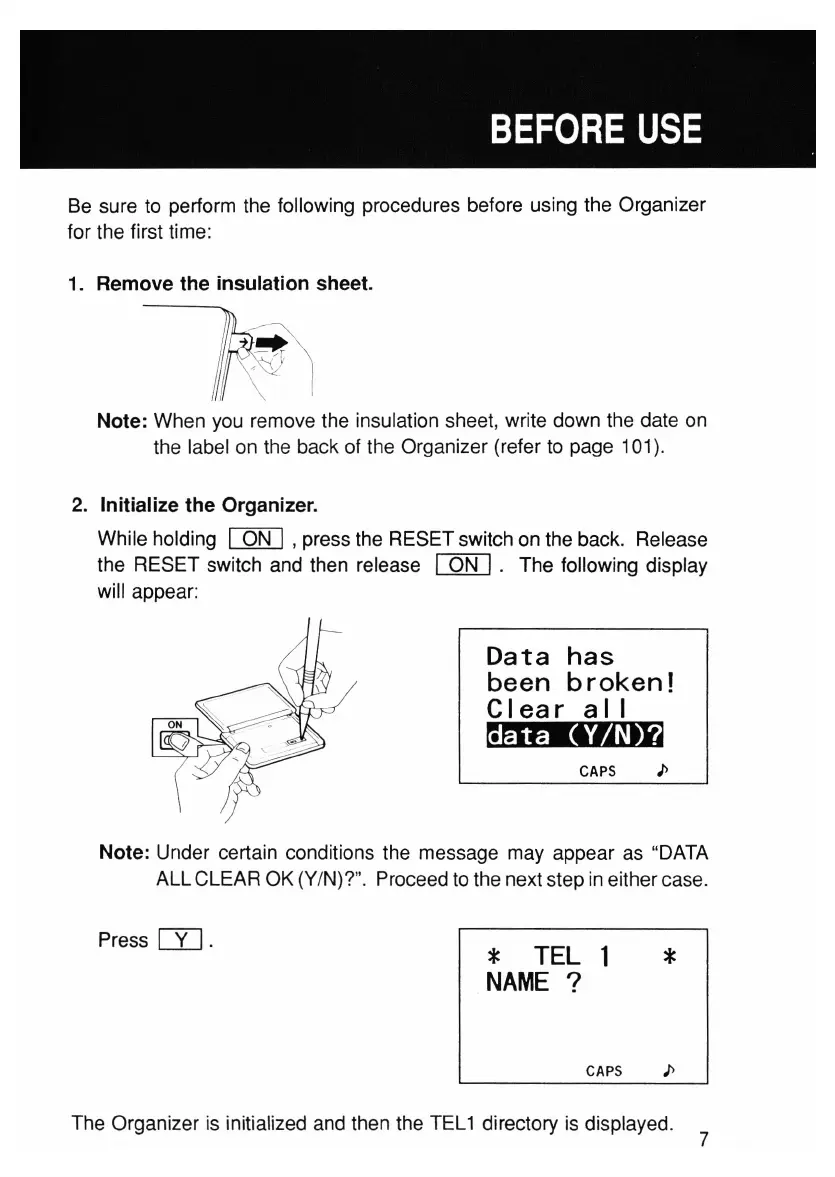
1. Remove the
insulation
sheet.
~
~
~
~
c,./v
< ,
I
Note: When you remove the insulation sheet, write down the date on
the label on the back of the Organizer (refer to page 101).
2. Initialize
the
Organizer.
While holding
[Qf[]
,press the RESET switch on the back. Release
the RESET switch and then release
[QN]
. The following display
will appear:
Data
has
been
broken!
Clear
a I I
~
CAPS
I>
Note: Under certain conditions the message may appear as "DATA
ALL CLEAR OK (Y/N)?". Proceed to the next step in either case.
Press
rn.
* TEL 1
NAME
?
*
CAPS />
The Organizer is initialized and then the TEL1 directory is displayed.
7



 To Next Page