Editing scheduled data
Previously scheduled data may be edited by pressing I SHIFT I
I EDIT I. Once the edit mode is entered. the data may be edited directly
using
~,
ffi,
[!],
[!],
I SHIFT I I INS I and I SHIFT I
I
DEL I, etc.
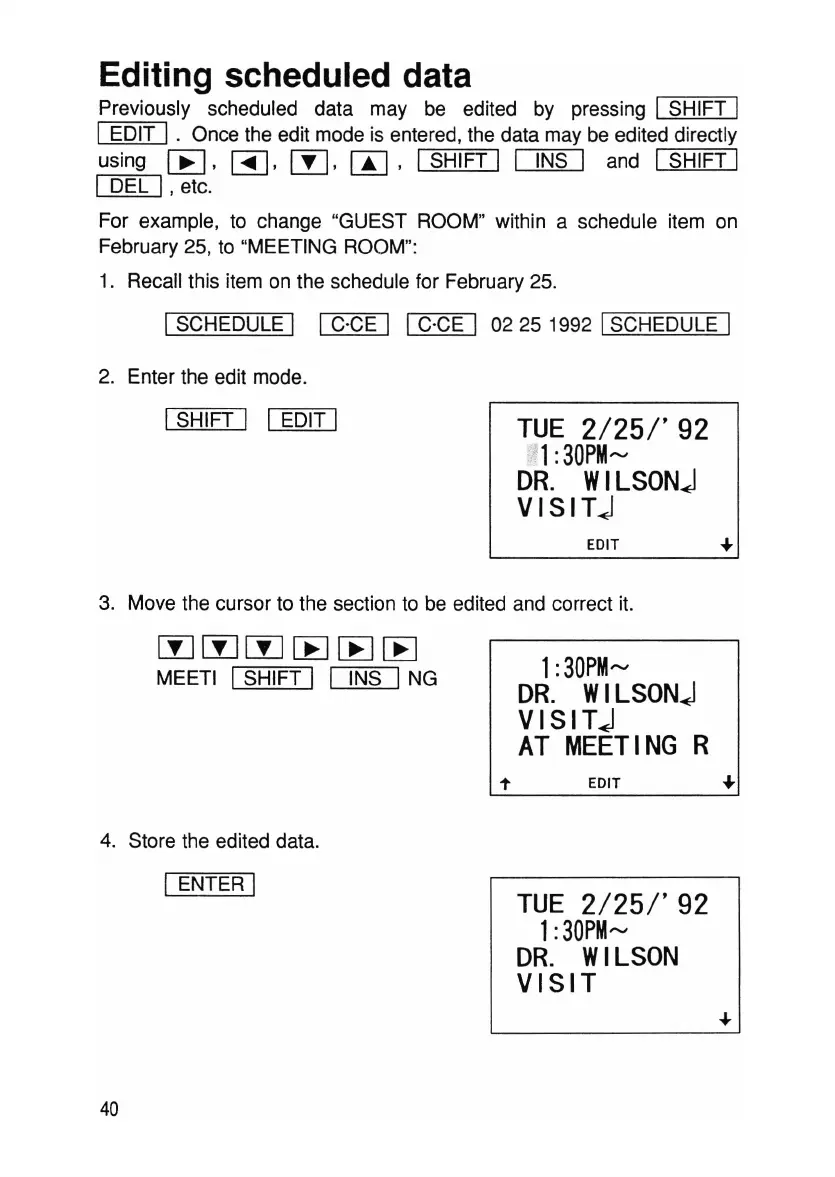
For example, to change "GUEST ROOM" within a schedule item on
February 25, to "MEETING ROOM":
1. Recall this item on the schedule for February 25.
ISCHEDULE I IC·CE I IC·CE I 02 25 1992 ISCHEDULE I
2. Enter the edit mode.
ISHIFT I I EDIT I
TUE
2/25/'92
1
:30PM~
DR.
WILSON~
VISIT~
EDIT ~
3. Move the cursor to the section to be edited and correct it.
lYJlYJ[j]~~[B
MEETI ISHIFT I I INS ING
4. Store the edited data.
I ENTER I
40
1
:30PM~
DR.
WILSON~
VISIT~
AT
MEETING
R
EDIT
TUE
2/25/'92
1
:30PM~
DR.
WILSON
VISIT



 To Next Page