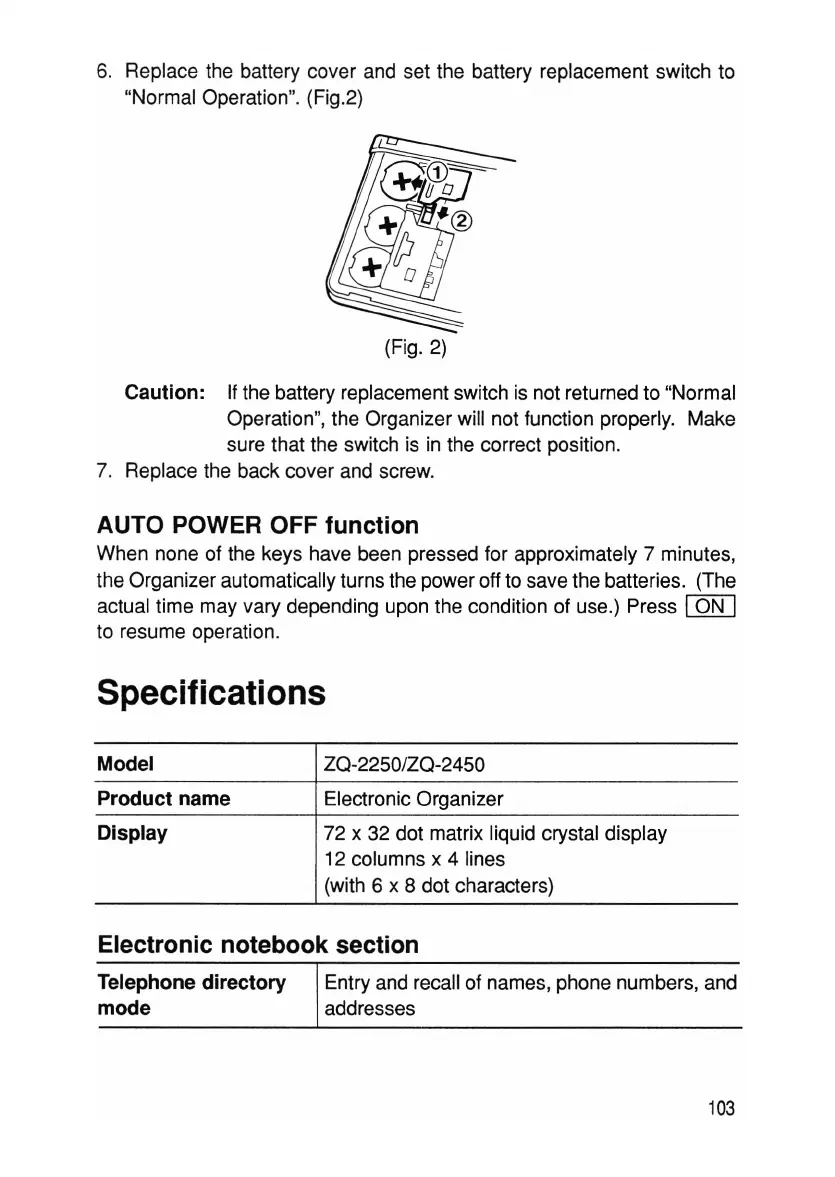
6. Replace the battery cover and set the battery replacement switch to
"Normal Operation". (Fig.2)
(Fig. 2)
Caution: If the battery replacement switch is not returned to "Normal
Operation", the Organizer will not function properly. Make
sure that the switch is in the correct position.
7. Replace the back cover and screw.
AUTO POWER OFF function
When none of the keys have been pressed for approximately 7 minutes,
the Organize r automatically turns the power off to save the batteries. (The
actual time may vary depending upon the condition of use.) Press
ION
I
to resume operation.
Specifications
Model
Product name
Display
ZQ-2250/ZQ-2450
Electronic Organizer
72 x 32 dot matrix liquid crystal display
12 columns x 4 lines
(with 6 x 8 dot characters)
Electronic notebook section
Telephone directory
mode
Entry and recall of names, phone numbers, and
addresses
103



 To Next Page