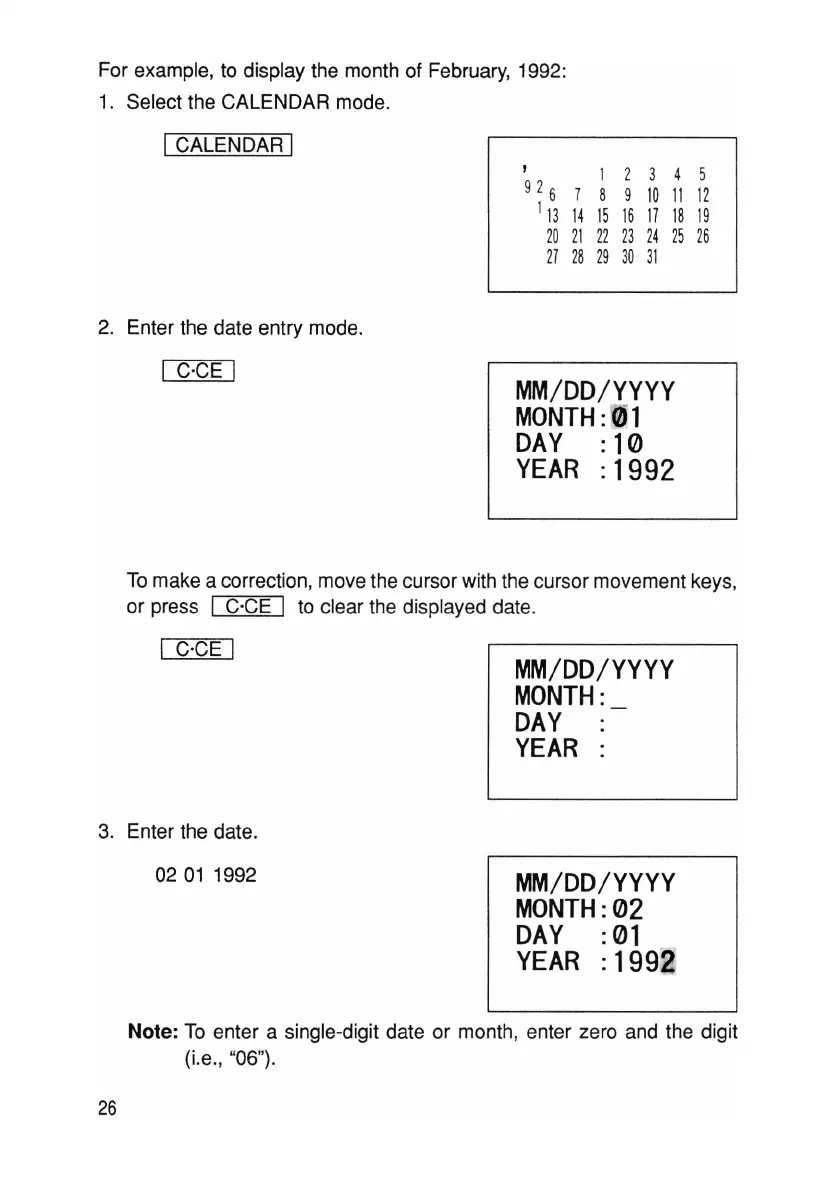
For example, to display the month of February, 1992:
1. Select the CALENDAR mode.
I CALENDAR I
2. Enter the date entry mode.
1 2 3 4 5
7 8 9
10
11
12
14
15 16
17 18
19
21
22
23
24
25
26
28 29
30
31
I C'CE I
MM/DD/YYYY
MONTH:(lJ1
DAY
:10
YEAR
:1992
MM/DD/YYYY
MONTH:
DAY
:
YEAR
:
To make a correction, move the cursor with the cursor movement keys,
or press
I C'CE I to clear the displayed date.
I C'CE I
3. Enter the date.
0201
1992
MM/DD/YYYY
MONTH:
02
DAY
:01
YEAR
:1992
Note: To enter a single-digit date or month, enter zero and the digit
(i.e., "06").
26



 To Next Page