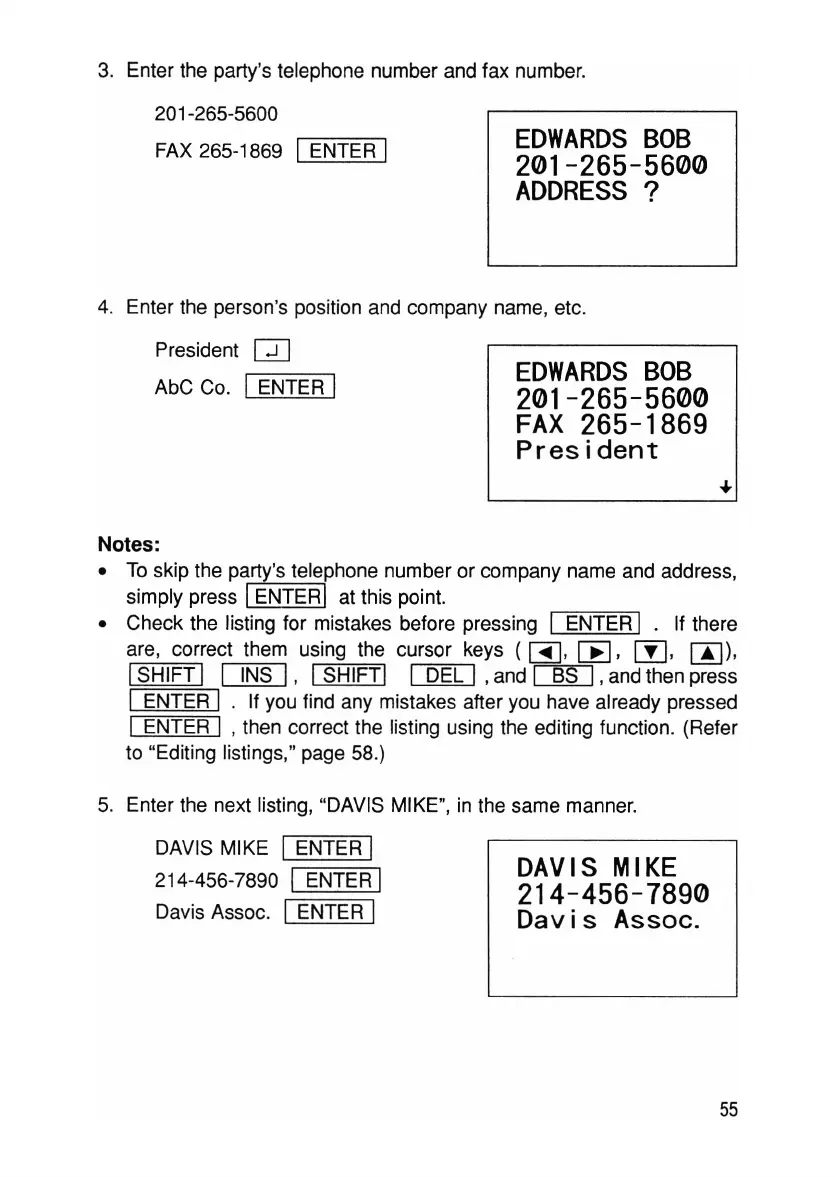
3. Enter the party's telephone number and fax number.
201-265-5600
FAX 265-1869 I ENTER I
EDWARDS
BOB
201-265-5600
ADDRESS
?
EDWARDS
BOB
201-265-5600
FAX
265-1869
President
4. Enter the person's position and company name, etc.
President
Q]
AbC Co. IENTER I
Notes:
• To skip the party's telephone number or company name and address,
simply press IENTERI at this point.
• Check the listing for mistakes before pressing I ENTER I . If there
are, correct them using the cursor keys
(~
,
[E,
00,
[!J)
,
ISHIFT I I INS I, ISHIFTI I DEL I
,and
~
, and then press
I ENTER I . If you find any mistakes after you have already pressed
I ENTER I ,then correct the listing using the editing function. (Refer
to "Editing listings," page 58.)
5. Enter the next listing, "DAVIS MIKE", in the same manner.
DAVIS MIKE IENTER I
214-456-7890 I ENTER I
Davis Assoc. IENTER I
DAVIS
MIKE
214-456-7890
Dav
is
Assoc.
55



 To Next Page