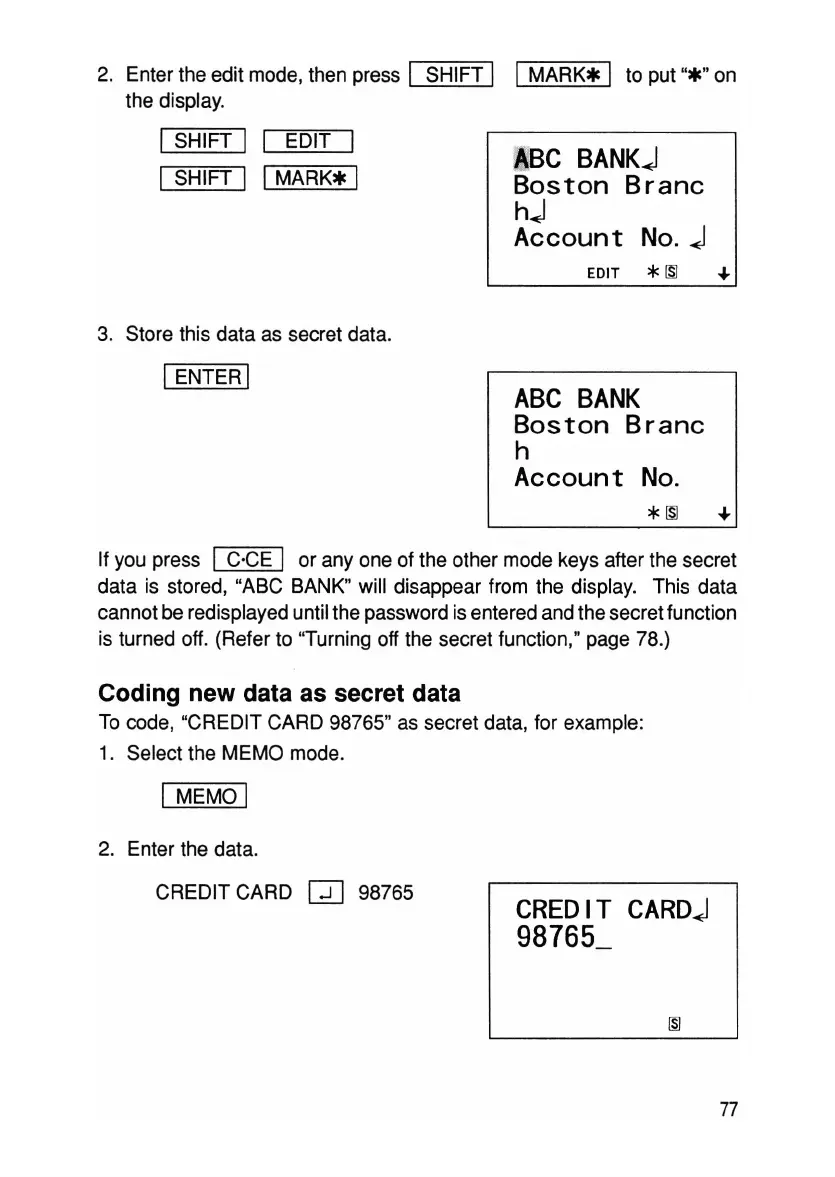
2. Enter the edit mode, then press I SHIFT I I
MARK*
I to put
"*"
on
the display.
ISHIFT I I EDIT I
I
SHIFT I I
MARK*
I
3. Store this data as secret data.
IENTER I
~BC
BANKj
Boston Branc
hj
Account
No.
j
EDIT *
ISl
..a.
ABC
BANK
Boston Branc
h
Account
No.
*
1Sl
..a.
If you press I C'CE I or
anyone
of the other mode keys after the secret
data is stored, "ABC BANK" will disappear from the display. This data
cannot be redisplayed until the password is entered and the secret function
is turned off. (Refer to "Turning off the secret function ," page 78.)
Coding new data as secret data
To code, "CREDIT CARD 98765" as secret data, for example:
1. Select the MEMO mode.
I MEMO I
2. Enter the data.
CREDIT CARD
GO
98765
CREDIT
CARDj
98765_
77



 To Next Page