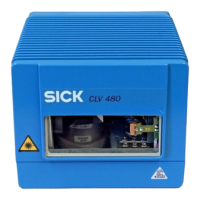
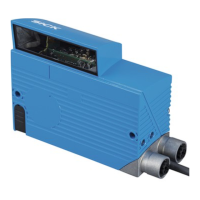
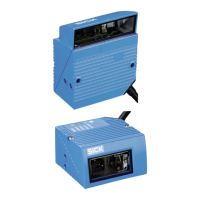
Operating Instructions
CLV490 Bar Code Scanner
I-12 © SICK AG · Division Auto Ident · Germany · All rights reserved 8009993/RA61/2007-07-20
Figures and tables
Table 6-24: Guide: Parameterizing the separation of identical bar codes........................6-36
Table 6-25: "Monitor Host Interface" function.............................................................................6-54
Table 8-1: Error messages output on the auxiliary interface................................................. 8-2
Table 8-2: LED error messages for access to the external parameter memory
(connector cover).............................................................................................................. 8-3
Table 8-3: Messages for problems accessing the external parameter memory
(connector cover).............................................................................................................. 8-5
Table 8-4: Meaning of the ST error status in the reading result .......................................... 8-7
Table 8-5: Troubleshooting: restoring operation (Reading mode)....................................... 8-9
Table 8-6: Troubleshooting: reading trigger errors in Reading mode
(CLV490 in stand-alone configuration)...................................................................8-10
Table 8-7: Troubleshooting: reading trigger errors in Reading mode
(CLV490 integrated in OTS400 Omni Tracking System).................................8-13
Table 8-8: Troubleshooting: result output errors in Reading mode
(CLV490 in stand-alone configuration)...................................................................8-14
Table 8-9: Troubleshooting: result output errors in Reading mode
(CLV490 integrated in the OTS400 Omni Tracking System).........................8-17
Table 8-10: Troubleshooting: errors in the result status output in Reading mode........8-18
Table 8-11: Troubleshooting: oscillating mirror errors in Reading mode...........................8-19
Table 9-1: Technical specifications of the CLV490-0010/-2010/-6010........................ 9-1
Table 9-2: Technical specifications of the CLV490-1010/-3010/-7010........................ 9-2
Table 9-3: Technical specifications of the CLV490-0011/-2011/-6011........................ 9-3
Table 9-4: Technical specifications of the CLV490-1011/-3011/-7011........................ 9-3
Table 10-1: Reading conditions for specification diagrams ....................................................10-1
Table 10-2: Overview of specification diagrams for the line scanner .................................10-2
Table 10-3: Overview of specification diagrams for the line scanner with
oscillating mirror...............................................................................................................10-2
Table 10-4: Types of the external parameter memory in the connector cover...........10-34
Table 10-5: CLV490 system messages......................................................................................10-42
Table 10-6: Additional CLV490 system messages for the connected
parameter memory .....................................................................................................10-42
Table 10-7: Default settings in CLV-Setup..................................................................................10-46
Table 10-8: Formulas for calculating the code length of a bar code ...............................10-59
Table 10-9: Communication parameters on the terminal/PC for the auxiliary
input ..................................................................................................................................10-71
Table 10-10: Communication parameter settings for the SICK Hand-held
Scanner from the IT 38xx/46xx/48xx/58xx series........................................10-71
Table 10-11: CLV490 variants...........................................................................................................10-75
Table 10-12: Accessories: mounting accessories .....................................................................10-75
Table 10-13: Accessories: Hood.......................................................................................................10-75
Table 10-14: Accessories: connection modules.........................................................................10-76
Table 10-15: Accessories: Extensions for connection modules...........................................10-77
Table 10-16: Accessories: Cables and connector covers for CLV490 without
heater ...............................................................................................................................10-79
Table 10-17: Accessories: Cables and connector covers for CLV490 with heater......10-81
Table 10-18: Accessories: plug-in connections ..........................................................................10-82
Table 10-19: Accessories: incremental encoder........................................................................10-82
Table 10-20: Supplementary documentation ..............................................................................10-85
WWW.100Y.COM.TW WWW.100Y.COM.TW WWW.100Y.COM.TW
WWW.100Y.COM.TW WWW.100Y.COM.TW WWW.100Y.COM.TW
WWW.100Y.COM.TW WWW.100Y.COM.TW WWW.100Y.COM.TW
WWW.100Y.COM.TW WWW.100Y.COM.TW WWW.100Y.COM.TW
WWW.100Y.COM.TW WWW.100Y.COM.TW WWW.100Y.COM.TW
WWW.100Y.COM.TW WWW.100Y.COM.TW WWW.100Y.COM.TW
WWW.100Y.COM.TW WWW.100Y.COM.TW WWW.100Y.COM.TW
WWW.100Y.COM.TW WWW.100Y.COM.TW WWW.100Y.COM.TW
WWW.100Y.COM.TW WWW.100Y.COM.TW WWW.100Y.COM.TW
WWW.100Y.COM.TW WWW.100Y.COM.TW WWW.100Y.COM.TW
WWW.100Y.COM.TW WWW.100Y.COM.TW WWW.100Y.COM.TW
WWW.100Y.COM.TW WWW.100Y.COM.TW WWW.100Y.COM.TW
WWW.100Y.COM.TW WWW.100Y.COM.TW WWW.100Y.COM.TW
WWW.100Y.COM.TW WWW.100Y.COM.TW WWW.100Y.COM.TW
WWW.100Y.COM.TW WWW.100Y.COM.TW WWW.100Y.COM.TW
WWW.100Y.COM.TW WWW.100Y.COM.TW WWW.100Y.COM.TW
WWW.100Y.COM.TW WWW.100Y.COM.TW WWW.100Y.COM.TW
WWW.100Y.COM.TW WWW.100Y.COM.TW WWW.100Y.COM.TW
WWW.100Y.COM.TW WWW.100Y.COM.TW WWW.100Y.COM.TW
WWW.100Y.COM.TW WWW.100Y.COM.TW WWW.100Y.COM.TW
WWW.100Y.COM.TW WWW.100Y.COM.TW WWW.100Y.COM.TW
WWW.100Y.COM.TW WWW.100Y.COM.TW WWW.100Y.COM.TW
WWW.100Y.COM.TW WWW.100Y.COM.TW WWW.100Y.COM.TW
WWW.100Y.COM.TW WWW.100Y.COM.TW WWW.100Y.COM.TW
WWW.100Y.COM.TW WWW.100Y.COM.TW WWW.100Y.COM.TW
WWW.100Y.COM.TW WWW.100Y.COM.TW WWW.100Y.COM.TW
WWW.100Y.COM.TW WWW.100Y.COM.TW WWW.100Y.COM.TW
WWW.100Y.COM.TW WWW.100Y.COM.TW WWW.100Y.COM.TW
WWW.100Y.COM.TW WWW.100Y.COM.TW WWW.100Y.COM.TW
WWW.100Y.COM.TW WWW.100Y.COM.TW WWW.100Y.COM.TW
WWW.100Y.COM.TW WWW.100Y.COM.TW WWW.100Y.COM.TW
WWW.100Y.COM.TW WWW.100Y.COM.TW WWW.100Y.COM.TW
WWW.100Y.COM.TW WWW.100Y.COM.TW WWW.100Y.COM.TW
WWW.100Y.COM.TW WWW.100Y.COM.TW WWW.100Y.COM.TW
WWW.100Y.COM.TW WWW.100Y.COM.TW WWW.100Y.COM.TW
WWW.100Y.COM.TW WWW.100Y.COM.TW WWW.100Y.COM.TW
WWW.100Y.COM.TW WWW.100Y.COM.TW WWW.100Y.COM.TW
WWW.100Y.COM.TW WWW.100Y.COM.TW WWW.100Y.COM.TW



 To Next Page