Configuration
35
Building Technologies A6V10265083_a_en_--
Fire Safety & Security Products 03.2010
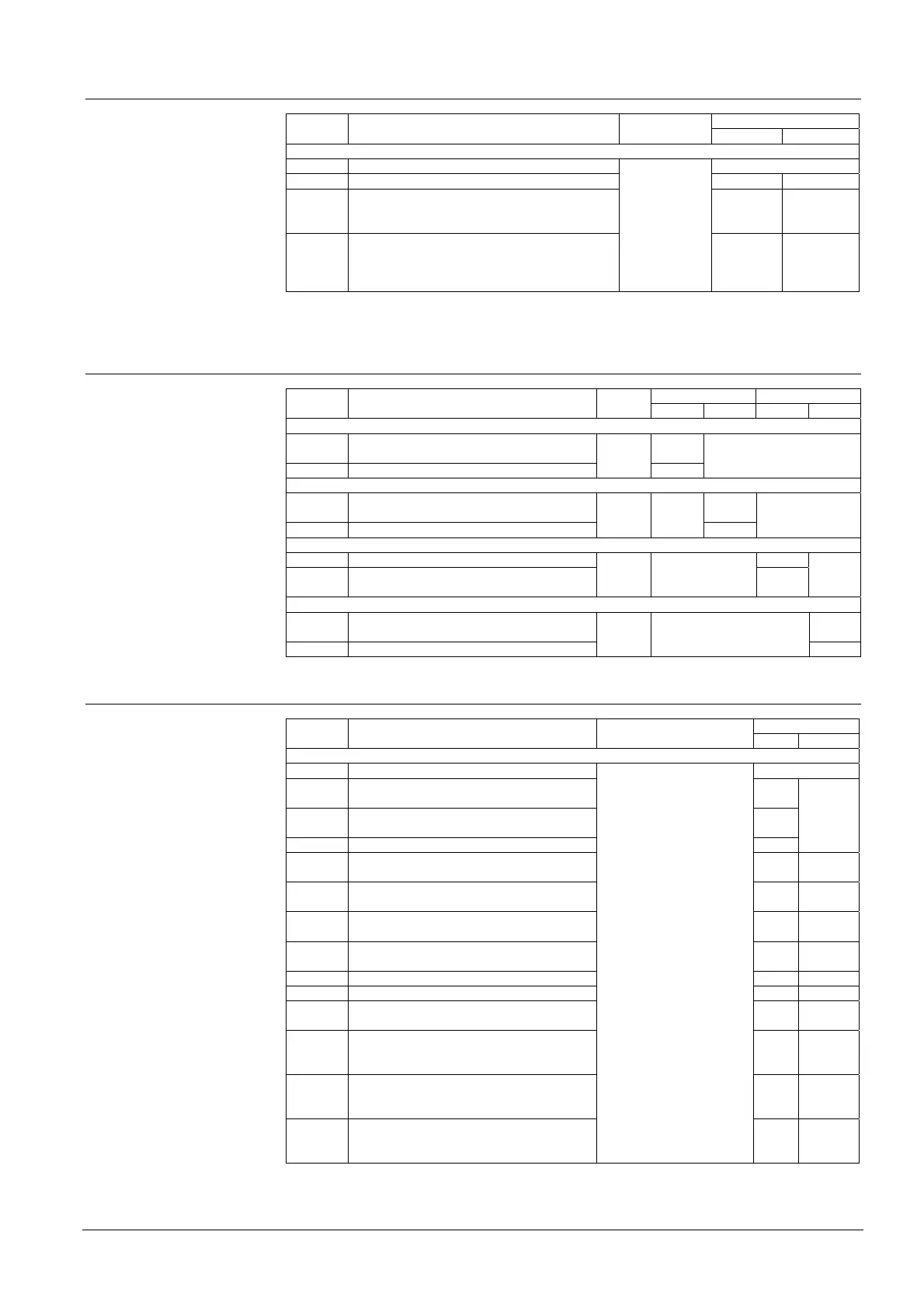
8.3.3 Step 3, zone processing on alarm
LED zone 1 - x Option Setting Key
Red yellow
Function: Zone alarm processing (zone type)
1 via timer V1/V2 Default off
2 direct (timer bypassed) 1) on
3 Alarm 0 (internal) 1)
- RT and timer V1/V2 not initiated
- Horn activated (unless disengaged in step 7)
on
4 via timer V1/V2, but call points always initiate
Alarm 2 (direct)
see also chapter 5.1.4 manual, manual call
point detection
Zone 1 - x
on on
1)
If all zones are set to direct or internal, the function manned/unmanned is disabled.
8.3.4 Step 4, LED activation mode
LED zone 1 LED zone 2 Option Setting Key
Red yellow Red yellow
Function: Activation of LED remote transmission
1 on RT-Alarm only Default
off
2 on RT-Alarm and RT-Fault
zone 1
on
Function: Flashing mode of the two LED Alarm
3 alternating while V1/V2 run Default
off
4 simultaneously on unacknowledged alarms
zone 1
on
Function: LED system part disabled on mode manned
5 off in mode manned off
6 on in mode manned
zone 2
Default
on
Function: Resound or not on new alarm
7 Resound sounders on new alarm Default
off
8 No resound on new alarm
Zone 2
+ key 2
on
8.3.5 Step 5, activation mode of control lines
LED zone 1 – 6 Option Setting Key
Red yellow
Function: Activation mode of control lines 1-6
1 continuous on Alarm 1 and 2 Default off
2 continuous on Alarm 1
pulsating on Alarm 2
on
3 pulsating on Alarm 1
continuous on Alarm 2
slow
4 pulsating on Alarm 1 and 2 fast
5 continuous on Alarm 1
not activated with Alarm 2
on on
6 pulsating on Alarm 1
not activated with Alarm 2
slow on
7 not activated with Alarm 1
continuous on Alarm 2
on slow
8 not activated with Alarm 1
pulsating on Alarm 2
slow slow
9 don't use on fast
10 don't use fast on
11 continuous on RT-Alarm
– same facility as RT-Alarm
on
12 continuous on Alarm 1 and 2
– same facility as driver output (fire con-
trols)
slow
13 continuous on Alarm 2
– same facility as driver output (fire con-
trols)
fast
14 continuous on RT-Fault
– same facility as RT-Fault (until inactive)
– possible with control line 6 only
zone 1 = control line 1
zone 2 = control line 2
zone 3 = control line 3
zone 4 = control line 4
zone 5 = control line 5
zone 6 = control line 6
control lines 3 – 6 with
8/12 zone panel only and
additional control card
fast fast
Option 1 to 13 active until Reset




 To Next Page